Business
Five Absolutely Simple (Yet Powerful) Finance Management Tools
There are many finance and money management applications out there, but getting by free and good ones is not that easy. Today, we are sharing Five Absolutely Simple (Yet Powerful) Finance Management Tools. Read each entry in the list and see which finance app suits your needs best.
You are welcome if you want to share more finance management apps that our readers/viewers may like. Do you want to be the first one to know the latest happenings at SmashingApps.com, just subscribe to our rss feed and you can follow us on twitter and follow us on Digg as well to get updated.
moneytrackin

moneytrackin‘ is a free online webapp that allows you to track all your expenses and incomes easily and without effort, thus allowing you to have a clear view of your financial situation. It intends to be a simple yet powerful online budget management tool.
Buxfer

Buxfer automatically downloads and categorizes expenses from your checking, savings and credit card accounts. Get spending insights and monitor activity on all your accounts at a single place.
moneyStrands

moneyStrands Free personal finance software helps you manage all your money in one place and provides easy online budgeting and financial planning tools. It automatically gathers data for all the financial accounts you want to track, including savings, checking, and credit cards, to give you an up-to-date, accurate, unified view of your finances.
Xpenser

Xpenser lets you record expenses via whatever means are available to you quickly and painlessly. Send them in via Email, SMS, IM, or voice (call a number and say your expense). Use the iPhone, Android, or WebOS native applications.
BudgetPulse

BudgetPulse is a free online personal budgeting tool that offers the perfect combination of simplicity and functionality. It was designed so that anyone can quickly and easily take control of their personal finances.
Top 10 Evergreen (Yet Free) iPhone Apps To Make Your Life Easier
There are many applications out there, but getting by free and good ones is not that easy. Today, we are sharing Top 10 Evergreen (Yet Free) iPhone Apps To Make Your Life Easier. Read each entry in the list and see which iPhone app suits your needs best.
You are welcome if you want to share more iPhone apps that our readers/viewers may like. Do you want to be the first one to know the latest happenings at SmashingApps.com, just subscribe to our rss feed and you can follow us on twitter and follow us on Digg as well to get updated.
TeamViewer

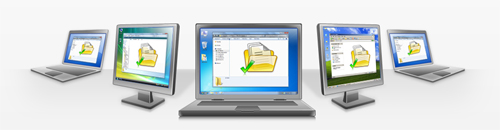
TeamViewer provides easy, fast and secure remote access to Windows, Mac and Linux systems. TeamViewer is already used on more than 100,000,000 computers worldwide and with the TeamViewer App for iPhone and iPod Touch you are able to support your family and friends and can have access to your own computer with all of its documents and installed applications.
Idea Sketch

Idea Sketch lets you easily draw a diagram – mind map, concept map, or flow chart – and convert it to a text outline, and vice versa. You can use Idea Sketch for anything, such as brainstorming new ideas, illustrating concepts, making lists and outlines, planning presentations, creating organizational charts, and more.
Timer+

Timer+ is a simple countdown timer that can run multiple timers from a list of presets. It lets you pause and resume timers and set timers with seconds. Timer+ will alert you even when it’s running in the background.
Documents Free (Mobile Office Suite)

iPhone’s only light weight mobile office suite. This essential application allows you to edit and manage spreadsheet & text files on your iPhone. It works both online and offline. You can also synchronize files to your Google Documents account and open files on your PC or Mac.
USB Disk

USB Disk lets you store and view documents on your iPhone and iPod. It has an amazing built in document viewer and is very easy to use, with a simple and intuitive interface, yet it contains many powerful features. Drag and drop files in iTunes to transfer them to your iPhone / iPod, then view them anywhere.
Schedule Planner

Schedule Planner was developed to aide users in planning out daily activities by category and priority. Busy users are provided with a flexible set of categories ranging from “Meals” to “Health” and “Work” among others. Once a category is selected users simply input the specific nature of each time block, including when each task should be started and its overall duration. Tasks and full days can be planned in advance & viewed day-by-day via a practical graphic calendar. Furthermore, tasks are color coordinate for convenience, while the app employs an in-depth pie-chart diagram color coded to let users see how they send their time with a quick glance.
Pageonce

Pageonce automatically organizes and tracks your money and bills. See your banks, credit cards, bills and investment accounts in one simple place. Control where your money goes and get important real-time alerts and reminders about your accounts. You can even track your frequent flyer miles, rewards, mobile minutes, text and data usage. Pageonce is safe and secure, and was chosen by millions of people to simplify their daily financial lives.
ScatterBrain

ScatterBrain is an extremely focused note taking app designed to let you capture thoughts and ideas quickly when they happen. It’s simple enough to start using immediately, but versatile enough to keep track of all your thoughts. Whether it’s a grocery list, your next great idea, or just some random stuff you don’t want to forget, ScatterBrain will quickly become your go-to notes app.
Keeper® Password & Data Vault

Keeper® keeps your most important information totally secure and easy for you to access. It also protect and store your secret passwords. You can log in to websites with one touch.
DocScan

DocScan lets you instantly scan multi-pages document and send out when there is no scanner nearby. By having it, you can scan not only documents in sight, but also whiteboards, receipts, business cards, posters, coupons, books …etc.
10 Best Online Tools For Converting Documents
Have a document you or your friend cannot open? No need to worry. The internet has numerous web solutions for this. You can use various websites to convert the format of your documents into something software installed on your computer can open.
We have gathered the top 10 of such web tools and have shared them with you below. Check them out and see which ones suit you best.

With PrimoPDF you can have files converted to PDF with ease. Whether your file is store on your computer or online, you can provide it to Primo, provide it with your email address, and then receive the email notification when the conversion is complete.

With Neevia you can convert documents into a variety of file formats including images as well as PDF files. For each type of file format you can modify respective advanced options such as resolution and encryption.

DocsPal supports a wide range of document formats for both input and output. It also accepts the URL of online files in addition to getting files from your computer. You can have the files converted on the site and optionally have a download URL emailed to yourself.

DOCX to DOC is a simple web app. Its name says it all – it helps you convert DOCX files into the DOC format.

Another quite simple to use web app is Word to PDF Converter. Using this app you can quickly convert documents created by Microsoft Word into PDF files online.

Investintech DOCX to DOC is another online tool that helps convert files from DOCX to the DOC file format. It will be preferred by people who wish not to give out their email address.

You will find numerous Word-to-PDF converters online but something that does the reverse is not that abundant. This is why many people will find PDF to Word Online Converter valuable – because it converts PDF files into Word documents.

If you simply want your PDF files to be converted into images, then this web app should suit you well. Offering a basic interface is lets you quickly convert PDF files into JPG images.

CometDocs lets you create PDF files from existing digital documents that you can upload to the site. You can also get information on the files that you upload.

Adobe CreatePDF is for people who want to create PDFs online with a wide range of features at hand. With this web app you will have full control over how the final PDF turns out to be. This is also the only paid application on our list, starting from $9.99 per month.
Congratulations To The Winners Of UberTags Subscription
Thanks to all of the participants of contest in which UberTags 1 Year Subscriptions Giveaway were givingaway. We ran the MySQL random query and selected these comments to give them UberTags 1 Year Subscription.
Winners of UberTags Subscription
- Krunal Bharatiya
- Dhaval Pathak
- Sumon
- Ben
- Erikson
- Whims
- WPThemeInfo
- Yousuf Tafhim
- Jason
- Andrew G
What Is UberTags’ Cloud-Based Tag Management System?
Let’s say you manage a website. You want to track how people are getting to your site. So you paste snippets of codes called tags for Google Analytics and/or a number of other analytics services.
You also want to track the success of your marketing. So you add Google Adwords and Bing conversion snippets/tags on just your Thank You page. Maybe you add a few other conversion tags from the hundreds of other places you could advertise.
And you’ve heard that others get good results from retargeting campaigns, so you test a few different retargeting vendors, putting each of their tags on your homepage and Thank You page. Oh, and you don’t want to spend money advertising to existing customers, so you place another retargeting tag on your logged-in pages.
Wanting to provide top-notch support, you place live chat code snippets on all of your support pages so you can chat with visitors. Other tags you might use include popup surveys, widgets, toolbars, hello bars, visitor recording, heat mapping, and ad serving.
All in the course of managing your website, you’ve add dozens of 3rd party tags to various parts of your site.
Here’s The Problem:
Each 3rd party tag slows down your site a bit so before long your site’s a slow as a snail.
Often times you’re waiting forever and a day just to launch a simple code snippet because you’re waiting for IT to add the tag and for the next release cycle.
And then you lose track of which tags are firing on which pages, creating an operational nightmare if you ever need to update a tag or migrate vendors.
UberTags Solves All This.
It’s dead-easy to use.
UberTags loads your tags asynchronously, which improves your page load times. There have been a number of studies showing that small improvements to page load time drive conversion rates and customer satisfaction.
You can launch tags in minutes without waiting for release cycles. It’s all done through a browser. So go ahead and launch that retargeting campaign RIGHT NOW.
You gain a centralized list of all tags used across your site. That makes it easy to test things, migrate vendors, and ensure you’re not loading tags you don’t need.
Using UberTags
All you need to do is add your UberTag across your site. Then, you can manage all your tags and configure them to fire on the right pages via a browser. If you’re so inclined, you can also do fancy things like event-driven calls on AJAX pages or logic-driven tag calls.
UberTags Is Perfect For…
Ecommerce websites
Content websites and blogs
Corporate websites
Web apps
Agencies wishing to better integrate with client websites
Anyone else who wants better control of a website
UberTags Features
See all your tags in one place
Add new tags in minutes
See what tags are firing on a page
Launch tags across multiple websites, sitelets, domains
Loads tags asynchronously, improving load times
Test in lower level environments before pushing tags to production
Expiration dates (with notifications) for a built-in decommissioning strategy
Multiple users per account — keep track of who made what changes
Render tags to specific parts of the page — great for widgets and ad serving tags
Advanced javascript calls for logic-driven calls and AJAX pages
Congratulations to all the winners from SmashingApps.Com. They will be contacted in few days. If you are not winner at this time so please be patient and keep visiting here or subscribe to our rss feed and you can follow us on twitter as well because we are coming up with another new great contest very soon.
Thanks to UberTags for sponsoring this wonderful contest at Smashing Apps.
If you want to conduct any contest at Smashing Apps just contact us and send us all the details.
Congratulations To The Winners Of Fanurio (Time Tracking And Billing Software For Freelancers) Giveaway
Thanks to all of the participants of contest in which Fanurio (Time Tracking And Billing Software For Freelancers) were givingaway. We ran the MySQL random query and selected these comments to give them Fanurio time tracking and billing software.
Winners of Fanurio (Time Tracking And Billing Software
- Paul McClay
- Amy
- KevinB
- Grimaldo
- Peter Steven
- AgaveWeb (Gwyn)
- Boitsov
- Daniel S
- Matthew
- Blaise
Fanurio is a time tracking and billing software application, highly appreciated by freelancers for its intuitive interface, flexible timer and ability to produce detailed invoices.
Whether you need to round time, use multiple currencies or create invoices with your own layout, Fanurio has the right tools to help you get paid.

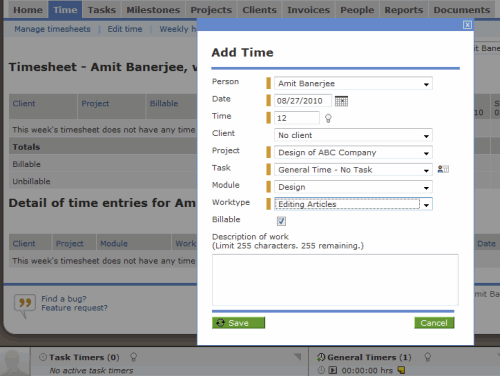
Fanurio provides multiple methods to help you track time with little effort. You can track time manually or using the timer. It also has a few reminders to help you start, resume or stop the timer automatically.
It has a few reminders (including idle time detection) to help you start, resume or stop the timer. Instead of relying on your memory and attention to control the timer, you can use these reminders. We are calling this feature smart timing. Fanurio runs on Windows 2000, XP, Vista, 7 and older, Mac OS X including Snow Leopard, Linux and other flavors of Unix.
Congratulations to all the winners from SmashingApps.Com. They will be contacted in few days. If you are not winner at this time so please be patient and keep visiting here or subscribe to our rss feed and you can follow us on twitter as well because we are coming up with another new great contest very soon.
Thanks toFanurio for sponsoring this wonderful contest at Smashing Apps.
If you want to conduct any contest at Smashing Apps just contact us and send us all the details.
Five Simply Effortless Tools For Meetings And Schedulings
There are many online meeting organizers are out there for every type of computer users, but getting by good ones and free is not that easy. That is why I am sharing Five Simply Effortless Tools For Meeting And Scheduling. Read each entry in the list and see which one suits your needs best.
You are welcome if you want to share more online meeting organizers that our readers/viewers may like. Do you want to be the first one to know the latest happenings at SmashingApps.com, just subscribe to our rss feed and you can follow us on twitter and follow us on Digg as well to get updated.
Meetin.gs

Meetin.gs can organize meetings easily without participants having to remember passwords or fill out registration forms.
mınutes.io

minutes.io is an elegant and simple browser tool that can help you face the situation of agreeing on decisions and task assignments in a meeting.
Zeeyoo

Zeeyoo is the online service for smart scheduling and efficient meetings, in personal and professional contexts.
Meetifyr

Meetifyr gives you a simple web page where everyone who’s meeting up can show which days they’re busy and which days they’d prefer to meet on. With all this information in one place, picking the best day for everyone is easy.
WhenIsGood
An easy way to find out when everyone is free for your next meeting or event.
Fanurio (Time Tracking And Billing Software For Freelancers) Giveaway
Fanurio is running a contest, where 10 winners will get the single user license (Worth $59 each) of Fanurio Time Tracking Software. Well, you guys know what they are offering? Lets say it once again for n00bs.
Fanurio is a time tracking and billing software application, highly appreciated by freelancers for its intuitive interface, flexible timer and ability to produce detailed invoices.
Whether you need to round time, use multiple currencies or create invoices with your own layout, Fanurio has the right tools to help you get paid.
Fanurio provides multiple methods to help you track time with little effort. You can track time manually or using the timer. It also has a few reminders to help you start, resume or stop the timer automatically.
It has a few reminders (including idle time detection) to help you start, resume or stop the timer. Instead of relying on your memory and attention to control the timer, you can use these reminders. We are calling this feature smart timing. Fanurio runs on Windows 2000, XP, Vista, 7 and older, Mac OS X including Snow Leopard, Linux and other flavors of Unix.
This contest will run from July 12, 2011 to July 17, 2011 and we will select the winners randomly by running MySQL query. Winners can be announced any day before July 20, 2011 so keep visiting here or subscribe to our rss feed to get the latest updates. To participate in the contest and single user license from Fanurio, All you have to do is :
1. Just leave a comment.
2. Use valid email ID in the email box.
3. Make sure that you are following @SmashingApps and @fanurio on twitter and subscribe our rss feed to track this contest and for future updates.
4. And that’s it!
So, what are you waiting for now? Let’s participate in the contest and good luck!
Ten Great Online Apps To Help You Manage Business Tasks Efficiently
The best business management tools are that will help you keep track of variables affecting your business and finances, let you generate invoices and directly send to your clients and do more in aiding you with your business activities. Today we have gathered a list of Ten Great Apps To Help You Manage Business Tasks Efficiently.
You are welcome if you want to share desktop tools that our readers/viewers may like. Do you want to be the first one to know the latest happenings at SmashingApps.com, just subscribe to our rss feed and you can follow us on twitter and follow us on Digg as well to get updated.
Clockitin

Clockitin is a simple and easy to use online time tracking site. It makes it easy to track your time through the day and quickly shift between tasks. So using this app you will be able to manage unlimited number of sessions/projects/tasks. You will also be able to make your projects public or share projects with specific people with out making them public. Creating an account only takes a few seconds and it’s free!
Enloop

Enloop lets you autowrite your business plans in which Enloop helps you easily develop a bank and investor ready business plan, complete with all text and financial forecasts, for free. Then you can measure the success of your business (on a scale of 0-1,000) before or after you start the business. You also get automated financial forecasts with this service that is based on your input. The service automatically generates a 3-year bank and investor ready financial forecast for sales, profit and loss, cash flow, balance sheet forecasts and financial ratios. The forecasts are bank and investor ready to help loan underwriters evaluate your business for risk. This amazing service does all the technical stuff for you.
Invoiceto.me

Invoiceto.me is a very simple and easy to use online invoice generator that does not require you to sign up or put in any sort of log in details. Just click the link above and you will see an invoice that has all its fields editable. So edit to your will and once finished editing generate a PDF of it by clicking on the tab located on the middle left of the webpage. Save it on your computer and print it to your will.
Tradeshift

Tradeshift lets all your suppliers invoice you electronically for free. It doesn’t matter if they have an ERP system or they use papers, they can now access unlimited electronic invoicing for FREE. This will save you on electronic invoicing systems for your business and save you the hassle of scanning paper invoices.
Paperfreebilling

Paperfreebilling lets you generate and manage all your invoices at one place. It is a very simple to use service for which you can sign up for free. Once signed up just log in to your account and fill in the invoice details. When you are done with filling in the invoice details just send the invoice to your clients inbox and when your client pays the money in your account the invoice status is updated with the amount that you have received. This is one of the leading web-based online invoicing tool.
Cronsync

Cronsync is one of the most comprehensive web-based solution for managing clients their projects and their related activities. An account can be used by the administrator and the team members who will log in with their log-in with their assigned privileges and fill in the details for activities performed by them. You can put in hourly rates for tasks performed that will calculate the costs, revenue and the profitability of the project. You can generate invoices directly and keep a record of them. This tool also lets you manage free lancers working on a specific project. This is a great tool that you can test for FREE.
Billable.me

Billable.me is another web-based invoice generator that doesn’t require for you to sign up. Just visit the page and use the predefined invoice format with editable fields to generate an invoice that you can directly print or download as PDF. The invoice automatically calculate the subtotal, VAT or TAX and total for provided quantity and rate. It is free and easy to use.
Invoicera

Invoicera lets you customize your own invoice template according to your business’s needs. You can than send an invoice to multiple contacts send invoice as an attachment. With this web-based service you can perform recurring invoicing with auto billing, manage your staff members by delegating duties to team members and letting them manage few billing transactions as you set different levels of access for them. Invoicera also has time tracking, expense tracking, invoice scheduling, report generation, set exchange rate, data back up and a lot more. You can try Invoicera for free.
Invoicebubble

Invoicebubble is a free invoice generating software that lets you create professional invoices for free. You can also automate recurring invoices of the same amount. You can send your invoices directly to your clients. Using this service you can get paid through Paypal. This service is add supported and if you want the adds removed just pay $5 per month. Just sign up and start using this tool. It is perfect for freelancers & small businesses.
Invoicejournal

If you want your clients for the services or products you offer you should use Invoicejournal. It incorporates all of the features that commercial products and services offer and wraps them in an easy to use complete online service that is free to use. You can use Invoicejournal to send unlimited invoices to unlimited number of clients. You can customize the invoice template or just use the standard template and save your invoicing record for you to access from anywhere in the world. This tool is free and you don’t need to pay a penny to use it.
6 Free Ways You Can Create And Manage Invoices Online
Businesses have to deal with invoices all the time. Invoices need to be customized according to the client. After creating an invoice, a business needs to keep a record of it. Thus if you are running a business you could surely use tools that help you easily create and manage invoices.
Fortunately for you, today’s list covers exactly those: 6 helpful tools that create and manage invoices. Check them out below.
You are welcome if you want to share more online invoice creation applications that our readers/viewers may like. Do you want to be the first one to know the latest happenings at SmashingApps.com, just subscribe to our rss feed and you can follow us on twitter and follow us on Digg as well to get updated.
InvoiceToMe

InvoiceToMe is one of my favorite invoice creation web tools. It loads a predefined invoice in your browser window. All you have to do is click on the fields to edit them. You can add items by their rate and quantity; then specify the tax percentage; the total amount is automatically filled in by the invoice. You final invoice can be downloaded as a PDF file.
Cronsync

Cronsync is a thorough invoice management solution. By using the service you can maintain a list of clients and the invoices you sent to them.
Invoicera

Invoicera is another thorough invoice management tool that small businesses will really benefit from.
PaperFreeBilling

PaperFreeBilling is a valuable web service that helps you send invoice online to potential clients. By letting you send invoices online, in addition to creating them and managing them, the site helps you a great deal in the invoice department.
Billable

Billable is much like the first entry on this list. This web app lets you create an invoice by editing the fields on a template loaded up when you visit the site. Your finished invoice can be downloaded as a PDF file.
TradeShift

If you are looking for an invoice creation plus management tool, TradeShift is another you could go with. It lets you add items to your invoice along with their rates, quantity, and individual taxes.
7 Excellent Collaboration Tools You Might Now Know About But Should
There are many collaboration tools are out there, but getting by free and good ones is not that easy. That is why I am sharing 7 Excellent Collaboration Tools You Might Now Know About But Should. Read each entry in the list and see which tool suits your needs best.
You are welcome if you want to share more online collaboration tool that our readers/viewers may like. Do you want to be the first one to know the latest happenings at SmashingApps.com, just subscribe to our rss feed and you can follow us on twitter and follow us on Digg as well to get updated.
Banckle

Banckle creates easy-to-use Collaborative & Social Apps to increase business productivity and sales. The Apps enable business to efficiently share, communicate and discuss anywhere, anytime. This is free for 1 year for everyone.
Webplanner

Webplanner is an online collaborative project management tool. You can use the power of the cloud to brainstorm project goals, phases, tasks, and multiple levels of subtasks with your team. Assign responsibility for tasks to team members, who will be notified automatically, and then work out task details through comments. Upload and share project-related files. Print reports. Schedule your project using a dynamic Gantt chart with dependencies and a critical path view. It will help you track the progress of your project using the Overscreen screen (at left), which includes a project status pie chart, a list of approaching tasks for the whole project and individual team members, a project activity feed,
and a team status list.
ideapi

ideapi allows you to create briefs, proposals and documents quickly, share them easily with your team and/or clients, work together to create better content and share ideas.
managewith.us

managewith.us is a collaborative task manager. Now sharing a task list is simple, just send someone your task list’s unique URL. You’ll be able to see each user’s updates in real-time, the second they happen. Also, there’s no need to sign up, just 1-click and away you go.
collabedit

Collabedit is an online text editor that lets people collaborate in real-time. It works in your web browser so no installation is needed. You can use it as text editor, chat, document history, syntax highlighting for programmers, account to track your documents.
Cacoo

Cacoo is a diagram creation tool that runs in your web browser. Multiple people can work together on the same diagram in real time. Diagrams can be published directly to websites, wikis, and blogs.
Byapp

Byapp task list is a simple to-do list that supports multiple users. It helps you get things done. You can assign tasks to yourself or to others. Add them to lists (project x, personal, Fax, Email) for quick scanning and to check them off when they’re done.