Browsers
21 Amazing Firefox Ad-Ons That You Must-Have In 2009
Firefox was the fastest growing popular web browser in 2008 and its chances are bright to be fastest growing web browser. There are lots of ease provided by the firefox and this is the main reason for its popularity. There are lots of free download able extensions and add-ons available on the internet for firefox, we also featured them before and there demands are increasing every day. In this post, I am listing down 21 Amazing Firefox Ad-Ons That You Must-Have In 2009.
You are welcome to share if you want to share more firefox ad-ons that you think we all should have in 2009 to feel a better browsing experience that our readers/viewers may like. Do you want to be the first one to know the latest happenings at SmashingApps.com just subscribe to our rss feed and you can follow us on twitter as well.
You may be interested in our other related post
11 Free Firefox 3 Themes You Probably Never Use Before
17 Amazing Firefox Add-Ons For Social And Communication Purpose
13 Amazing Firefox Add-Ons To Make Designers Lives Easier
9 Amazing Firefox Add-Ons That Will Save Your Time!
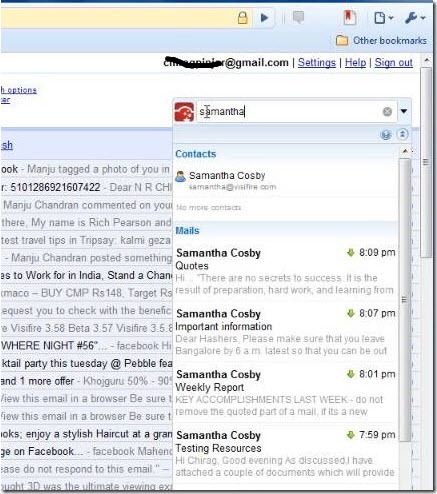
Get Xoopit to Upgrade Gmail to search, browse & share files, photos & videos. Use Google Search while composing mail in Gmail. Get information about people in a Gmail conversation. Xoopit works for Gmail, Google Mail and Google Apps users.
Sxipper makes interacting with the Web simpler by keeping track of an unlimited number of usernames, passwords and personal information such as name, address, phone numbers, etc. Presented as you need it, Sxipper securely stores this personal data on your computer.
Ever wanted to know what was behind the link before you clicked? Interclue tells you everything you need to know before you open yet another tab.
This will Provides a button and context menus to easily add a selection or an entire page to Evernote. It can works on Windows, Mac & Linux.
Glubble evolves the web from a personal activity into a fun experience for the whole family. Parents and children connect, play, discover and learn through fun activities. A family page, games, chat, surfing, play art, educational exercises and more.
You can easily select, tag, title and upload pictures from your computer to an online photo service. It will works with Flickr, Tabblo, 23hq, SmugMug, Marela, Kodak EasyShare Gallery, Pixelpipe, and Zooomr.
Cooliris (formerly PicLens) transforms your browser into a visually stunning, lightning fast way to search, discover, view and share online photos, videos and more. Their unique “3D Wall” lets you effortlessly zoom your way around thousands items on a single, ever-expansive wall. It’s the fastest way to search and enjoy Google Images, YouTube, Flickr, Hulu, and hundreds of other sites.
Foxmarks Bookmark Synchronizer
If you use Firefox on more than one computer, you’ll want Foxmarks. Install Foxmarks on each computer, and it works silently in the background to keep your bookmarks and (optionally) passwords synchronized. Foxmarks also keeps your data backed up and safe from computer failures. If you’re away from your computer, Foxmarks allows you to access your bookmarks online by logging into my.foxmarks.com.
Fast Dial replaces blank tabs with a panel of thumbnails of your favorite sites. Fast Dial bookmarks are stored as Firefox bookmarks. Thus it’s possible to manage Fast Dial bookmarks using Firefox Bookmark Manager and Bookmark Sidebar.
Yoono simplifies your social life on the web by centralizing all your social networks and instant messaging in one easy to use browser sidebar. Get all your friend updates automatically wherever you are on the web and update your status instantly across Facebook, MySpace, Twitter, and more.
If you use sites like Facebook, MySpace, Digg, Gmail, Twitter you’ll want Shareaholic. Winner of the Extend Firefox contest, Shareaholic enables you to quickly, and very easily share, bookmark, and e-mail web pages via a wide array of your favorite web 2.0 social networking & bookmarking sites — such as Digg, Facebook, Gmail, MySpace, StumbleUpon, and many many others.
The best security you can get in a web browser.It allow active content to run only from sites you trust, and protect yourself against XSS and Clickjacking attacks.
DownThemAll is all you can desire from a download manager. It features an advanced accelerator that increases speed up to 400% and it allows you to pause and resume downloads at any time.
Power Twitter adds features to the Twitter Web interface including displaying Flickr photo and YouTube videos. TinyURL links are also unwound to show the destination page title. Finally, any additional social information (blogs, photos, etc.) that match for the Twitter user are displayed in a news feed in the side bar of the Twitter page.
Toggle Firefox’s built-in private browsing mode with a toolbar or status bar button. You can also toggle Firefox to auto-start in private browsing mode.
OutWit Images allows users to quickly navigate through Web pages and search engine results to harvest countless images automatically or manually. It is a free Firefox 3 add-on compatible with Windows, Mac OS, and Linux. OutWit Images distinguishes itself by allowing users to easily save the pictures onto their hard disk while they browse through the results.
Juice by Linkool Labs is an intelligent discovery engine that integrates seamlessly with your browser. Highlight and move a chunk of text, and Juice directly delivers a set of rich, relevant content (e.g. news, blog posts, photos, videos etc.) to a sidebar area of your browser. You can bookmark and organize your content for current or time-shifted consumption.
TooManyTabs allows you to store up to over 50 tabs in multiple extra rows in your browser by a simple click. It saves your browser’s space and memory as idle tabs are put aside. The extra rows also help to better prioritize and visualize your tabs.
Inquisitor speeds up your searches like no other. Start typing and websites appear instantly, along with suggestions to help refine your search. Inquisitor understands you, learning and tailoring your results as you search more.
This extension enables you to hide the navigation bar through a toggle button. Currently the toggle button is the F2 key. You can change the key in the extensions options, as well as configure whether you want the Navigation Bar to be displayed on an initial Firefox launch. Also allows you to enable an Auto-Hide mode if you wish to use that instead.
ScribeFire is a full-featured blog editor that integrates with your browser and lets you easily post to your blog. You can drag and drop formatted text from pages you are browsing, take notes, upload images, and post to multiple blogs.
WebToMail Helps You To Access Your Favorite Websites Directly From Your Email
Many of us are browsing internet through those network that has restrictions to go on various websites. We are now getting a solutions for this. WebToMail is a free service where you can receive web pages by e-mail. It’s simple and very easy.
Just send a mail to send@webtomail.co.cc with the URL of the desired web-page as subject. In a few minutes you will be receiving the web page in HTML format in your mail account.
13 Most Essential Open Source Apps That You Probably Like To Say Thank You
Today, we are going to say big Thank You to everyone who supports us, appreciate us, love us and always be there for us when we need them. So, how can we forget those that makes our online life easier and did the tremendous work for us. They delivered us those applications/software that help us to get the routine work done for our daily use. There are many that we can not count and list exactly but we are trying to make a list of 13 Most Essential Open Source Apps That You Probably Like To Say Thank You. And Yes! Happy Thanksgiving…
You are welcome to share if you want to say Thank You to more Open-Source Applications that made your life easier. Do you want to be the first one to know the latest happenings at SmashingApps.com just subscribe to our rss feed.
Downloadable Web-Based Applications
WordPress As An Open Source Fastest Growing And Damanding Blogging System
WordPress is a state-of-the-art publishing platform with a focus on aesthetics, web standards, and usability. WordPress is both free and priceless at the same time.
phpBB™ As The Most Widely Used Open Source Forum Solution
With a large and highly customisable set of key features coupled with a standards compliant interface, phpBB™ will grow with, and complement your website. With millions of installations worldwide, it is no wonder phpBB™ is one of the most popular ways to create and support a community.
Drupal As An Powerful And Open Source Content Management Platform
Drupal is a free software package that allows an individual or a community of users to easily publish, manage and organize a wide variety of content on a website. Tens of thousands of people and organizations are using Drupal to power scores of different web sites from personal weblogs to large community-driven websites.
Mindquarry DO As A Free And Open Source Application for Team Collaboration
Mindquarry DO is an Open Source collaborative software platform for file sharing, task management, team collaboration and Wiki editing that is available for Windows, Linux and Mac OS X. Mindquarry runs as a web application with an optional desktop client for Windows, Linux and Mac OS that allows for desktop synchronization and offline work. As a result, you are able to connect with team members and share information from wherever you are, effectively improving team-work and increasing productivity within your team.
PrestaShop™ As An Open Source Professional e-Commerce Shopping Cart Software
The PrestaShop e-Commerce Solution was built to take advantage of essential Web 2.0 innovations such as dynamic AJAX-powered features and next-generation ergonomy. PrestaShop guides users through your product catalog intelligently and effortlessly, turning intrigued visitors into paying customers.
jobberBase As The Simple, Free And Open Source Job Board Software
jobberBase is a great open source job board software for anyone. You can get online your job posting website with jobberBase. It’s easy to install and configure to start your job board.
ModSecurity As An Open Source Web Application Firewall
ModSecurity is a web application firewall that can work either embedded or as a reverse proxy. It provides protection from a range of attacks against web applications and allows for HTTP traffic monitoring, logging and real-time analysis. It is also an open source project that aims to make the web application firewall technology available to everyone.
Downloadable Desktop Applications
OpenOffice As The Free and Open Office Productivity Suite
OpenOffice is the leading open-source office software suite for word processing, spreadsheets, presentations, graphics, databases and more. It is available in many languages and works on all common computers. It stores all your data in an international open standard format and can also read and write files from other common office software packages. It can be downloaded and used completely free of charge for any purpose.
Mozilla Firefox As An Open Source Faster, Safer And Smarter Web Browser
Firefox 3 sets the pace with dozens of new features, including the smart location bar, one-click bookmarking and blindingly fast performance. Avoid online scams, unsafe transactions and forgeries with simple site identity. View Web pages faster, using less of your computer’s memory.
ClamWin As An Open Source Antivirus program for Microsoft Platform
ClamWin Free Antivirus comes with an easy installer and open source code. You may download and use it absolutely free of charge. It has High detection rates for viruses and spyware, Scanning Scheduler, Automatic downloads of regularly updated Virus Database etc
Gimp As An Image Manipulation Program
GIMP is an acronym for GNU Image Manipulation Program. It is a freely distributed program for such tasks as photo retouching, image composition and image authoring.
Ubuntu As A Community Developed, Linux-Based Operating System
Ubuntu is a community developed, Linux-based operating system that is perfect for laptops, desktops and servers. It contains all the applications you need - a web browser, presentation, document and spreadsheet software, instant messaging and much more.
Wine As An Open Source Virtual PC
Wine is an Open Source implementation of the Windows API on top of X, OpenGL, and Unix. Think of Wine as a compatibility layer for running Windows programs. Wine does not require Microsoft Windows, as it is a completely free alternative implementation of the Windows API consisting of 100% non-Microsoft code, however Wine can optionally use native Windows DLLs if they are available.
Fix Photos Direct In Your Browser With Pixlr, The Free Online Image Editor
Pixlr is a free online image editing application that enables users to create or edit an image from a hard drive or URL in your browser. This is a flash based application that loads in seconds and does not slow down when editing multiple images even with thousands of users online at once. It is built in Flash and you need to have a Flash plug in (get flash) to get it to work.
It’s not for large RAW images or for printing. It is merely a tool for editing web images to be posted on blogs, news-sites, social networks like Facebook, Bebo, image sites like Flikr, Photobucket etc.
Thumbizy, An Instant Website Thumbnail Generator
![]()
Thumbizy is a powerful & free instant website thumbnail generator that can help you to take snapshot of any website. You will just need to give the url of the website and select the thumbnail size. This is an ajax based web service that will instantly provide you screenshot of your given website.
11 Free Firefox 3 Themes You Probably Never Use Before
This should not be new for you that Firefox is a fastest growing popular web browser. There are lots of ease provided by the firefox and this is the main reason for its popularity. There are lots of free download able extensions, add-ons, themes etc available on the internet for firefox and there demands are increasing every day. As we have already published a post about Firefox add-ons. In this post, I am listing down 11 Free Firefox 3 Themes You Probably Never Use Before.
You are welcome to share if you know more nice and beautiful firefox themes that that can be attracted by our readers/viewers. Do you want to be the first one to know the latest happenings at SmashingApps.com just subscribe to our rss feed
You may be interested in our other related post
13 Amazing Firefox Add-Ons To Make Designers Lives Easier
9 Amazing Firefox Add-Ons That Will Save Your Time!
A coat of Chrome for Firefox. Say hello to Chromifox, a bright and soft blue theme for Firefox 3 on Windows, Linux, and Mac OS X, inspired by the appearance of the Google Chrome web browser.
Firefox theme based on Microsoft Office icons.
Phoenity based on the SeaMonkey Modern theme. For Firefox 3 and Firefox 2.
A full featured retro theme for Firefox based on Netscape Communicator 4.8 on Windows.
Flook Theme for Mozilla Firefox based on Flock.
Myfirefox is the theme of the most perfectly simulating Internet Explorer 7+ by far. It can work perfectly in Windows Vista Ultimate.
This theme is designed to fit well in the Mac OS X environment. It looks more similar as the Mac Operating System theme.
This is very simple and elegant theme for firefox using mini icons. All credits go 2 Mattahan for his wonderful icons.
This theme is Modern Modoki theme looks like Netscape 8.
Probably the most tacky & overdone piece of GUI design ever. Accept no less: Surf in style and browse like a king!
This is a glowing dark theme based on Windows Media Player 11 with shinny glassy look.
13 Amazing Firefox Add-Ons To Make Designers Lives Easier
As we all know that Firefox is a fastest growing popular web browser. There are lots of ease provided by the firefox and this is the main reason for its popularity. There are lots of free download able extensions and add-ons available on the internet for firefox and there demands are increasing every day. In this post, I am listing down 13 Amazing Firefox Add-Ons To Make Designers Lives Easier.
You are welcome to share if you know more amazing firefox add-ons that will save time which our readers/viewers may like.
This is a great tool for web developers, since you can easily see how your web page displayed in IE with just one click and then switch back to Firefox.
Style Sheet Chooser II allows you to choose author-provided alternate style sheets for a web site, and have those choices be persisted for all pages on the same site. Style Sheet Chooser II replaces Firefox’s built-in style sheet switcher - its functionality is available via the [View]->[Page Style] menu item, one-click stylesheet rotating Toolbar icon and Statusbar icon. Icons can be switched on/off via Extension Preferences.

A simple CSS property viewer. Add CSSViewer in your toolbar to use it. To enable/disable this, click the toolbar icon.
Validates a page using the W3C CSS Validator. Adds an option to the right-click context menu and to the Tools menu to allow for easy validation of the CSS of the current page. Opens the results in a new tab. Will only work on pages that have a CSS file associated. For example it will work with http://www.w3.org/ as the URL has a CSS file.
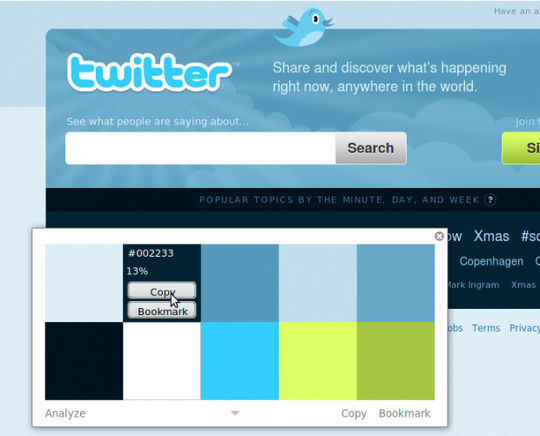
With ColorZilla you can get a color reading from any point in your browser, quickly adjust this color and paste it into another program. You can Zoom the page you are viewing and measure distances between any two points on the page. The built-in palette browser allows choosing colors from pre-defined color sets and saving the most used colors in custom palettes. DOM spying features allow getting various information about DOM elements quickly and easily.
FireShot is a Firefox extension that creates screenshots of web pages.
Unlike other extensions, this plugin provides a set of editing and annotation tools, which let users quickly modify captures and insert text and graphical annotations. Such functionality will be especially useful for web designers, testers and content reviewers. It’s possible to choose whether entire web page or only visible part of this page should be captured.
Check the validity of links on any webpage. With this add-on you can check if any link in the page is broken or not validated now.
Simply highlight a single element (e.g. a paragraph or a strong tag ), right-click and select `Font Finder`, then marvel as the full CSS text styling of the selected element appears.
The goal of this project is to adds information about the HTTP headers by adding a ‘Headers’ tab in ‘View Page Info’ of a web page and by adding a tool in the ‘Tools->Web Development’ menu to be able to display http headers in real time (while pages are being downloaded from the Internet.This is also letting you edit request headers and replay an URL (beta). Look for the Replay button in the live window!
Display the Google PageRank, Alexa rank and Compete ranking anywhere in your browser, along with fast keyword density analyser, keyword/nofollow highlighting, backward/related links, Alexa info and other SEO tools.
FireFTP is a free, secure, cross-platform FTP client for Mozilla Firefox which provides easy and intuitive access to FTP servers.
Draw a ruler across any webpage to check the width, height, or alignment of page elements in pixels.
HTML Validator is a Mozilla extension that adds HTML validation inside Firefox and Mozilla. The number of errors of a HTML page is seen on the form of an icon in the status bar when browsing. The extension can validate the HTML sent by the server or the HTML in the memory (after Ajax execution)
And There Are Many Reasons To Try Google Chrome!
It was really new for me that in 1 or 2 days I have read lots of articles about upcoming new web browser by Google with a name “Google Chrome”. There were lots of rumors that it will be launching or it was just announced accidently but I am proud to say “NO MORE WAITING MOMENTS OR RUMORS” for Google Chrome because in this post I am sharing a news with all of you that “Google Chrome (BETA) for Windows Has Been Released Now And There Are Many Reasons To Try Google Chrome!!” and we feel that we are few of them after google theirself who announced the release of Google Chrome on SmashingApps.Â
Google Chrome is a browser that combines a minimal design with sophisticated technology to make the web faster, safer, and easier. Below is the official release of screenshot of the browser.
Google words that why they thought to develop Google Chrome
“We realized that the web had evolved from mainly simple text pages to rich, interactive applications and that we needed to completely rethink the browser. What we really needed was not just a browser, but also a modern platform for web pages and applications, and that’s what we set out to build.“Â
They’ve used components from Apple’s WebKit and Mozilla’s Firefox, among others - and in that spirit, they are making all of Google Chrome code open source as well. They are hoping to collaborate with the entire community to help drive the web forward.
And There Are Many Reasons To Try Google Chrome!
- Web search. Web history. Address bar. Suggestions as you type. One unified box serves all your browsing needs
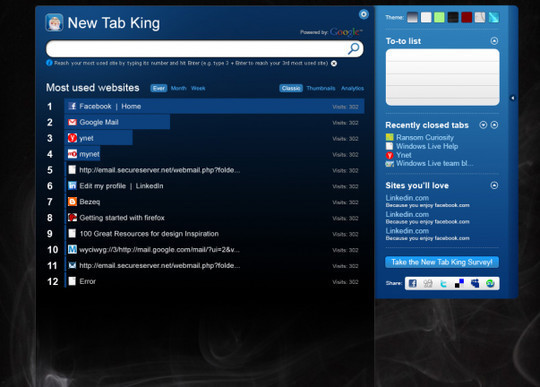
- Every time you open a new tab, you’ll see a visual sampling of your most visited sites, most used search engines, and recently bookmarked pages and closed tabs.
- Use web apps without opening your browser. Application shortcuts can directly load your favorite online apps.
- You can drag tabs out of the browser to create new windows, gather multiple tabs into one window or arrange your tabs however you wish — quickly and easily.
- Every tab you’re using is run independently in the browser, so if one app crashes it won’t take anything else down.
- Don’t want pages you visit to show up in your web history? Choose incognito mode for private browsing.
- Google Chrome warns you if you’re about to visit a suspected phishing, malware or otherwise unsafe website.
- Want to bookmark a web page? Just click the star icon at the left edge of the address bar and you’re done.
- When you switch to Google Chrome, you can pick up where you left off with all the bookmarks and passwords from your existing browser.
- No intrusive download manager; you see your download’s status at the bottom of your current window.
I am sure you have not seen this type of detailed feature list of Google Chrome browser before and hopefully Google can make a difference with Google Chrome in the industry. I must suggest everyone that just go and download Google Chrome to try and share your thoughts with us by commenting here and Google team as well. Our feedback will help them to make it more refine and useful for every one.
9 Amazing Firefox Add-Ons That Will Save Your Time!
Firefox is a fastest growing popular web browser. There are lots of ease provided by the firefox and this is the main reason for its popularity. There are lots of free download able extensions and add-ons available on the internet for firefox and there demands are increasing every day. In this post, I am listing down 9 Amazing Firefox Add-Ons That Will Save Your Time.
You are welcome to share if you know more amazing firefox add-ons that will save time which our readers/viewers may like.

It lets you save articles and webpages so you can read them later, even when you’re offline. Now the internet is your bitch. Firefox add-on

This add-on is so badass, that if search engines made a superhero movie, this would be the Batman. Basically, you get to search any website with sonar vision and see through all the links at once. Firefox add-on

So, you visited a website you’re not too proud of, but you don’t want to delete your cookies or you will lose your progress on Defend Your Castle. Well now you can have your cookie and eat it too. Firefox add-on
YourWebsiteValue

This is your childhood cardboard fort of Firefox add-ons. Absolutely useless, but very… very cool. Basically this shows you the estimated worth of most websites. Who knows how accurate and useful it really is, but hey, did you really think your cool fort could actually keep the girls out? Firefox add-on

This is the Drunk Uncle at the bar that won’t stop hitting on the ladies of Firefox add-ons. TryAgain will keep trying to load a webpage when the server is not found, and it won’t stop till it gets what it wants. Firefox add-on

IMDb suffers from Wikipedia syndrome. How many times have you started on Pee-wee’s Big Adventure and ended up on The Shining? Too many damn times. However, with this add-on you get to preview links on IMDb and see snip-bits of information without leaving the page. Wait, why doesn’t Wiki have this?

What’s your record? 20 tabs open at once? Well Aging tabs will help you realize your laziness by making unused tabs fade and change colors with age. Although, it would be cooler if they made the tabs blow up in a fiery explosion instead.

This is the ultimate tab collection, greatest hits volume, 0.3.6. It has such classics as duplicating tabs, controlling tab focus, tab clicking options, and many of your other favorite hits. And if you download in the next 15 minutes we will throw in “undo closed tabs and windows!†Firefox add-on

Preview how a webpage page looks like before you actually click on the link. So now you can see how unorganized, useless, and ugly the website is before you commit your precious time to it. Dating really needs a tool like this. Firefox add-on
You can also take a look at 5 must have firefox add-ons for social media addicts I found interesting on the other website.
This is a guest post by Sasha R. Lahijania.
WebSnapShot, An Adobe AIR Application Which Helps You To Take Snapshot For Any Websites In Just A Second!
Most of the time we need to take snapshot of any website just for saving the design/interface in the PC or just want to send to friends/clients etc. WebSnapShot is really handy and easy Adobe AIR application which helps you to take snapshot for any websites in just a second, if you have already installed this in your computer . With this application you will just need to Enter the Url and Press Snap. Or Drag&Drop it from your browser. Click on the Thumnails to Save. If you have Auto Save Checked, the thumbnails are immediatly saved to your ’save’ folder in you PC. You can also select the type of Snapshot you want to make: Thumbnail, Browser size, or Full Page.
You can tailor the way the snapshots are take in the Preferences pane. Set the download folder as needed. By default the snapshots are saved to the Desktop.


![header=[Premier Survey] body=[Create your own free survey in just 10 minutes!]](http://www.smashingapps.com/banner/premierysurvey-banner.jpg)
![header=[Dimdim web conferencing] body=[Web conferencing that just works. Dimdim provides easy, open, affordable collaboration. Use for online meetings, eLearning etc]](http://www.smashingapps.com/banner/dimdim-100x100.png)
![header=[You design, we code (PSD to XHTML)] body=[Fecoding can code in XHTML, CSS & JavaScript. If you want so they can also write AJAX requests, using JSON or not.]](http://www.smashingapps.com/banner/100x100fecoding-banner.jpg)