

Click here to buy secure, speedy, and reliable Web hosting, Cloud hosting, Agency hosting, VPS hosting, Website builder, Business email, Reach email marketing at 20% discount from our Gold Partner Hostinger You can also read 12 Top Reasons to Choose Hostinger’s Best Web Hosting
If you have ever tried to ask Midjourney or DALL-E to create an infographic, you know the pain. The visuals look great, but the text is usually alien gibberish. Designers have been waiting for an AI that actually understands typography. Google just quietly released a game-changer update within Gemini called “Nano Banana”. It sounds silly, but the results are serious. It handles complex text layouts perfectly, giving you clean, typo-free outputs in a single prompt. Google Gemini’s new “Nano Banana” update changes everything. Here is the exact prompt to Generate Perfect Infographics with Google Gemini “Nano Banana” in seconds.
Turn ideas into visuals with simple text prompts.
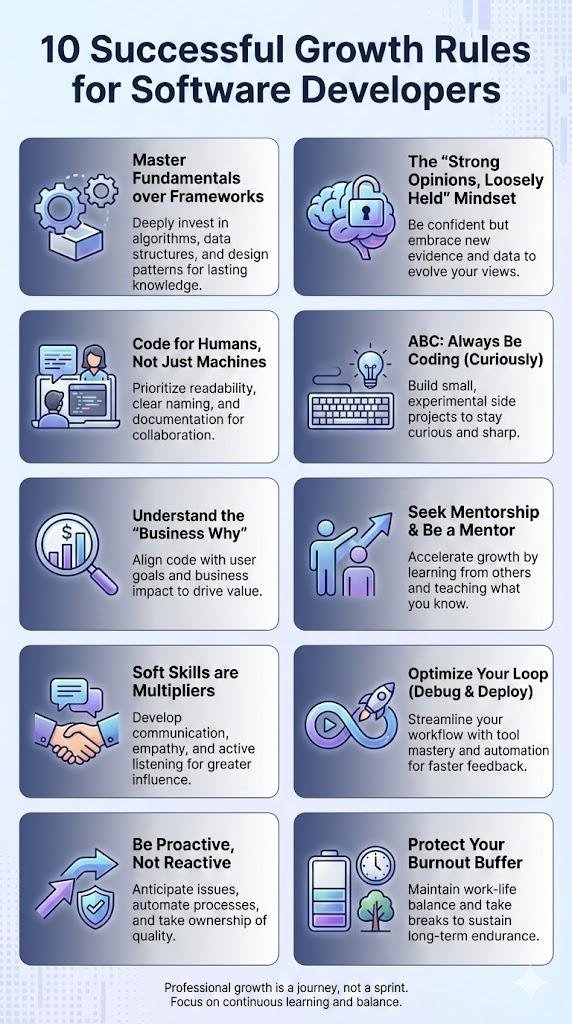
We tested the workflow from the latest viral discoveries, and it actually works. Here is how to use Gemini’s Nano Banana to build professional infographics for free. The attached infographics is created with the same procedure that is mentioned below.
The “Nano Banana” Difference
The biggest issue with AI image generation has always been text rendering. The “Nano Banana” model update within Gemini is specifically tuned to handle large amounts of text properly.
Whether you are a teacher needing classroom rules, a researcher summarizing a paper, or a marketer needing a quick “How-To” visual, this update eliminates the need to open Canva to fix typos.
10 Free Tools For Creating Infographics & Visualizing Data
Step-by-Step: How to Generate Perfect Infographics with Google Gemini
You don’t need a subscription. You just need a Google account and the right prompt structure.
(Ad)

Step 1: Get Your Data
Visit Google Gemini and choose one of two options:
Paste your own data — a blog post, script, lesson plan, or dataset.
Ask Gemini to generate the content for you.
Example prompt:
“Create a list of 10 successful growth rules for software developers. ”
Gemini will generate the text first.
Adobe Firefly vs Nano Banana – Best Free AI Image Generators Compared
Step 2: Use the “Magic” Prompt Structure
To turn that text into an infographic, you need a structured prompt, not just: “make an image.”
Use this formula:
“Create an infographic based on the above information accompanied by relevant visuals appropriate for [Target Audience], [Aspect Ratio], and the information to be presented.”
Example:
“Create an infographic based on the above information accompanied by relevant visuals appropriate for professionals, 9:16, and the information to be presented.”
Step 3: Enable “Nano Banana”
Before generating, open Gemini’s model selector and enable Nano Banana.
If this model is not turned on, the system may fallback to older image generation, which struggles with clear text.
How Google’s Nano Banana in Gemini Delivers Pixel-Perfect Image Editing
Step 4: Generate and Download
Click Generate.
In seconds, Gemini will produce a clean, visually structured infographic. The text will be perfectly readable with proper spacing, accurate spelling, and no artifacts.
When satisfied, click Download to save your infographic.
The Insightful Collection Of Infographics About WordPress With Revealing Facts & Statistics
Advanced Trick: Multilingual Infographics
Nano Banana is exceptionally strong in multilingual text rendering. You can:
Paste your content in any language.
Or ask Gemini:
“Translate this infographic into Spanish.”
The layout and visuals remain intact while the text updates to the new language.
Who Is This For?
Teachers: Classroom expectations, steps, rules, procedures.
Researchers: Paper summaries, frameworks, diagrams.
Marketers: Social media explainers, comparison charts, how-it-works visuals.
If you need to produce quick, clear, information-rich visuals, this is the fastest method available right now.
Final Verdict
Is this the end of Canva? Not exactly. For branding, templates, and custom layouts, Canva still dominates.
But for fast, accurate, text-heavy graphics, Google Gemini’s Nano Banana update is easily the best free option right now. It finally solves the text-rendering problem that every AI model has struggled with for years.
Now loading...
