Contact us for Sponsored Post or to Promote your Services or Products here.
Click here to buy secure, speedy, and reliable Web hosting, Cloud hosting, Agency hosting, VPS hosting, Website builder, Business email, Reach email marketing at 20% discount from our Gold Partner Hostinger. You can also read 12 Top Reasons to Choose Hostinger’s Best Web Hosting.
Creators and small teams face a real problem: AI image tools are abundant, but picking one that balances quality, editing control, and legal safety is confusing. You can spend hours prompting different models and still get inconsistent characters, odd lighting, or licensing headaches when you want to use images for a client. The good news: this comparison — Adobe Firefly vs Nano Banana — walks through what each tool actually delivers, how they differ in workflow and licensing, and which one to choose for specific real-world use cases so you can stop guessing and start creating. You can also read Adobe Express vs Canva – Which Design Tool is Actually Worth Your Time and Money in 2026?
Turn ideas into visuals with simple text prompts.
How I approached this comparison
I tested product docs, official feature pages, and vendor descriptions to focus on facts creators care about: generation quality, direct editing tools, licensing/rights, integrations, and free vs paid constraints. The claims below are anchored to each product’s official description and feature set. (Two official sources cited where noted.)
What each tool is — a quick summary
Adobe Firefly
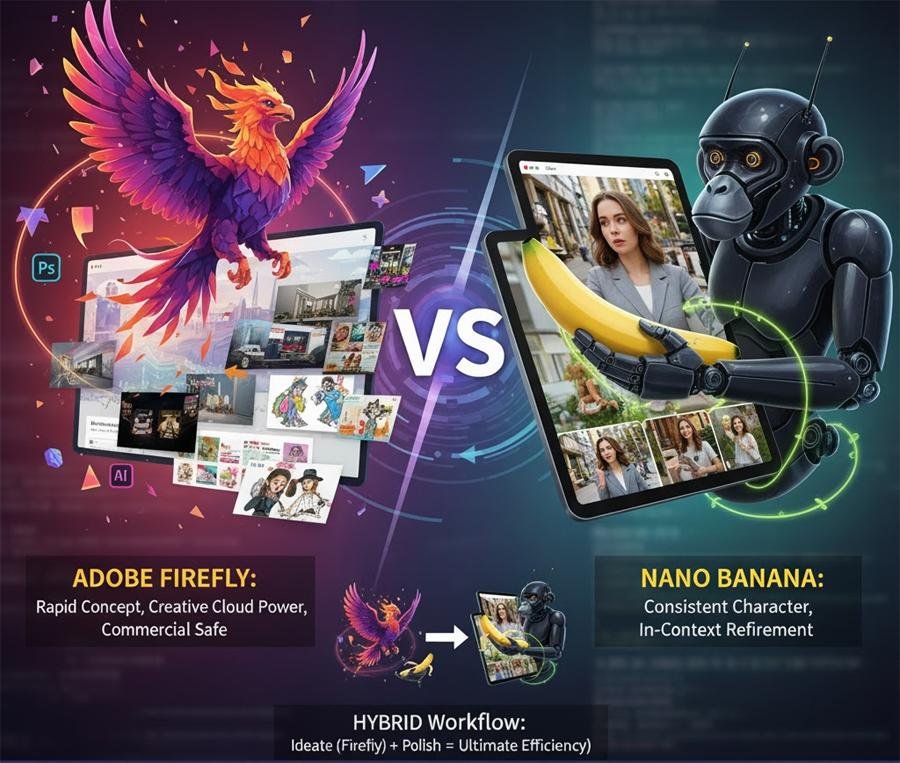
Adobe Firefly is Adobe’s suite of generative tools (text-to-image, image editing, video/animation features) aimed at designers and content teams. It emphasizes commercial-safe models, Creative Cloud integration, and a credit system for paid features while offering a functional free tier for experimentation.
How to Generate Perfect Infographics with Google Gemini “Nano Banana” (Free Guide)
Nano Banana
Nano Banana is an independent image generator/editor built around Google’s advanced Gemini image APIs (Gemini 2.5 Flash Image in public descriptions). It focuses on in-context edits — precise, composition-aware changes to existing photos — and claims strong character consistency for iterative edits. The product positions itself as a high-fidelity editing partner.
Feature-by-feature comparison
9 Best AI Image Tools Like Magic Eraser to Remove Objects from Photos (Free & Paid)
1. Primary use case: generation vs editing
Firefly: Strong at text-to-image and creative asset generation across many styles (illustration, photorealism, marketing assets). Also supports image-to-image and reference-based workflows inside Adobe tools. Great for creating assets from scratch or reimagining concepts quickly.
Nano Banana: Designed for in-image editing and iterative refinement — keeping the same character, lighting, and scene while applying detailed changes (swap outfit, change expression, adjust props). It’s more of an editorial partner than a blank-canvas painter.
Takeaway: Use Firefly when you need fresh assets and style variety; use Nano Banana when you need to preserve and edit an existing photo with high fidelity.
(Ad)

Bringing Nano Banana to GIMP with Google Gemini Image AI Plugin
2. Quality and consistency
Firefly: Produces high-quality stylized and photoreal images; variability across prompts remains, but Adobe provides controls (styles, aspect, lighting) and model choices. It’s optimized for design workflows and generates predictable, brand-friendly outputs when prompts are structured.
Nano Banana: Claims better character consistency across multiple edits — helpful for continuing a character or a product shot through several iterations without losing identity or lighting. This shines in workflows like portrait retouching or product mockups.
3. Licensing and commercial use
Firefly: One of Firefly’s clear selling points is Adobe’s commercial-safety stance: Firefly models are trained on licensed and public-domain content, and Adobe outlines commercial use allowances for outputs (useful for agencies and brands). Check Adobe’s official policy pages for specifics before publishing at scale.
Nano Banana: As a third-party service built on Google APIs, Nano Banana’s licensing depends on its terms of service and the underlying API use; verify the platform’s terms for commercial redistribution. Always confirm rights before using outputs commercially.
Takeaway: If legal clarity for commercial projects is a priority, Firefly’s Adobe-backed policies are easier to justify in contracts; with Nano Banana, read the vendor terms and consider additional review.
4. Workflow & integrations
Firefly: Deeply integrated into the Adobe ecosystem — outputs flow into Photoshop, Illustrator, Adobe Express, and Creative Cloud Libraries. This reduces friction for designers who already use Adobe tools.
Nano Banana: Focused on a web-first editing interface and API access to Gemini-powered generation. It can slot into non-Adobe workflows, and its strength is direct image-chat style edits rather than file-syncing across creative apps.
Takeaway: Firefly wins for Adobe-heavy teams; Nano Banana is attractive for lightweight, web-based editing or teams using Google/other stacks.
How to Create 3D Desktop Wallpaper with Microsoft’s AI Image Generator (Free & Easy)
5. Cost and free usage
Firefly: Offers a free tier with monthly generative credits; advanced features and unlimited use are gated behind Creative Cloud or paid Firefly plans.
Nano Banana: Offers demos and tiered plans on its site; free usage levels vary. Expect API or premium limits for high-volume professional use.
Practical tip: Try both with similar prompts and count how many usable images you can produce per free-credit allotment — that “credits per usable asset” rate often decides cost-efficiency.
7 Ways to Make Money With Google Nano Banana AI Image Editor
A short mini-case study
Scenario: A social media manager needs nine consistent lifestyle images of the same model wearing three outfits across three locations for a campaign.
With Firefly: Generate concept variations and brand-style images quickly. You’ll get varied compositions and styles — good for A/B testing — but keeping the same face/character consistent across nine images is harder without careful prompt engineering and reference images.
With Nano Banana: Start with one high-quality photo and use in-context edits to change outfit, background, and props while preserving the model’s face and lighting. Fewer surprises, fewer rounds of rework.
14 Best Free AI Video Generators — Grok.ai, Meta.ai, Seedance, Tencent & Top Chinese Models
Result: For consistent campaign assets, Nano Banana’s editing-first approach reduces rework; for broad creative ideation, Firefly accelerates concept generation.
Why multi-model workflows are the future
Neither tool needs to be an exclusive choice. Adobe has been opening Firefly to third-party models and partner APIs, turning Firefly into a multi-model hub inside a design workflow. That shift means the competitive question (“which generator is strictly better?”) is less relevant than the workflow question: Which setup lets you iterate faster, stay legally safe, and plug images into the tools you already use? For most teams in 2025, the smartest workflow will combine models: ideate in Firefly (or other multi-model hubs), then use Nano Banana–style in-image editors for final, character-consistent polish. This hybrid approach reduces both creative variance and legal friction — an efficiency few single-model comparisons currently highlight. (Opinion backed by observed product directions.)
Turn Photos into Videos in Gemini in Under 1 Minute: A Step‑by‑Step Guide
Who should pick which
Choose Adobe Firefly if you: want rapid concept generation, need Adobe app integration, or require clearer enterprise-level licensing.
Choose Nano Banana if you: primarily edit existing photos and need consistent, iterative changes to characters or scenes with minimal composition breakage.
Use both together if you: need wide ideation + final in-scene editing. Generate variations in Firefly, then bring the chosen base into Nano Banana for precise edits.
5 Best Free AI Tools to Remove Backgrounds from Images Easily
Key Takeaways
Firefly excels at new asset generation, Creative Cloud integration, and enterprise-friendly licensing.
Nano Banana shines for in-context, iterative image edits with high character consistency.
The practical decision is about workflow fit (generation vs editing), not absolute “quality.”
Hybrid workflows — ideate in Firefly, polish in Nano Banana — deliver the best balance of speed and fidelity.
Always check each platform’s terms before using images commercially.
Google Photos AI Photo Editing Lets You Edit Images by Asking
Conclusion
Adobe Firefly vs Nano Banana isn’t a winner-takes-all match. Firefly is the faster ideation engine with safer licensing for teams embedded in Adobe; Nano Banana is a precision editor built for iterative, in-photo changes. For most creators and small teams, a hybrid workflow will be the most productive route: use Firefly to explore styles and generate concepts, then use Nano Banana–style editing to lock in consistent, production-ready images. You can click here to check out 7 Best Free AI Image Generators With No Sign-Up or Account
Try both using similar prompts and a real project asset. Track the number of usable images per free credit and test how each integrates with your editing pipeline.
Microsoft MAI-Image-1 Debuting in the Top 10 Text-to-Image Models
FAQs (People Also Ask)
Q: Are images from Firefly safe to use commercially?
A: Adobe positions Firefly outputs for commercial use and documents training/licensing practices; still verify Adobe’s current terms for enterprise and high-risk use.
Q: Can Nano Banana keep the same person consistent across edits?
A: That’s Nano Banana’s core claim — its in-context editing aims to preserve character identity across multiple edits. Test with several iterative prompts to confirm for your use case.
Q: Which tool is cheaper for small teams?
A: Cost depends on how many final, usable assets you can generate per free-credit allotment. Run a quick credit-efficiency test: generate 10 assets on each platform and count how many are publish-ready.
Q: Can I integrate Firefly outputs into Photoshop or Illustrator?
A: Yes — one of Firefly’s strengths is tight Creative Cloud integration, which lets you move generative assets directly into Photoshop, Illustrator, and Adobe Express.
Perchance AI Image Generator : Complete Guide, Prompt Recipes & Commercial Use Notes
Sources (official)
Adobe Firefly — Text to Image & AI features. Adobe
Nano Banana — product overview and features. nano-banana

Greetings! I’m An Jay, and I’ve been running SmashingApps.com since 2007. Over the years, I’ve poured my passion into web design, graphic design, and SEO—helping readers discover the best tools, tips, and techniques to make their online projects shine. I believe in keeping things simple, practical, and results‑driven, and I’m excited to share everything I’ve learned with you.