Click here to buy secure, speedy, and reliable Web hosting, Cloud hosting, Agency hosting, VPS hosting, Website builder, Business email, Reach email marketing at 20% discount from our Gold Partner Hostinger You can also read 12 Top Reasons to Choose Hostinger’s Best Web Hosting
You post photos on Facebook and assume you control who sees them — but you worry: Does Facebook Notify When You Save a Photo — can someone silently save or screenshot my picture and I’d never know? That uncertainty is uncomfortable: a favourite family photo ends up reshared, or a client’s portfolio image is reused without credit. The good news: Facebook’s saving system is private by design in most places, and there are explicit exceptions (disappearing/view-once content in Messenger), so you can protect sensitive images with a few practical settings and behaviors — this article explains exactly what Facebook does and doesn’t tell you, why, and what to do next.
In this guide, we’ll break down common cybersecurity problems, explain how Malwarebytes Premium can help solve them, and share free alternatives for those on a budget. Let’s get practical.
How Facebook’s “Save” feature actually works
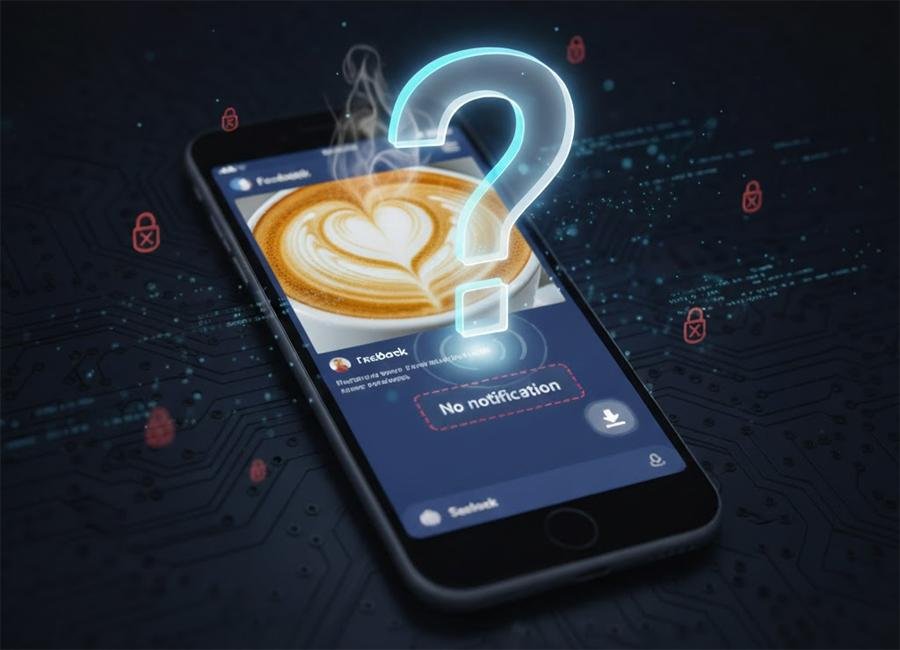
Facebook offers a Save (or Save to Collection) tool so users can bookmark posts, photos, videos, links, and more to view later. Crucially, items you save are private to you by default — they appear in your Saved items (and only you can see them) unless you deliberately add them to a collection that you make public or share. That means the person who posted the photo will not get an alert when someone hits “Save” on their post.
What that means in plain terms:
Clicking Save on someone’s photo is invisible to the poster.
Only you (the saver) can view your Saved list unless you choose to share a saved collection.
Saving is different from sharing: sharing a photo (repost) can notify or surface the content to more people; saving does not.
Does Facebook notify if someone saves your picture?
No — Facebook does not send a notification to the original poster when someone saves a photo posted to Facebook. Saving is a private bookmark action. This is the source of plenty of worry (and relief) online: the poster won’t receive a log, banner, or push notification that “X saved your photo.”
Why Facebook keeps saves private:
Saving is meant for personal organization — like bookmarking — not an interaction (like liking or commenting) that signals engagement. If everyone were notified when someone saved something, it would create a lot of noise and privacy friction.
(Ad)

Does Facebook notify when you screenshot a photo?
Short answer: Usually no — except in specific, privacy-focused cases.
Regular posts, profile photos, album photos, and Feed content: Facebook does not notify the poster when you screenshot these. You can screenshot a public post or a friend-only photo without the owner receiving a notification.
Messenger / ephemeral / view-once content: Facebook (Meta) does have targeted notifications for screenshots of disappearing or view-once media in Messenger and related ephemeral formats. If you send a photo set to view once or use disappearing messages, the platform may alert the sender if a screenshot is detected. This is an explicit privacy feature for ephemeral content.
Practical implications:
Screenshots of regular posts are silent. Treat them as potentially permanent copies.
If someone sends you a private “view once” image in Messenger, they may be notified if you screenshot it — so treat disappearing content as still somewhat protected.
Can someone know if I saved their post?
No — the author of a post will not be notified if you save their post. Saved items are private by default. The only way the author might know is if you later publicly share that saved post or place it into a collection visible to them or everyone.
WhatsApp Live Photos Support Arrives on iPhone – How it Works, Why it Matters
Real-world examples & mini case studies
Case 1 — A wedding photographer
A wedding photographer posts sample shots on a public Page. Clients or browsers can save or screenshot freely — Facebook won’t notify the photographer. To reduce misuse, the photographer shares low-res watermarked previews and links to high-res proofs via private galleries (instead of public Facebook albums).
Case 2 — Sensitive ID photo sent via Messenger
A user sends a scanned ID as a view-once image in Messenger for quick verification. If the recipient screenshots it, the sender may receive a notification (or at least see evidence the content was captured) because the message was ephemeral. The sender should instead use secure channels designed for sensitive documents.
Case 3 — Influencer worried about reposts
An influencer notices reposts of their images across other platforms. Saves didn’t trigger notifications, but reposts did. Action: watermark images, post lower-res previews, and add clear copyright info and contact for licensing.
Practical steps to protect your photos on Facebook
Make it harder (not impossible) for others to misuse your images:
Tighten audience settings: Post to Friends or a custom list instead of Public.
Use watermarks: Subtle branding on images discourages reuse.
Post lower-res previews: Keep high-res copies off public feeds — send privately when needed.
Use private galleries or file-sharing for clients: Deliver originals via passworded galleries or cloud storage, not Facebook.
If you must share sensitive content, use view-once in Messenger: It adds a layer of ephemeral protection (and possible screenshot alerts).
Know the limits: You cannot technically stop screenshots — educate clients and followers about usage rights and ask for permission before reuse.
Visibility, Intent, Persistence
Most quick how-to posts simply state “Facebook doesn’t notify for saves or screenshots.” That’s correct, but incomplete. The useful angle readers need is a risk-management mindset: treat Facebook as a distribution channel with three axes — visibility, intent, persistence — and apply the right tool for each:
Visibility control: Who can see the photo (Public vs Friends vs Only Me).
Intent control: What you want people to do — view only, share, or use commercially? Add licensing language if you expect reuse.
Persistence control: If you want the image to not persist, use ephemeral tools (with the caveat: ephemeral ≠ foolproof).
Applying these three lenses helps people choose whether to post on a Page, a private album, send via Messenger view-once, or deliver via a contract and private link. That risk-management framing is actionable and helps creators make trade-offs rather than simply asking whether Facebook notifies them.
Key Takeaways
Facebook does NOT notify users when someone saves a photo or saves a post — saved items are private by default.
Screenshots of regular posts are silent — the poster won’t get an alert. Treat anything viewable as potentially permanent.
Exceptions exist: disappearing/view-once media in Messenger may trigger screenshot notifications. Use ephemeral messages for sensitive content.
Protect images proactively: adjust audience settings, watermark, post lower-res previews, or use private delivery methods.
Think in visibility–intent–persistence terms to choose the right sharing method and reduce misuse.
Conclusion
If your question is “Does Facebook Notify When You Save a Photo?” — the practical answer is no for regular posts: saves are private and silent. But privacy on social platforms is layered: Facebook does provide targeted protections for ephemeral content (where screenshot alerts may occur), and the safest path is to choose the right tool for the job. If you care about copyright or sensitive imagery, combine audience controls, watermarking, and secure delivery instead of relying on platform notifications.
Call to action: Review your recent photo posts’ audience settings now, try posting a watermarked low-res preview, and if you share sensitive images, use Messenger’s view-once or a private delivery service.
FAQs (People Also Ask)
Q: Does Facebook notify if someone saves your picture?
A: No. Saving is a private action — the poster will not be notified when someone saves a picture.
Q: Does Facebook notify when you screenshot a photo?
A: Usually not for standard posts or profile photos. The exception is screenshotting disappearing/view-once content in Messenger or similar ephemeral modes, where the sender may receive a notification.
Q: Can someone know if I saved their post?
A: Not from the platform’s save action itself. They’d only know if you later shared that saved post publicly or placed it into a collection visible to them.
Q: How can I stop people from saving or reposting my photos?
A: You can’t prevent saves or screenshots technically, but you can reduce risk by tightening audience settings (Friends or Custom), watermarking images, posting lower-res previews, and delivering originals via private links or contracts.
Official sources
Facebook Help — Saving and Collections / Who can see the things I’ve saved. Facebook
Facebook Help — View-once / Disappearing photos and screenshot behavior in Messenger. Facebook
Now loading...