Tips and Tricks - Smashing Apps - Opensource, Free and Useful Online Resources for Designers and Developers

Tips and Tricks

11 Free And Helpful Web Based Tools That Every Designer May Want To Know!

Today, we are listing another 11 Free And Helpful Web Based Tools That Every Designer May Want To Know! We tried to make this list most useful and interesting for every designer. Most of them are not very well known, but they are really amazing in respect to their features. Just take a look at them and share your thought’s here.

You are welcome to share if you know more free web based tools for designer which our readers may like. Do you want to be the first one to know the latest happenings at SmashingApps.com just subscribe to our rss feed

I will appreciate if you can spread the word via Digg, Stumbleupon or other social media websites, Thank you

splashup

splashup

Splashup is a powerful editing tool and photo manager. With all the features professionals use and novices want, it’s easy to use, works in real-time and allows you to edit many images at once.

ResizR 

resizr

ResizR is a nifty, free and very useful little helper. ResizR allows you to resize an image from your local computer or the web.

adhesiontext

adhesiontext

adhesiontext is a dynamic text tool. This is to provide texts with a limited set of characters in several pseudo-languages. These can be particularly useful for typeface designers and font developers, especially during early work stages.

CSS Layout Generator

CSS Layout Generator

This generator will create a fluid or fixed width floated column layout, with up to 3 columns and with header and footer. Values can be specified in either pixels, ems or percentages.

PatternCooler

PatternCooler

Add your own colors to contemporary and retro pattern designs, or browse from thousands of pre-colored patterns in the seamless pattern background library. All artworks on this site can be used freely on personal blogs, mobile phone wallpapers, MySpace profiles and non-commercial web projects.

ThinkFree

thinkfree online

Enjoy instant access to your files, and share them with colleagues and friends anytime, anywhere. Documents editing is fundamental.

ColorSchemer ColorPix

ColorSchemer ColorPix

ColorPix is a useful little color picker that grabs the pixel under your mouse and transforms it into a number of different color formats. You can use the built-in magnifier to zoom in on your screen, click on a color value to copy it directly to the clipboard, and even keep ColorPix on top of all other apps and out of the way.

net2ftp 

net2ftp

net2ftp is a web based FTP client. It is mainly aimed at managing websites using a browser. Edit code, upload/download files, copy/move/delete directories recursively, rename files and directories — without installing any software.

Remember The Milk

remember-milk

An intuitive interface makes managing tasks fun. Set due dates easily with next Friday or in 2 weeks. Extensive keyboard shortcuts make task management quicker than ever. Receive reminders via email, SMS, and instant messengers. Adding tasks is as simple as firing off an email (even from your phone) and much more…

Picreflect

Picreflect

Picreflect helps you to give the reflection on any image, to resize your image, to make them tranparent or rotate them to any angle.

Colors on the Web

colors-on-the-web

This site is dedicated to the use of colors in design, and especially in web design. This site will give web designers a better understanding of the importance of colors– that there might be more to colors than you once thought.

Discover The Best Of The Web In August 2008

We are always in the search of great free resources, tips and tricks, etc for our readers. Every day, we work hard to find new resources and show them here for you. Today, we are starting another great section Discover The Best Of The Web on SmashingApps.com. In this, we will find and make a list for the best of the web for the whole month. Maybe, we cannot cover all of the best from around the web but we will try our best to cover as much as possible.

You are welcome to share if you know more best of the web in the month of august which our readers/viewers may like.

Design Tips, Tricks and Tutorial
”””””””””””””””””””””””””””””””””””””””””””””””””””””””””””””””””””””””””””””””””””””””””””””””””””””””””””””””””””””””””””””””””””

Colorful Glowing Text Effect

Colorful Glowing Text Effect

40 Dark and Futuristic Photoshop Effects

40 Dark and Futuristic Photoshop Effects

30+ Nicest Photoshop Photo Tutorials, Part II

30+ Nicest Photoshop Photo Tutorials, Part II

35 Photoshop Tutorials for Designing Your Own Posters

35 Photoshop Tutorials for Designing Your Own Posters

Artwork, Digital Photography and Inspiration
”””””””””””””””””””””””””””””””””””””””””””””””””””””””””””””””””””””””””””””””””””””””””””””””””””””””””””””””””””””””””””””””””””

The Showcase of Brilliant Pattern Designs

The Showcase of Brilliant Pattern Designs

Single-Page Portfolio Sites

Single-Page Portfolio Sites

Web Design: Illustration

Web Design: Illustration

50+ High-impact Illustrated Vector Posters

50+ High-impact Illustrated Vector Posters

20 Stunningly Colorful Commercial Designers

20 Stunningly Colorful Commercial Designers

30 Impressive Colour Spectrum and Rainbow Wallpapers

30 Impressive Colour Spectrum and Rainbow Wallpapers

31 Websites Using Wood Elements

31 Websites Using Wood Elements

Javascript and Ajax
”””””””””””””””””””””””””””””””””””””””””””””””””””””””””””””””””””””””””””””””””””””””””””””””””””””””””””””””””””””””””””””””””””

A study in Ajax Web trends. What are the best Free Ajax Resources?

A study in Ajax Web trends. What are the best Free Ajax Resources? (70 of the Best Ajax Resources).

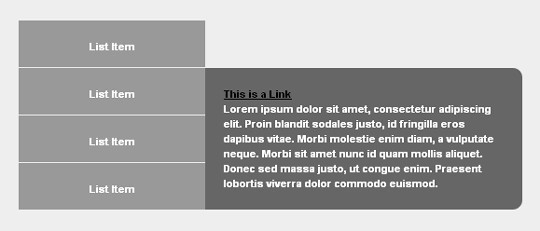
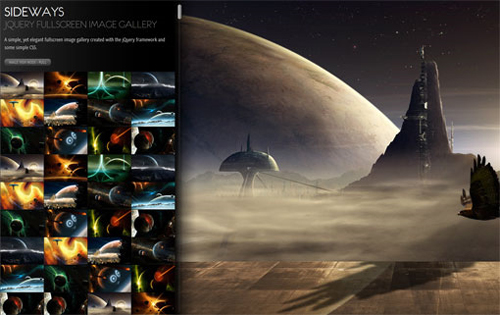
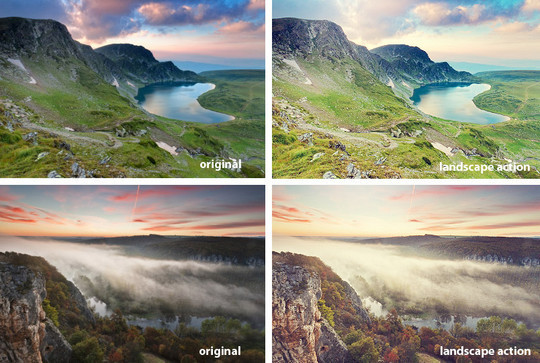
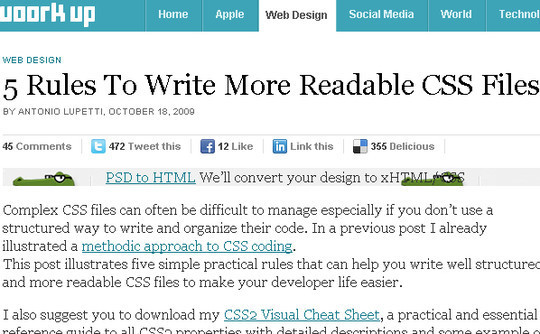
5 Useful Coding Solutions For Designers and Developers

xHTML and CSS
”””””””””””””””””””””””””””””””””””””””””””””””””””””””””””””””””””””””””””””””””””””””””””””””””””””””””””””””””””””””””””””””””””

19 CSS Menu Tutorials to Spice Up Your Web Designs

19 CSS Menu Tutorials to Spice Up Your Web Designs

40+ CSS/JS Styling and Functionality Techniques

CSS/JS Styling and Functionality Techniques

12 Great CSS Resources: From Inspiration to Implementation

Resources
”””””””””””””””””””””””””””””””””””””””””””””””””””””””””””””””””””””””””””””””””””””””””””””””””””””””””””””””””””””””””””””””””””

13 Sources for Background Patterns and Textures

13 Sources for Background Patterns and Textures

Adobe AIR Apps for Web Designers

10 Adobe AIR Apps for Web Designers

30 Free High Quality Wordpress Themes

30 Free High Quality Wordpress Themes

Retro Photoshop Brushes And Vector Images - Giant Design Pack

Retro Photoshop Brushes And Vector Images - Giant Design Pack

Retro Photoshop Brushes And Vector Images - Giant Design Pack

High Quality .PSD Files and Tutorials

200+ Photoshop Brushes for Light, Sparkles

200+ Photoshop Brushes for Light, Sparkles

10 Awesome typewriter fonts for web designers

10 Awesome typewriter fonts for web designers

Miscellaneous Articles
”””””””””””””””””””””””””””””””””””””””””””””””””””””””””””””””””””””””””””””””””””””””””””””””””””””””””””””””””””””””””””””””””””

14 of the Most Useful Web Design Blogs

14 of the Most Useful Web Design Blogs

Top 5 Graphic Design Forums

9 Of The Best Ways To Present A Website To A Client

10 Amazing Visualizations of Social Networks

9 Web Developers That MUST Be Followed On Twitter

Funky Sliding Door Tabbed Menus By A BulletProof Idea

This Tabbed sliding doors menus look funky and elegant as well as being scalable. You can add as much text as you want and the tabs just expand and don’t break apart, they also re-size nicely when you bump up the text in your browser. You can take a look at demo here!

Funky sliding door tabbed menus

In this tutorial John Stephen is going to show you how to create his own little twist on the very popular Sliding Doors of CSS menus by Douglas Bowman

The menu is working great with all standards compliant browsers (Firefox/Safari/IE7/Opera etc..) and also works as far back as IE5.5 and IE6!

Free And Useful Resources For Adobe Photoshop Brushes, Patterns, Tutorials And Other Stuffs For You To Use!

My photoshop brushes logo

MyPhotoshopBrushes is a great collection of Adobe Photoshop brushes, patterns, tutorials and many useful Photoshop stuff. They are made by artists all over the world and all are free to use. Take a look, find something interesting for you, download it free and use them where ever you want.

My photoshop brushes screen

If you want to share your Adobe Photoshop brushes, patterns, styles, gradients or custom shapes you can also submit it on the list.

How To Create Tabbed Structure Menu Using CSS And jQuery? A Tutorial By Nettuts!

Today, designers and developers has one of the biggest challenge is finding ways to place a lot of information on a page without losing usability. Tabbed content is a great way to handle this issue and has been widely used on blogs recently.

Nettuts is a website where you can find useful tutorials, tips and tricks for your web design and development challenges. There you can find a tutorial to Create a Slick Tabbed Content Area using CSS & jQuery. In this, you can learn in a step by step working in details to come up with your own designed and developed nice and beautiful tabbed content area. You can click here to see how it will look in action!

Create a Slick Tabbed Content Area using CSS & jQuery

Is This Possible For Any Story To Touch the Digg Home Page After 24 Hours Of Submissions!

Few minutes ago I am watching the homepage of digg.com and reviewing every story getting on the homepage. Suddenly, I got shock that how come any story can get on the digg home page after 1 day? after then there was another story which got the home page position. But this is not enough because there was another story that took the position after 2 days of the submission. I was really surprised that is this happend intentionally or the digg team made a blunder?

Below I am showing the snapshots of those stories from which you can see the submission time and made popular time.

This story took the position on home page after 1 day and 8 hours after the submission.
12.jpg

This story took the position on home page after 1 day and 10 hours after the submission.
21.jpg

This story took the position on home page after 2 days after the submission.
3.jpg

This story took the position on home page after 2 days after the submission.
4.jpg

Do you have any experience like this before? What should we say this when everyone knows that the time to get the story on home page will be within 24 hours after submission?

I also discussed it with some digg experts that says anybody can’t say about digg that what they have in their algorithm and one of them is answered like that “Digg is a mystery nobody can really explain”. I also found an article about social media optimization where I read that any article can go to hot 3-4 days after being submitted.

After observing to have the story on front page after 24 hours of submission and the research I did on this till now tells me that it really can happens but what others or mostly digg experts says? this is why I wrote this article to help millions of other diggers who really dont know about any story can get the front page position or not on digg?

9 Extremely Addictive Digg.com Related Articles Which You May Be Looking For!

Digg

If you found this post interesting, please dont forget to digg this.
Social media sites are the fastest growing website over the web. The community is getting stronger and stronger everyday. Digg.com is one the top in the social media website which have millions of addicted users (I am one of them :) ) and growing everyday. But just to be an addicted is not necessary to get success on the digg.com. Every digger (digg user) should know how to digg.com algorithm is working? What are the success factors on digg.com? Why any story can get a position on digg.com homepage? How to get maximum diggs? What should to do to be a good digg.com user and what should not? How to write article to be promote on digg.com? and alot of question just to know how digg.com is well for any individual?

Here’s the list of 9 useful articles which has alot of information, tips, suggestions, experiences, analysis etc. You can find them very helpful to know some interesting facts about how you can be a successfull digg.com user or digg addict.

Top 10 Diggers: How They Lost Their “Virginity�
In this article, writer traced back the beginnings of the top 10 digg users according to Chris Finke’s list. What were their first bases (submissions)? How about their first home runs (first page)?

Analysis: Top 100 Digg Users
Interesting Analysis on top 100 digg user that what number of stories submitted, what number of stories gone popular, what percentage of submissions that hit the homepage etc

Tips on How To Get to The Front Page. (On Digg)
Tips from 11 of 30 Top users of Digg. Let’s see what advice they have for the up and coming Top Digg Users?

What is the most popular “top (number)� list on Digg?
If you’ve spent any amount of time on Digg you’ll know how popular the “top (number)� lists are. Top 5, 10, 50 and 100 lists regularly reach the front page - but which number list is the most popular of all?

Top 10 Reasons This List Will Be Popular on Digg
Top 10 lists can always be seen on Digg’s homepage, and to give you an example � here are ten things that will help this post become popular on Digg.

Digging: Does it Still Work?
This article not only explained how to get to the Digg front page, but also managed to do that by getting more than 1200 diggs!

How to Get Digg Frontpaged
How you can get your humble little blog Digg frontpaged without breaking any rules or using any blackhat/spammy methods.

How To: Get 3,000+ Diggs In 24 Hours
You don’t need to be in a group to get your submissions on the front page.

75 Suggestions, Best Practices & Resources for Digg
This is a collection of ideas, tips, best practices and suggested guidelines related to success on Digg that can be found in many different places and are echoing many successful Diggers and Social Media Experts.

I know, I have missed lots of articles which are worth reading but I am waiting for you to participate in this post via submitting your knowledge base about digg.com using comment section. I also welcome you if you can share your experiences with digg.com that how did you enjoy your social media life as an addicted digg.com user.

Also, dont forget to share with us that how do you enjoy reading the above articles?

What Lastest Trends Should Be Use By Designers And Developers For Best Viewing Experience Of Any Website?

Every web developer or web designer wants to have their website to give users the same best experience no matter what the users screen size/resolution/operating system/browser is, but let’s face the fact,  screen size/resolution/operating system/browser does effect website experience.

I get asked the question often, especially by web developers and designers, what is the most common type of  screen size/resolution/operating system/browser. Well, to identify this we started capturing data on  screen size/resolution/operating system/browser for people who visited our SmashingApps.com. This is what we found

Screen Resolution Statistics

Screen Resolution Graph

We found in the above graph that now a days most common screen resolution used by the  visitor is 1280×1024 while 1024×768 is on 2nd number and 1280×800 is on the 3rd for SmashingApps.

Browser Statistics

Browser Graph

We found in the above browser statistics graph that now a days most common browser used by the visitor is Mozilla Firefox while Microsoft Internet Explorer is on 2nd number and Safari is on the 3rd for SmashingApps.

Operating System Statistics

Operating System Graph

We found in the above operating system statistics graph that most common OS used by the visitor is Microsoft Windows while Machintosh is on 2nd number and Linux is on the 3rd for SmashingApps.

Browser and Operating System Combination Statistics

Browser and Operating System Combination Graph

We found in the above browser and operating system combination statistics graph that most common browser and operating system combination used by the visitor is Firefox with Microsoft Windows while Internet Explorer with Windows is on 2nd number and Firefox with Machintosh is on the 3rd for SmashingApps.

Summary

By analyzing all of the above graph, designer or developer find a latest trends and combination of website visitors browsing experience. This way its easy to make sure that websites are giving best experience to the visitors and the real message and design what you are presenting!

I think all the above factors are very important to consider in every new or exisiting website. I believe that the best viewing experience of website helps the person to navigate and enjoy. It also helps to give a good impression on visitors mind.

So check now, whether your website gives the real viewing experience to the viewers or you will need to optimize your website with the current trends of viewing experience. To check where your visitors come from, how they Interact with your site and what are the current viewing experience, track with Google Analytics for free!

It would be great if you will share your experiences with us about best viewing experience.