

Click here to buy secure, speedy, and reliable Web hosting, Cloud hosting, Agency hosting, VPS hosting, Website builder, Business email, Reach email marketing at 20% discount from our Gold Partner Hostinger You can also read 12 Top Reasons to Choose Hostinger’s Best Web Hosting
Sometimes a photo is almost perfect — except for one unwanted object. A stranger in the background. A wire crossing the sky. A logo you didn’t notice while taking the picture. AI Image Tools like Magic Eraser became popular because they solve this exact problem with almost no learning curve. You upload an image, highlight what you don’t want, and the AI fills the space naturally.
Turn ideas into visuals with simple text prompts.
After researching similar tools, I found several AI-powered photo editors like Magic Eraser that offer object removal, background cleanup, and smart retouching — some free, some paid, and some surprisingly powerful for quick edits.
This guide covers the most practical alternatives, what they’re good at, and who should use which tool.
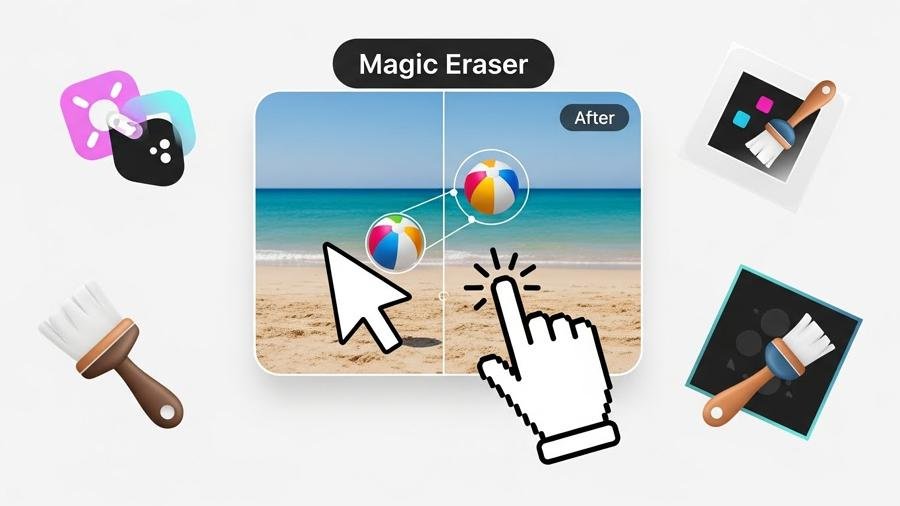
Why tools like Magic Eraser are in high demand
AI image cleanup tools are trending because:
People want fast results without Photoshop skills
Content creators need clean visuals for thumbnails
Online sellers want product photos without distractions
Bloggers and marketers need quick image fixes
Instead of learning complex editing software, users now prefer single-purpose AI tools that “just work.”
(Ad)

1. Cleanup.pictures – closest Magic Eraser alternative (web-based)
What it does:
Removes unwanted objects, people, text, or marks from images using a simple brush tool.
Why it stands out:
This tool is often compared directly with Magic Eraser because the workflow is almost identical. Upload → brush → erase.
Good for:
Object removal
Photo cleanup
Simple background fixes
Limitations:
Free version exports lower resolution
Best for: Users who want a fast, no-login Magic Eraser-style experience.
2. Adobe Express Object & Background Remover
What it does:
Uses Adobe’s AI to remove backgrounds and clean images online.
Why it’s useful:
Adobe Express is simpler than Photoshop but still benefits from Adobe’s AI engine.
Good for:
Social media graphics
Profile images
Marketing visuals
Limitations:
Some features locked behind Adobe account
Best for: Beginners who want reliable AI without complexity.
3. Canva Background & Object Removal
What it does:
Removes backgrounds and unwanted elements inside Canva’s editor.
Why it’s popular:
Many people already use Canva, so this removes the need for another tool.
Good for:
Thumbnails
Blog images
Social media designs
Limitations:
Object removal is not as precise as dedicated tools
Best for: Content creators already working inside Canva.
4. Snapseed (Healing Tool) – mobile-friendly option
What it does:
Allows you to remove small objects using the Healing tool on mobile devices.
Why it’s interesting:
It’s free, works offline, and doesn’t upload images to the cloud.
Good for:
Minor object removal
On-device photo editing
Limitations:
Not AI-heavy; manual touch-ups needed
Best for: Privacy-conscious users and mobile editors.
5. TouchRetouch – precise object removal on phones
What it does:
Specializes in removing objects like wires, people, and blemishes from photos.
Why it’s trusted:
This app has been around for years and focuses only on cleanup.
Good for:
Travel photos
Landscape cleanup
Line and wire removal
Limitations:
Paid app
Best for: Mobile users who want accuracy over automation.
5 Best Free AI Tools to Remove Backgrounds from Images Easily
6. Pixlr Remove Tool (Web Editor)
What it does:
Provides object erasing, background removal, and full image editing online.
Why it’s useful:
You get Magic Eraser-style removal plus extra editing features.
Good for:
Quick browser edits
Layer-based editing
Limitations:
Free version includes ads
Best for: Users who want more control without Photoshop.
Alternatives of Adobe Photoshop Express: 7 Best Free Browser‑Based Photo Editors
7. PhotoRoom – AI cleanup + background replacement
What it does:
Removes backgrounds and unwanted objects, then replaces them with clean templates.
Why people use it:
Popular among e-commerce sellers and influencers.
Good for:
Product photos
Instagram visuals
Marketplace listings
Limitations:
Free exports include watermark
Best for: Online sellers and social media creators.
8. Fotor AI Object Remover
What it does:
AI-based removal with additional filters and enhancement tools.
Why it matters:
It combines cleanup and enhancement in one place.
Good for:
Basic retouching
Image enhancement
Background cleanup
Limitations:
Precision varies depending on image
Best for: Casual users who want all-in-one editing.
9. Photoshop Content-Aware Fill (Advanced users)
What it does:
Professional object removal using AI-powered content-aware technology.
Why it’s included:
Many AI tools are inspired by this feature.
Good for:
Complex edits
Professional retouching
Limitations:
Learning curve
Subscription required
Best for: Designers who need pixel-level control.
Comparison: Magic Eraser vs Similar Tools
| Tool | Ease of Use | Precision | Free Option |
|---|---|---|---|
| Magic Eraser | Very easy | High | Limited |
| Cleanup.pictures | Very easy | High | Yes |
| Canva | Easy | Medium | Partial |
| Snapseed | Medium | Low–Medium | Yes |
| TouchRetouch | Easy | High | No |
| Pixlr | Medium | Medium | Yes |
| PhotoRoom | Easy | Medium | Partial |
How to choose the right Magic Eraser alternative
I would suggest asking yourself:
Do you want one-click AI, or manual control?
Is privacy important (offline editing)?
Do you need HD exports?
Are you editing photos or designs?
For quick cleanup → Cleanup.pictures
For mobile → Snapseed or TouchRetouch
For content creation → Canva or PhotoRoom
For professional work → Photoshop
Adobe Firefly vs Nano Banana – Best Free AI Image Generators Compared
FAQs
Are tools like Magic Eraser safe to use?
Most reputable tools are safe when used from official websites or app stores. Always review privacy policies before uploading sensitive images.
Do free AI object removal tools reduce image quality?
Many free tools limit export resolution. The editing quality is often good, but HD downloads usually require a paid plan.
Can these tools remove people from photos?
Yes, many AI tools can remove people, but results depend on background complexity and lighting.
Is Magic Eraser better than Photoshop?
For speed and simplicity, Magic Eraser-style tools are easier. Photoshop offers more control but requires skills and time.
Can I use these tools for commercial projects?
Some tools allow commercial use, others restrict it under free plans. Always check licensing terms.
Conclusion
AI tools like Magic Eraser have changed how people edit photos. What once required advanced software can now be done in seconds with simple web tools or mobile apps.
After researching multiple options, it’s clear there’s no single “best” tool — only the right tool for your needs. Some focus on speed, others on precision, and some on design workflows.
If your goal is quick cleanup, start with lightweight AI tools. If you need full creative control, advanced editors still have their place. Either way, removing unwanted objects from photos has never been easier.
Now loading...


