Menu
Free Customizable CSS Menu For Everyone
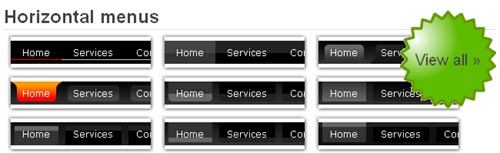
Are you searching for free, nice and easy to use CSS menu for your website? No need to worry about it! CSS Menu Builder is an online menu builder website from where you can create 30+ horizontal, 700+ vertical and our breadcrumb menus that consist of more than 200+ combinations.

The menu creation process and interface is very easy to use. This helps you to work fast and efficiently in less time with the amazing result of free css menu.
Simple And Free CSS Menu Designs For Your Website
While designing a website designers want to see the inspiration or free design resources which can reduce their work on the project. We help those guys because we are always in the search of great free resources and list here. Below are the simple and free CSS menu designs for you to download and use any way you see fit.
You can download the complete set, or an individual menu by clicking the Download Menu button located on each menu from the original website.
Please feel free to download for commercial or private use, and modify to suit your needs.
Funky Sliding Door Tabbed Menus By A BulletProof Idea
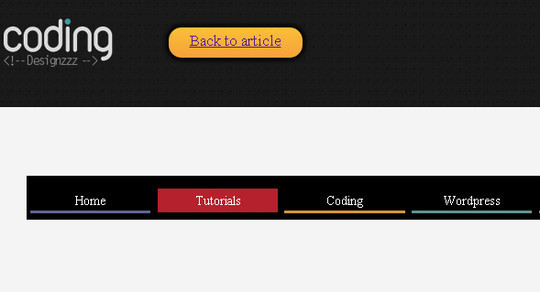
This Tabbed sliding doors menus look funky and elegant as well as being scalable. You can add as much text as you want and the tabs just expand and don’t break apart, they also re-size nicely when you bump up the text in your browser. You can take a look at demo here!
In this tutorial John Stephen is going to show you how to create his own little twist on the very popular Sliding Doors of CSS menus by Douglas Bowman
The menu is working great with all standards compliant browsers (Firefox/Safari/IE7/Opera etc..) and also works as far back as IE5.5 and IE6!
Horizontal Javascript Accordion Menu!
This versatile 1kb horizontal accordion script can be used for menus, images, presentation content and more.
The script will automatically adjust to the number of elements in the accordion and the dimensions of the accordion.
The front-end markup for the script is a simple unordered list as in the example below…
<ul id="sm" class="sm">
<li><img src="images/1.gif" alt="" /></li>
<li><img src="images/2.gif" alt="" /></li>
<li><img src="images/3.gif" alt="" /></li>
<li><img src="images/4.gif" alt="" /></li>
</ul>
To build the accordion call the function below onload…
slideMenu.build('sm',200,10,10,1)
Click here to view the working sample.
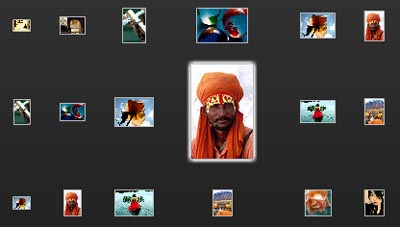
Lets Take A Look At Fisheye Menu Component v0.3
The Fisheye component is based around the concept of itemRenderer factories, just like the flex list and charting components. The goal is to use composition to separate behavior from content, so you can reuse the basic fisheye effect across many different applications and uses. It’s available under the MIT Open Source license, so feel free to use it or modify it in your own applications.
The Fisheye component uses a pattern that’s been coming up a lot lately where the intended layout of the component is not the same as the actual layout.
In this case, the fluid animation as you move the mouse across the component is built by migrating the actual layout of the renderers towards the intended layout (as determined by the mouse position) over time. You can check out how it will look in action 1D Demo and 2D Demo
CSS+Javascript Fancy Menu By Devthought!
With the  image below our most of the readers are already aware of this and had an idea about this css+javascript fancy menu but to have this great resource in the Smashing Apps list is very necessary that is why I am adding this. This fancy menu is also great for those who do not know about this and I believe there are alot of those guys as well often visits to SmashingApps.com.
In this article Guillermo Rauch’s will go through the creation of a custom navigation bar with some cute Javascript effects that will certainly impress your friends and the visitors coming to your website. This custom navigation bar needs Mootools library, this beauty is contained in 1.5kb. Not only that, but it’s also cross browser (tested on Internet Explorer 6/7, Firefox and Safari) and accessible.
PhatFusion Free Horizontal Menu, Reveals More Of The Image As You Rollover It.
Most of us see the image moving (left to right or right to left) navigation developed by Macromedia Flash on many famous website. But now its just build by the javascript.
Now we have another way to build this type of menu. PhatFusion has developed an image menu with the aid of Mootools framework. This meny looks really good and easy to use for everyone. You can also see the similar menu at Mootools Official Website. Salient features are :


![header=[Premier Survey] body=[Create your own free survey in just 10 minutes!]](http://www.smashingapps.com/banner/premierysurvey-banner.jpg)
![header=[LogicWeb] body=[Linux Dedicated Server and dedicated hosting. Dedicated servers starting at $69/mo. Custom dedicated servers. Buy your new dedicated server today. Web Server]](http://www.smashingapps.com/banner/logic-web-100x100.gif)
![header=[Dolphin Geeks] body=[Providing Boonex Dolphin Installation, Boonex Dolphin support, ray installation, ray service and ray support.]](http://www.smashingapps.com/banner/dolphin-geeks100x100.jpg)
![header=[Design Jobs on the Wall] body=[Job board managed by Web Designer Wall where you can find and post design jobs.]](http://www.smashingapps.com/banner/design-jobs-webdesignerwall-100x100.gif)
![header=[iNetZeal] body=[Affordable & Quality SEO Service by Expert SEO Company!]](http://www.smashingapps.com/banner/Z-inetzeal-100x100-banner.jpg)