

Click here to buy secure, speedy, and reliable Web hosting, Cloud hosting, Agency hosting, VPS hosting, Website builder, Business email, Reach email marketing at 20% discount from our Gold Partner Hostinger You can also read 12 Top Reasons to Choose Hostinger’s Best Web Hosting
Making great marketing that actually sounds like your brand takes time, a messy toolkit (copy docs, image editors, calendar spreadsheets) and usually either a marketing team or a budget for freelancers. That means small businesses and solo founders either skip campaigns or copy generic templates that don’t convert. It’s frustrating and expensive — and you can fall behind quickly. Enter Pomelli, Google Labs + DeepMind’s new AI marketing assistant that reads your website, builds a “Business DNA,” and spits out on-brand campaign ideas, copy and simple visuals — for free in its public beta. This guide shows exactly how to use Google Pomelli for free today (free where available), practical tips to keep control of brand voice, and a small real-world example so you can launch a week of content in minutes.
3 VPNs That Pass All Tests (2025)
- NordVPN: Zero leaks in tests, RAM-only servers, and Threat Protection to block malware.
- Surfshark: Unlimited devices, Camouflage Mode for bypassing VPN blocks, and CleanWeb ad-blocker.
- ExpressVPN: Trusted Server tech (data wiped on reboot) and consistent streaming access.
What is Pomelli
Pomelli is an experimental AI from Google Labs and DeepMind that analyzes a business website to extract a Business DNA — tone, visuals, colors, fonts, and brand messaging — then generates campaign ideas, editable creative assets, captions, and CTAs tailored to that identity. It’s positioned as a public beta aimed at small and medium businesses and is available in English in the U.S., Canada, Australia and New Zealand at the time of launch.
GoHighLevel pitches itself as an all-in-one platform built for agencies that want client sub-accounts and white-label options. HubSpot offers a widely used free CRM with a broader ecosystem of marketing, sales, and service tools that scale as teams grow. Both are legitimate choices — but they serve different business models and billing expectations.
Why the name? Google intentionally chose a fruit-inspired name (pomelo/pomelo-family) to signal the idea of extracting a unique core identity — just as a fruit has a distinct DNA. That simple metaphor guides Pomelli’s design: it “peels” your site to learn what your brand tastes and looks like, then generates matching content.
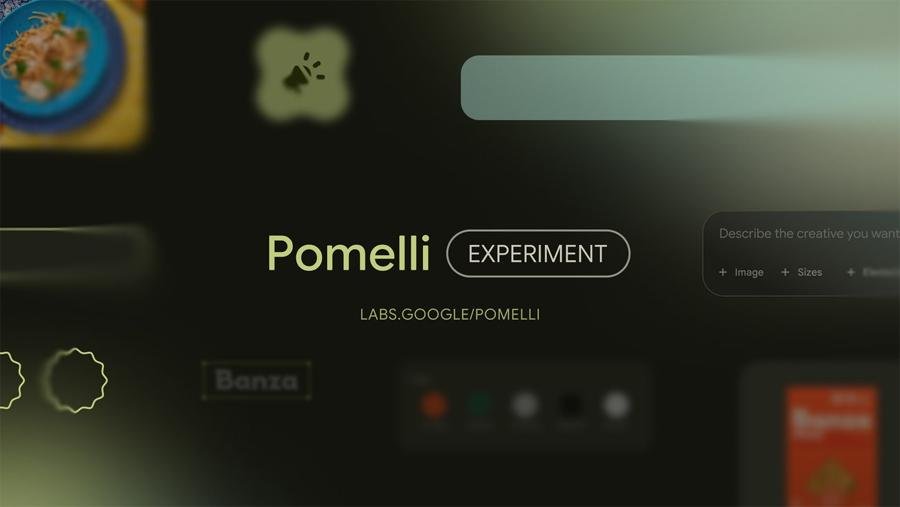
Why you should try Pomelli
Speed: Generate a full week (or more) of marketing content in 10–20 minutes instead of hours or days.
On-brand consistency: Pomelli builds a brand profile from your live site so tone and visuals match what customers already see.
Cost: Public beta access is free in supported regions — so early adoption is low friction.
Simplicity for non-designers: Built-in image editing and templates reduce the need for Canva/Photoshop skills.
Control: Outputs are editable — you’re not stuck with what the AI writes.
How Google’s Nano Banana in Gemini Delivers Pixel-Perfect Image Editing
How to use Google Pomelli for FREE — a step-by-step walkthrough
Below is a practical walkthrough based on the public beta interface and a real demo workflow.
1. Check availability & sign in
Visit labs.google.com/pomelli and sign in with your Google account. Pomelli is currently an experiment and available in English in the U.S., Canada, Australia and New Zealand.
2. (Optional) Use a VPN if your country shows an access error
If you see a region error when opening Pomelli, many creators use a simple browser VPN extension set to one of the supported countries to view the interface for testing (remember to follow local and Google terms of use).
(Ad)

3. Generate your Business DNA
Click Generate Business DNA.
Enter the URL of your website (or the site you manage). Pomelli will crawl and analyze your homepage and available assets — logos, fonts, color schemes and copy — to create a brand profile.
Wait a minute while Pomelli builds: you’ll get extracted logo, color palette, typographic cues, tone of voice, and a short brand description.
Tip: Make sure your website’s key pages (About, Products/Services, Hero sections) are public and up-to-date — Pomelli pulls live content.
Google Plans Major Gemini Overhaul to Take on ChatGPT
4. Choose a campaign path: ideas or full creatives
Pomelli typically offers three main flows:
Get campaign ideas — short concept cards to spark campaigns.
Generative creatives — image and caption packs ready to edit.
Generate Business DNA — re-scan or reset if you change the site.
Pick Get campaign ideas to start. You can also type your own brief (e.g., “Launch SEO course — spotlight new module”) and Pomelli will tailor ideas.
Google G Logo Gets a Brighter Gradient
5. Review and refine suggested campaigns
Pomelli will show 3–5 ready concepts. Each concept includes a short headline, post copy, suggested visual(s), and CTA options.
Edit: Click any suggestion to revise copy, swap images (Pomelli can use your site images or generate via Gemini image models), adjust CTAs or change format (reels, static post, story).
6. Create visuals & download
Use the built-in editor to swap background images, change layouts, or apply brand colors and fonts Pomelli extracted.
Once happy, download the assets or save them to your content calendar. Pomelli provides downloadable files you can post directly.
7. Build a content calendar (one week → one click)
Combine generated posts into a quick calendar: Pomelli can sequence posts (e.g., Mon–Fri) and suggest minor copy adjustments for each placement.
Export a simple CSV or copy the copy/CTAs to your scheduling tool.
Mini case study — turning one URL into a week of posts (demo recap)
In a demo workflow (similar to a public video walkthrough), a site owner to generate a Business DNA. Pomelli extracted the logo, color tones and phraseology, then generated campaign options like “Master SEO in 90 minutes”, “Resume: Invisible — job-ready skills”, and a before/after creative. With a few clicks the owner swapped images from their site, adjusted wording to local slang, and downloaded five graphics and caption variants — a full week’s social program in under 15 minutes. This shows how Pomelli helps teams that have good site content but low creative bandwidth.
Practical tips & safety controls
Always proofread: Pomelli’s copy is polished but may need brand-specific edits or legal checks (claims, promotions).
Verify imagery rights: If Pomelli uses generated images, confirm they’re acceptable for your use; if it pulls your site images, you already control them.
Re-scan after updates: If you change product names or messaging, regenerate Business DNA so outputs stay current.
Combine with a human review step: Let the AI draft, then have someone familiar with brand tone approve final assets.
Why Pomelli matters beyond speed
Most tools help with captions or templates. Pomelli’s differentiator is the Business DNA model — it doesn’t just take a prompt, it learns your live brand and crafts content that reflects your existing customers’ view. For small businesses, that reduces the “copy mismatch” problem where social posts sound like an ad farm and not like the business customers know. From an SEO and discoverability standpoint, consistently branded posts improve recognition and click-throughs on social platforms and help paid creative performance because the messaging is aligned to the site landing pages. In short: Pomelli removes the translation layer between website → campaign, which historically eats time and money.
Key Takeaways
Pomelli converts your website into a marketing engine by extracting a Business DNA and generating on-brand campaigns.
Public beta is free in supported countries (U.S., Canada, Australia, New Zealand); sign in at labs.google.com/pomelli.
You can create a week’s worth of social posts in 10–20 minutes if your website copy and images are ready.
Outputs are editable, so retain creative control while saving time.
Best for SMBs and solo founders who need consistent, low-cost marketing at scale.
FAQs (People Also Ask)
Q: Is Pomelli really free?
A: Pomelli is a public beta experiment and is available for free in the supported countries (U.S., Canada, Australia, New Zealand) while Google tests and improves it.
Q: Will Pomelli replace my marketing team?
A: No — Pomelli speeds up ideation and creative production, but human oversight is recommended to ensure legal compliance, tone accuracy, and strategic alignment.
Q: Can Pomelli post directly to my social channels?
A: As of launch, Pomelli generates assets and copy for download or export; check the Labs UI for any new scheduling integrations or export options.
Q: How do I make Pomelli learn a rebranded site?
A: Update the live site (about, hero, product pages), then reset/generate Business DNA inside Pomelli so it re-crawls and updates the brand profile.
Conclusion
Pomelli is a practical, low-friction experiment from Google Labs and DeepMind that can dramatically reduce the time it takes to plan and produce on-brand social campaigns. If you run a small business, update your site with clear product blurbs and hero imagery, sign into labs.google.com/pomelli, generate your Business DNA, and try building a five-post sequence. If you like the output, incorporate a one-hour AI + human review workflow each week and free up time for strategy.
Try Pomelli (free in beta where supported) and compare one week of Pomelli-generated posts against your regular process — you’ll be able to measure time saved and engagement differences quickly. For more on AI tools for marketing, read our SmashingApps guide to AI marketing tools and workflows.
Sources (official):
Google Labs Pomelli experiment page. Google Labs
Google blog announcement: “Create on-brand marketing content for your business with Pomelli” (Oct 28, 2025). blog.google
Now loading...


