Click here to buy secure, speedy, and reliable Web hosting, Cloud hosting, Agency hosting, VPS hosting, Website builder, Business email, Reach email marketing at 20% discount from our Gold Partner Hostinger You can also read 12 Top Reasons to Choose Hostinger’s Best Web Hosting
Every few months, someone writes another “Adobe Express vs Canva” comparison that reads like a brochure for both products. They list the features, paste in some screenshots, say “both are great,” and call it a day.
That’s not what this is.
I’ve used both tools lately — not just for writing about them, but actually building social media graphics, presentation decks, branded documents, and marketing assets with them. So what follows is an honest, opinionated breakdown of where each tool shines, where it quietly lets you down, and which one you should actually be paying for in 2026.
Spoiler: the “right” answer depends entirely on who you are. And I’m going to make that crystal clear.
Adobe Creative Cloud | Entire Collection of Adobe Creative Tools Plus 100G Storage
Quick Verdict
Choose Canva if you want the most templates, the easiest learning curve, strong team collaboration, and a tool that handles basically everything in one place.
(Ad)

Choose Adobe Express if you’re already living in the Adobe ecosystem, care deeply about font quality and brand-safe AI, or need access to a serious stock photo and asset library at a lower monthly price.
Don’t choose either if you need anything close to professional-grade design power — for that, you’ll want the real Photoshop or Illustrator. Both Canva and Express are quick-creation tools, not replacements for the full creative suite.
Now let’s get into the details about best design tool for beginners.
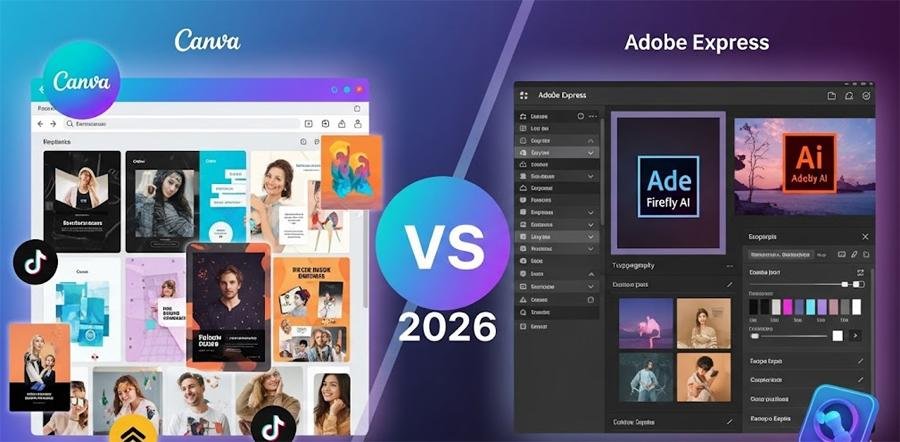
What These Tools Actually Are (And Aren’t)
Before diving into the comparison, it helps to understand what problem each tool is actually solving.
Canva launched in 2013 and essentially created the “design for non-designers” category. It’s a browser and app-based design platform where anyone can create social media posts, presentations, flyers, videos, and more — no design background required. Today it claims 185 million users worldwide, which is a genuinely staggering number for a design tool.
Adobe Express is Adobe’s answer to Canva. It launched in late 2021 (rebranded from Adobe Spark) and sits firmly within Adobe’s broader Creative Cloud ecosystem. The pitch is: all the simplicity of a quick-creation tool, but with the muscle and asset quality Adobe is known for.
Both tools use a drag-and-drop editor, offer templates and stock assets, and are primarily browser-based — though both also have mobile apps. Neither is a replacement for Photoshop, Illustrator, or any serious design software. They’re made for speed, not surgical precision.
That’s an important distinction. A lot of frustration people have with both platforms comes from expecting desktop-grade power from what is fundamentally a fast-turnaround content creation tool.
Lifestyle Guest Posting Sites – 15 Places That Still Accept Pitches (and how to get accepted)
Interface & Ease of Use: Canva Wins, But Not by as Much as You’d Think
If you’ve never opened either tool before, Canva is going to feel friendlier on day one. The homepage is clean, the search bar is front and center, and you can go from zero to a finished social media post in about five minutes. The learning curve is genuinely flat.
Adobe Express has caught up considerably. The unified editor introduced in mid-2023 cleaned things up a lot, and by 2026 the experience is polished and fast. If you’ve used any Adobe product before — even something as simple as Lightroom — Express will feel strangely familiar because the asset panel on the left, the contextual menus, and the layer logic all echo the wider Adobe UI language.
That said, there’s one area where Canva still wins clearly: mobile. The Canva app on both iOS and Android is genuinely excellent and feels as capable as the desktop version. The Adobe Express Android app has been in beta for a while and, frankly, it shows. If you do a lot of design work from your phone, that’s a real consideration.
Winner: Canva (especially for mobile users and absolute beginners)
Turn ideas into visuals with simple text prompts.
Templates: It’s Not Even Close
Canva offers over 250,000 templates on its free plan alone. Adobe Express offers around 100,000 templates on its premium plan.
Read that again. Canva’s free plan has more templates than Adobe’s paid plan.
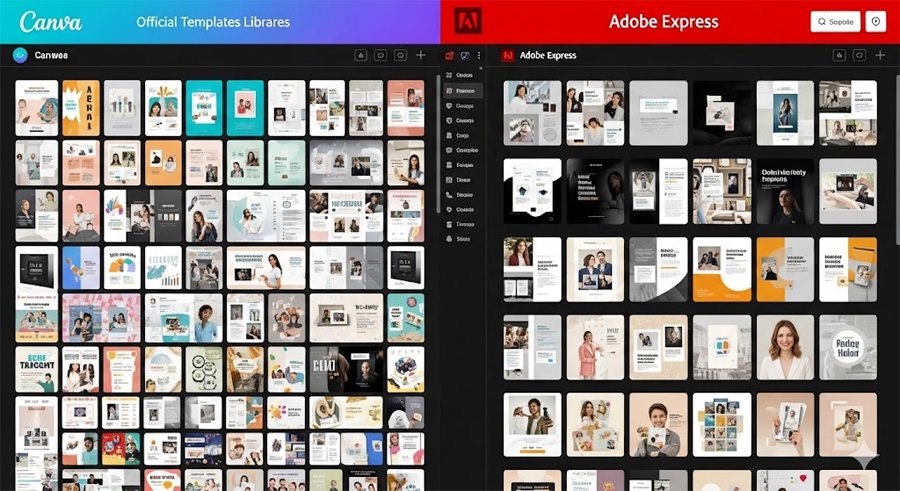
Now, template quantity isn’t everything — quality matters. But in terms of sheer variety, niche coverage, and the ability to find something that fits a very specific need, Canva is in a completely different league. Canva also updates its library constantly, adding seasonal templates, trending formats, and niche-specific options (think: LinkedIn carousel templates, Substack header designs, Etsy listing banners) at a pace Adobe simply can’t match.
Adobe Express templates are clean and professional-looking, but the library feels more limited. You’re more likely to hit a wall and start from scratch with Express, which is fine if you have a design sense — but frustrating if you don’t.
Winner: Canva, and it’s not close
Fiverr vs Upwork – Practical 2026 Comparison (Which Platform Should You Use?)
AI Features: This Is Where It Gets Interesting
Both platforms have gone all-in on AI, but they’ve taken very different approaches — and understanding the difference matters for how useful these features will actually be for you.
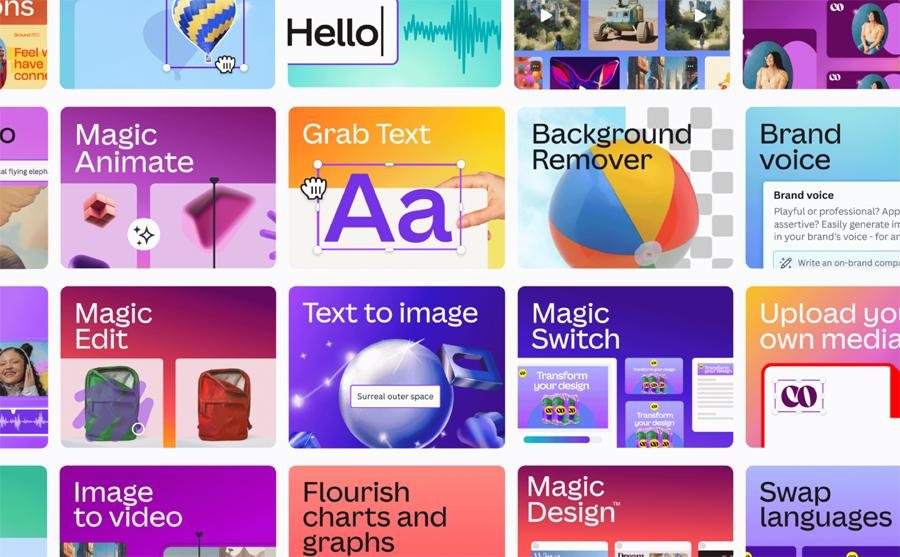
Canva’s Magic Studio
Canva’s AI suite is called Magic Studio and it includes a solid lineup of tools:
- Magic Design — generates a complete design from a text prompt
- Magic Write — AI-powered copy generation inside your designs
- Magic Resize — resizes any design for a different format with one click (this one is genuinely great)
- Magic Edit — generative fill for photos
- Magic Eraser — removes objects from images
- Magic Media — generates AI images from text prompts
On the free plan, you get 50 total AI credits. On Pro, you get 500 per month for Magic Write and 500 image generations. That sounds like a lot until you start experimenting heavily, at which point it disappears faster than you’d like.
Free AI Presentation Generators to Make Slides in Minutes
The AI features are solid but not groundbreaking. Magic Resize alone has probably saved millions of people hours of frustrating manual reformatting work. Magic Media produces decent images but can feel generic.
Adobe Express’s Firefly
Adobe’s AI is called Firefly, and it has one significant advantage that’s genuinely important if you’re doing any commercial work: it was trained exclusively on licensed Adobe Stock content and public domain material.
That means Adobe is offering legal indemnification for images generated with Firefly on select plans. In plain terms: if someone later challenges you on copyright grounds for using AI-generated content in your commercial project, Adobe has your back. Canva’s Magic Media doesn’t offer the same commercial-safe guarantee in the same explicit way.
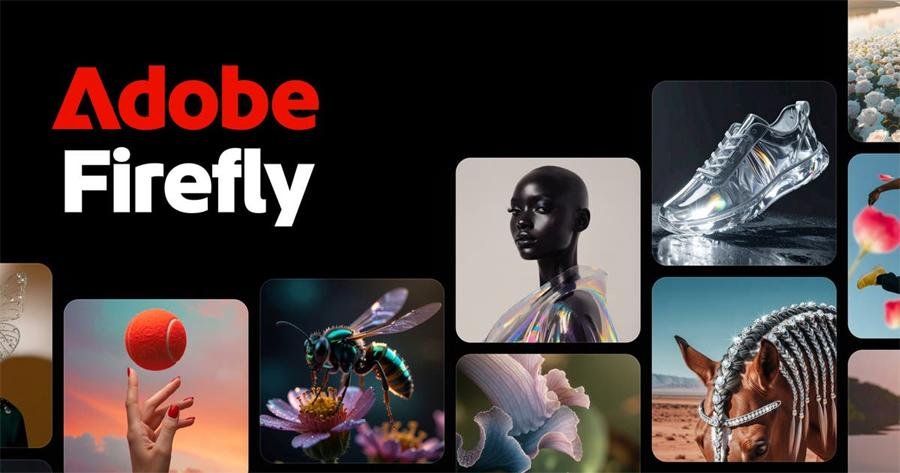
Beyond the legal angle, Firefly is technically impressive. Text effects in particular are excellent — you can type out a word and apply photorealistic textures (stone, fire, leaves, fabric) that look genuinely professional. The Text to Image tool produces cleaner, less generic results than most competitors.
On the free plan, Express gives you just 25 generative AI credits per month (stingy). Premium users get 250 credits monthly, which is more generous. Premium also now includes partner model access — meaning you can generate images using Google Imagen, OpenAI, and Flux right inside Adobe Express, which is a legitimately useful expansion.
Winner: Adobe Express (for commercial work and AI quality); Canva (for volume and convenience)
Alternatives of Adobe Photoshop Express: 7 Best Free Browser‑Based Photo Editors
Font & Asset Libraries: Adobe Wins by a Landslide Most People Don’t Know About
This is the one comparison that almost nobody talks about clearly, and it’s a genuinely big deal.
Adobe Express Premium gives you access to over 30,000 fonts from the Adobe Fonts collection.
Canva offers around 2,000 fonts on its Pro plan.
That’s not a small difference. That’s a 15x gap in font variety. If you care about typography — if you have a brand identity with specific fonts, or if you’re a designer who wants to match a particular aesthetic — this alone might be enough to tip the scales toward Adobe Express.
Adobe Stock is also significantly deeper than Canva’s asset library. Express Premium subscribers get access to over 200 million royalty-free photos, videos, and music tracks. Canva Pro unlocks over 140 million assets. Both are enormous libraries, but Adobe’s edge in this department reflects 40 years of building the world’s largest creative content marketplace.
Winner: Adobe Express, decisively
14 Best Free AI Video Generators — Grok.ai, Meta.ai, Seedance, Tencent & Top Chinese Models
Pricing: Cheaper Doesn’t Always Mean Better Value
Here’s the straightforward breakdown:
Canva
| Plan | Price | Key Inclusions |
|---|---|---|
| Free | $0 | 2M+ templates, 5GB storage, 50 AI credits total |
| Pro | $12.99/month (or $119.99/year) | 140M+ assets, 1TB storage, 500 AI credits/month, brand kit |
| Teams | $10/user/month (min 3 users) | Everything in Pro + collaboration & admin controls |
Adobe Express
| Plan | Price | Key Inclusions |
|---|---|---|
| Free | $0 | 100K+ templates, 5GB storage, 25 AI credits/month |
| Premium | $9.99/month (or $99.99/year) | 200M+ assets, 100GB storage, 250 AI credits/month, 30,000+ fonts |
| Teams | $9.99/user/month (2-seat min, 12-month commitment) | Everything in Premium + brand management & admin controls |
At first glance, Adobe Express is cheaper at the individual level ($9.99 vs $12.99/month). But there are a few things worth knowing before you commit:
The Adobe Express gotcha most people miss: As of May 2025, Adobe Express Premium is not included with Creative Cloud subscriptions — not even the All Apps plan. If you’re already paying for Creative Cloud and assuming Express is bundled in, double-check your plan. You may need to pay separately.
The Canva Teams price hike: In late 2024, Canva significantly raised its Teams pricing. What used to be positioned as an affordable team tool now costs $10/user/month with a three-user minimum — meaning the minimum spend is $30/month for even a two-person team. That’s not outrageous, but it caught a lot of smaller teams off guard.
Early termination fees exist on both sides: Adobe’s annual plan carries a 50% early termination fee if you cancel after the 14-day grace period. It’s buried in the fine print, and the FTC has actually filed suit against Adobe over its disclosure practices around this. Read the terms before you commit to annual billing.
Canva Pro delivers better storage: 1TB on Canva Pro vs Adobe Express Premium 100GB. If you create and store a lot of designs, that’s a meaningful difference.
Winner: Adobe Express on price; Canva on storage and value for heavy creators
Adobe Photoshop Elements & Premiere Elements 2022 | PC/Mac Disc
Collaboration Features: Canva Is Built for Teams, Express Is Built for Individuals
If you’re working in a team environment, Canva has a clear edge. Real-time collaboration, commenting, shared brand kits, content approval workflows, template locking, and folder management are all mature, well-developed features on Canva Teams.
Adobe Express teams features exist and work, but they feel like an afterthought compared to Canva’s team-first design philosophy. The admin controls are improving, but Canva has a multi-year head start in building tools specifically for marketing teams and agencies working in parallel.
If you’re a solo creator, this doesn’t matter at all. But if you have even two or three people who need to create on-brand content together, Canva wins this round clearly.
Winner: Canva
9 Best AI Image Tools Like Magic Eraser to Remove Objects from Photos (Free & Paid)
Who Should Actually Use Which Tool
Stop reading generic feature comparisons. Here’s a direct recommendation based on who you actually are:
You’re a freelancer or solopreneur building social media content → Start with Canva Free. If you hit the limits, upgrade to Canva Pro. The template library, ease of use, and Magic Resize will serve you well.
You’re a small business owner who already pays for Adobe Creative Cloud → Try Adobe Express first. Even though it’s no longer bundled with most CC plans, the asset library familiarity and Firefly AI integration make it worth the $9.99/month add-on.
You’re a marketing manager overseeing a team of 3+ people → Canva Teams, without question. The collaboration features, template locking, and approval workflows are built for exactly this use case.
You care a lot about typography and brand precision → Adobe Express. The 30,000+ font library from Adobe Fonts is in a completely different class from what Canva offers. If your brand identity relies on specific or unusual typefaces, Express is the more serious tool.
You do commercial AI-generated content and care about copyright safety → Adobe Express, specifically for the Firefly-generated content. The commercially-safe training and indemnification coverage matters if you’re creating content for clients or putting it on products.
You’re a student or teacher → Both platforms offer free plans for education. Adobe Express gives educators a fully-featured free plan that includes generative AI credits and premium editing tools. Canva’s education plan is similarly strong. Either works.
You’re a blogger or content creator who needs quick visuals on a deadline → Canva. The speed advantage from 250,000+ templates and a genuinely excellent mobile app means you’ll create faster.
6 Best AI Presentation Makers and PPT Generators for 2026
Honest Pros and Cons : Canva vs Adobe Express free
Canva
What’s genuinely good:
- Largest template library on the planet
- Excellent mobile app on iOS and Android
- Magic Resize is a genuine time-saver
- Strong team collaboration out of the box
- 1TB storage on Pro is very generous
- Massive, passionate community with tutorials everywhere
What actually frustrates people:
- Premium elements are everywhere — the little crown icons that say “upgrade” are constant
- The Teams price hike in 2024 stung smaller organizations
- AI image generation (Magic Media) is decent but not impressive
- Font library is limited compared to Adobe’s offering
- Background removal used to be Pro-only, though this has improved
Adobe Express
What’s genuinely good:
- Cheaper individual plan ($9.99 vs $12.99/month)
- 30,000+ fonts via Adobe Fonts is exceptional
- Firefly AI is commercially safe and produces cleaner results
- 200M+ stock assets is a serious library
- Deep integration with Photoshop and Illustrator files
- Text effects with Firefly are genuinely impressive
What actually frustrates people:
- Android mobile app is still behind Canva’s on maturity
- Performance can lag on complex video projects or large files
- Fewer templates than Canva — by a significant margin
- No longer included with Creative Cloud subscriptions (a surprise for many)
- Annual plan early termination fee policy has been controversial
- The free plan gives you only 25 AI credits per month, which feels stingy
Adobe Firefly vs Nano Banana – Best Free AI Image Generators Compared
The Bottom Line : Adobe Express vs Canva 2026
If you’re looking for one tool that does everything reasonably well, handles a team, offers the widest range of templates, and gets you from idea to finished design the fastest — Canva is still the overall winner in 2026.
But Adobe Express has matured into something that’s more than a consolation prize. If font quality, stock asset depth, commercially-safe AI, and Adobe ecosystem integration matter to you, it’s a serious and credible choice — often at a lower price point.
The worst thing you can do is pay for both. Pick the one that fits your actual workflow, use the free plan of the other when you occasionally need something it does better, and don’t let the feature list make this more complicated than it needs to be.
Frequently Asked Questions
Is Adobe Express free? Yes, Adobe Express has a permanently free plan with access to 100,000+ templates, basic editing tools, and 25 generative AI credits per month. The free plan has meaningful limitations (no background removal, no advanced animations, limited fonts), but it’s a genuine free tier — not just a time-limited trial.
Is Canva better than Adobe Express for beginners? For most beginners, yes. Canva’s interface is marginally easier to navigate on day one, its template library is far larger (giving you more starting points), and its mobile app is more fully featured. Adobe Express isn’t hard to learn, but Canva has the gentler on-ramp.
Does Adobe Express come free with Creative Cloud? As of May 2025, no — Adobe Express Premium is not included with Creative Cloud subscriptions and requires a separate purchase at $9.99/month. This changed from previous years when some CC plans bundled Express access. Always verify your plan’s inclusions on Adobe’s pricing page.
Which tool has better AI image generation — Canva or Adobe Express? Adobe Express’s Firefly generally produces higher-quality, more coherent AI images than Canva’s Magic Media. More importantly, Firefly-generated content is designed to be commercially safe (trained on licensed Adobe Stock content), while Canva’s AI image generation lacks the same explicit commercial indemnification.
Can I use Canva or Adobe Express for commercial projects? Both platforms allow commercial use on their paid plans with their provided assets. However, if you’re using AI-generated images in commercial work (for clients, on products, in advertising), Adobe Express with Firefly offers stronger commercial-safety guarantees. Read the terms of service for any assets you use in commercial projects.
Which is cheaper: Canva Pro or Adobe Express Premium? Adobe Express Premium is cheaper at $9.99/month (or $99.99/year) compared to Canva Pro at $12.99/month (or $119.99/year). However, Canva Pro includes 1TB of storage versus Adobe’s 100GB, and Canva’s template library is significantly larger.
Is Adobe Express good for small businesses? Adobe Express can work well for small businesses — especially those who are already in the Adobe ecosystem or who need the font and stock asset depth. However, for team collaboration, Canva Teams is generally the more mature and purpose-built option for small business marketing teams.
Now loading...