

Click here to buy secure, speedy, and reliable Web hosting, Cloud hosting, Agency hosting, VPS hosting, Website builder, Business email, Reach email marketing at 20% discount from our Gold Partner Hostinger You can also read 12 Top Reasons to Choose Hostinger’s Best Web Hosting
Windows computer users come across new situations often. Amateur computer users are completely baffled when a problem occurs; at times certain computer problems even leave the most experience computer user clueless. Calling technical support for our computers is not always helpful especially because the technician cannot see actually what our computer problem is.
Microsoft has finally recognized this extremely problematic issue and created a solution for it. The solution has been appropriately titled “Fix It.”
Fix It is a freeware solution by Microsoft that installs into your computer. It acts as an automatic troubleshooter that contains solutions to numerous problems commonly experience by Windows Vista and Windows 7 users. The list of supported operating systems includes Windows XP, Windows Vista, Windows 7, and Windows Server (2003 + 2008).

The installer we download is sized at 450KB which proceed with the remaining download. When our main download file has been obtained, the installation of Fix It asks us to specify the troubleshooters we would like installed.

Each entry contains a checkbox and an arrow in front of it. The arrow presents a description of that current troubleshooter. The best decision would be to select all troubleshooters and click on the Next button.
(Ad)

While the program’s installation proceeds we are asked if we would like to join the Microsoft Fix It Center Online.
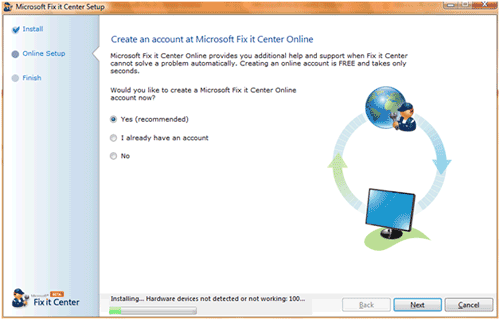
Creating a free account there is advisable and can be a great help in case Fix It fails to successfully solves our Windows issue. An online account can be created using our Windows Live ID.
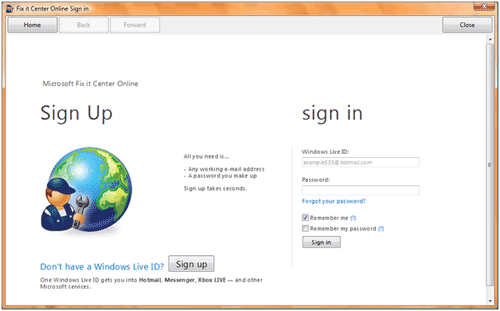
Whether you create an online account or not, you will still be able to use Fix It once the installation completes. Upon running the application for the first time you will be greeted with an introductory message.
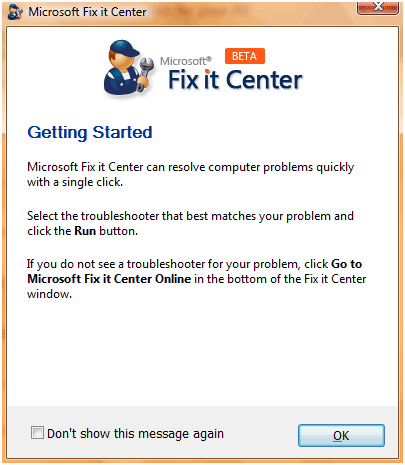
The main Fix It window will list of problems.

Suppose your Windows Vista Aero features are broken and not performing as they are supposed to. Simply click on the RUN button in front of the appropriate troubleshooter.

The troubleshooter asks to automatically detect and fix the problem or automatically detect the problem but leave the decision of fixes to you.
Either way, our problem is automatically detected.
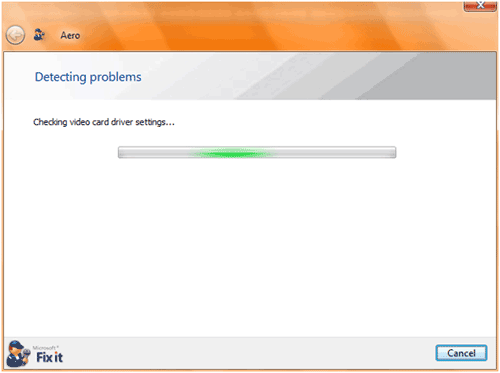
In case a problem exists, this troubleshooter finds it and either automatically fixes it or provides us with an option to fix it.
Microsoft Fix It is a great freeware release which will serve amateur and professional computer users alike. Get the application by clicking here.
Now loading...


