

Click here to buy secure, speedy, and reliable Web hosting, Cloud hosting, Agency hosting, VPS hosting, Website builder, Business email, Reach email marketing at 20% discount from our Gold Partner Hostinger You can also read 12 Top Reasons to Choose Hostinger’s Best Web Hosting
Today, we are listing The Five Best Online Diagramming Tools. These would be very helpful for you to create professional looking diagrams, such as flowcharts, sitemaps, organisation charts, wireframes, and many more. If you are designer, developer, office worker, manager, supervisor, student, home user, etc but we hope that these are worth checking for all of you. Most of them are not very well known but they are really amazing in respect to their features. Just take a look at them and share your thoughts here.
You are welcome to share more useful online diagramming tools that will be helpful and our readers/viewers may like. Do you want to be the first one to know the latest happenings at SmashingApps.com just subscribe to our rss feed and you can follow us on twitter and do not forget to become our fan on facebook as well.
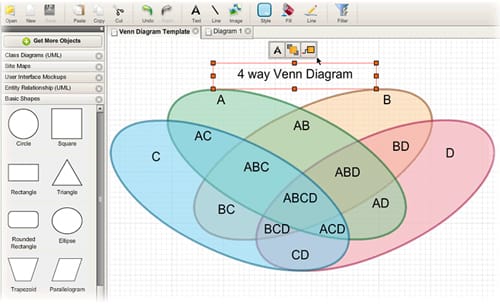
Creately is an Online Diagramming and Design is a joy to use. Its designed for ease of use and collaboration. It takes ‘easy’ to a whole new level by intelligently adapting to the kind of diagram you are drawing. Creately has been designed so you can draw just about anything, fast and easy.
(Ad)


Mockingbird is an online tool that makes it easy for you to create, link together, preview, and share mockups of your website or application.

DrawAnywhere is an online diagramming website, where you can draw, modify and share flowcharts and other diagrams, with the look & feel of a desktop application. It runs on any browser with Flash 9 installed. There is no need to download and install any custom software. It runs entirely on the web, and thus it is an always-on-access-anywhere solution. It meets all your diagramming needs without installing, maintaining and purchasing expensive software.

Cacoo is a user friendly online drawing tool that allows you to create a variety of diagrams such as site maps, wire frames, UML and network charts. All you need is a browser to easily create attractive diagrams for documents like Blogs, Wikis online.

Lovely Charts is an online diagramming application that allows you to create professional looking diagrams, such as flowcharts, sitemaps, organisation charts, wireframes, and many more… With Lovely Charts’s extremely simple and intuitive drag’n drop drawing mechanism, you’ll be able to focus on what really matters. You won’t have to draw boxes and arrows, you won’t have to worry about what symbol to use.


