Stumble it!
Share
Delicious Del


6 Free Tools To Help You Run Windows Applications On Linux

Published on November 5, 2008

Smashing Apps Has Been Featured At Wordpress Showcase. If you like Smashing Apps and would like to share your love with us so you can click here to rate us.

  Advertisement

When switching from Windows to a more secured Linux operating system, you may come up with many difficulties. Like for example you might not find the applications you needed for doing your daily work. Although you can find any and all the replacements of a Windows application on Linux, there is a way through which you can run your favorite Windows application on your Linux operating system. Here we have compiled a list of 6 free tools that will help you run your favorite Windows application on a Linux system or help you to run virtual PC on any Operating System.

You are welcome to share if you know more free tools that will help you run your favorite Windows application on a Linux system which our readers/viewers may like. Do you want to be the first one to know the latest happenings at SmashingApps.com just subscribe to our rss feed.

You may be interested in these older posts
11 Free Windows Programs Alternatives For Linux
19 Most Essential Open Source Applications That You Probably Want To Know
17 Wonderful Free Tools To Make Designers Lives Easier!
17 Online Free Web Based Applications That You Probably Would Love To Use!
17 Online Free Web Based Applications That You Probably Love To Use!
21 Online Free Web Based Applications That You Probably Would Love To Use Every Day!
23 Free And Online Web Based Applications Specially If You Are Designer Or Developer
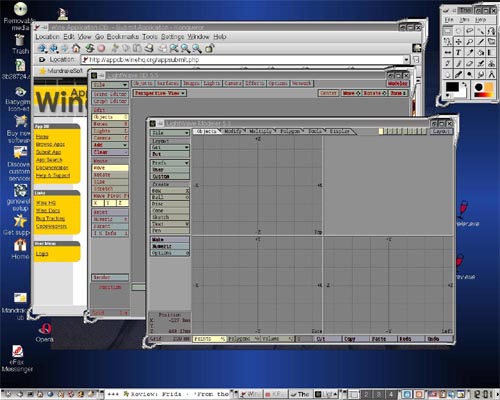
Wine

wine

Wine is an Open Source implementation of the Windows API on top of X, OpenGL, and Unix. Think of Wine as a compatibility layer for running Windows programs. Wine does not require Microsoft Windows, as it is a completely free alternative implementation of the Windows API consisting of 100% non-Microsoft code, however Wine can optionally use native Windows DLLs if they are available. Wine provides both a development toolkit for porting Windows source code to Unix as well as a program loader, allowing many unmodified Windows programs to run on x86-based Unixes, including Linux, FreeBSD, Mac OS X, and Solaris.

VirtualBox

VirtualBox

VirtualBox is an x86 virtualization software package, originally created by German software company innotek, now developed by Sun Microsystems as part of its Sun xVM virtualization platform. It is installed on an existing host operating system; within this application, additional operating systems, each known as a Guest OS, can be loaded and run, each with its own virtual environment. Supported host operating systems include Linux, Mac OS X, OS/2 Warp, Windows XP or Vista, and Solaris, while supported guest operating systems include FreeBSD, Linux, OpenBSD, OS/2 Warp, Windows and Solaris.

Qemu

Qemu

QEMU is a generic and open source machine emulator and virtualizer. When used as a machine emulator, QEMU can run OSes and programs made for one machine (e.g. an ARM board) on a different machine (e.g. your own PC). By using dynamic translation, it achieves very good performances. When used as a virtualizer, QEMU achieves near native performances by executing the guest code directly on the host CPU. A host driver called the QEMU accelerator (also known as KQEMU) is needed in this case. The virtualizer mode requires that both the host and guest machine use x86 compatible processors.

Bochs

Bochs

Bochs is a highly portable open source IA-32 (x86) PC emulator written in C++, that runs on most popular platforms. It includes emulation of the Intel x86 CPU, common I/O devices, and a custom BIOS. Currently, Bochs can be compiled to emulate a 386, 486, Pentium/PentiumII/PentiumIII/Pentium4 or x86-64 CPU including optional MMX, SSEx and 3DNow! instructions. Bochs is capable of running most Operating Systems inside the emulation including Linux, DOS, Windows® 95/98 and Windows® NT/2000/XP or Windows Vista. Bochs was written by Kevin Lawton and is currently maintained by this project.

rdesktop

rdesktop

rdesktop is an open source client for Windows Terminal Services, capable of natively speaking Remote Desktop Protocol (RDP) in order to present the user’s Windows desktop. Supported servers include Windows 2000 Server, Windows Server 2003, Windows Server 2008, Windows XP, Windows Vista and Windows NT Server 4.0. Rdesktop currently runs on most UNIX based platforms with the X Window System, and other ports should be fairly straightforward.
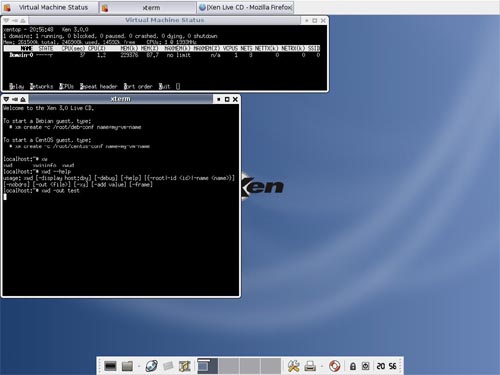
Xen

XEN

The Xen® hypervisor, the powerful open source industry standard for virtualization, offers a powerful, efficient, and secure feature set for virtualization of x86, x86_64, IA64, PowerPC, and other CPU architectures. It supports a wide range of guest operating systems including Windows®, Linux®, Solaris®, and various versions of the BSD operating systems. The Xen hypervisor is a unique open source technology, developed collaboratively by the Xen community and engineers at over 20 of the most innovative data center solution vendors, including AMD, Cisco, Dell, HP, IBM, Intel, Mellanox, Network Appliance, Novell, Red Hat, SGI, Sun, Unisys, Veritas, Voltaire, and Citrix. Xen is licensed under the GNU General Public License (GPL2) and is available at no charge in both source and object format. Xen is, and always will be, open sourced, uniting the industry and the Xen ecosystem to speed the adoption of virtualization in the enterprise.

Guest Post by Manish Pandey who is an Engineer from India, who blogs at manishpandey.com You can find him writing about latest technologies related to social media and search engines. To know more about him visit his profile.


Download free stock photos on Dreamstime. Free registration


If you enjoyed this post, please consider to leavea comment or subscribeto the feed and get future articles delivered to your feed reader.

You May be Interested In More Interesting Free Resources

Comments

I really think that it’s way easy to run… windows. Directly! Why should you bother with emulators & stuff like that?

You forgot mono. Wine is not complete without mono.

I have only heard of wine and that was it. That is a pretty impressive list of everything else. I tried linux but I always ran back to windows because I knew how to use it.

I like KVM as an alternative to VirtualBox or Xen, it’s fully open-source and even included in the linux kernel. The only downside is that it needs virtualisation support on your processor.

KVM is the new standard for Linux

The problem with all the alternatives save WINE is that they require one to buy a copy of Windows. I have no interest in doing anything that benefits the Evil Empire, for the same reason I have no interest in doing anything that supports organized crime or al Qaeda.

Are you really comparing Microsoft with Al Qaeda? Microsoft is just a big company who is trying to make as much money as they can.

The article is actually just a collection of virtual machines and wine, wich dissapointed me a little. I was hoping to see new ways to run windows apps on a linux box.

i think this is not about “windows application” but windows OS it self. For win app, we use Wine

Unfortunately, all the alternatives save WINE require that one buy a copy of Windows to run Windows programs, and I want none of my money to go to the Evil Empire.

[...] post info por Un Mundo Libre Categorías: Linux Tags: Linux, open-source, software libre, virtualización, windows Al dar el paso de Windows a Linux muchos usuarios siempre echan en falta alguna aplicación, aunque es bastante sencillo encontrar una alternativa libre y de calidad. No obstante, en el mundo del software libre existen herramientas que permiten ejecutar aplicaciones Windows en Linux y que muchos seguro que ya conocéis. Esta es una pequeña muestra recogida de SmashingApps: [...]

Wow, Being disgusted with Vista I have been considering the switch to Linux however, certain Windows applications are critical to my business. This may be the answer. thank you.

Jiff
http://www.anolite.echoz.com

free tools include vmware server and vmware esx server 3i which beats all this above mentioned shit products to dust.
believe it or not, virtualization is incomplete and incompete without vmware.

i am not a big fan of vmware, but thats the fact.

the above guy is right. list if about free tools and not open source tools. please fix the article.

Nice Post. Posted this link in http://www.surfurls.com.Its a social bookmarking site.

More about web technology and information in: http://uedsonreis.blogspot.com/

[...] gli articoli che ho letto appunto questo mi ha colpito in quanto presenta sei strumenti utili per continuare a poter far lavorare molte [...]

Thanks for list. Keep Up !

I know it’s not free or open source, but you can use CrossOver to run Windows applications on Linux. It’s really just a better interface to WINE, but it helps. Also, wine-doors is a great application that acts as a front-end to WINE as well.

[...] read more | digg story [...]

anybody has success running maplestory on any of the application virtualizers like wine ?

[...] las cuales puedes ejecutar tus aplicaciones favoritas de Windows en el sistema operativo Linux. En Smashing Apps hay una lista de 6 herramientas gratuitas que te ayudarán a ejecutar tus o aplicaciones favoritas [...]

[...] Use Every Day! 23 Free And Online Web Based Applications Specially If You Are Designer Or Developer 6 Free Tools To Help You Run Windows Applications On Linux 15 Free Tools For Mac OS X You Should [...]

Nice list. I’ve been a big windows user my whole life, i didn’t get into linux until last year, and now I’ve completely turned into a linux girl ;) I do use windows on occasion for school stuff, but I use a windows VM.
I really weant to see what this windows 7 looks like,

Basically it s just Wine and Virtual Machine software.

rdesktop?? Yeah – that’s great, but YOU STILL NEED A WINDOWS BOX TO BE RUNNING SOMEWHERE!! That’s not really running an application on linux.

Anyway – the rest of the list was really good, I hadn’t heard of many of them before. Thank you.

*.Windows DOS Mode Program run for Linux Terminel Window.
*.File Mounding from Windows system to Linux system With in LAN.
*.BUY Directional option for Linux & Windows.

Great post! I am contemplating the switch from Windows to Linux and appreciate you listing all these tools. Do you know how effective it is to use programs like remote control software? Will programs like Proxy Pro 6 still function in Linux? Thanks.

Basically it s just Wine and Virtual Machine software.

Just installed unbuntu 9.04 on a Compaq Pressario C714NR notebook pc and have everything working. This is the first version of unbubtu that I have been able to figure out how to make everything work. Thanks for the list I have been wanting to try wine but never liked any version of linux enough to stick with it for more than a few weeks until now.

thanks for the list, i just installed it today!abercrombie

thanks for the list, i just installed it today!
links of london

Leave a comment

(required)

(required)