Click here to buy secure, speedy, and reliable Web hosting, Cloud hosting, Agency hosting, VPS hosting, Website builder, Business email, Reach email marketing at 20% discount from our Gold Partner Hostinger You can also read 12 Top Reasons to Choose Hostinger’s Best Web Hosting
People often find a short clip on Twitter (X) they want to keep — a how-to, a funny moment, or a news clip — only to realize the app doesn’t offer a direct “save to device” button. That is frustrating: you can watch it, but you can’t keep it for offline use or to share with permission. The good news: there are reliable, legal ways to save Twitter videos on both PC and mobile — as long as you respect copyright and account privacy. Below you’ll find clear, step-by-step methods for Windows/macOS, Android, and iPhone, plus an advanced option (yt-dlp) and practical tips so you don’t lose quality or break platform rules.
Quick rules before starting to Save Twitter video
Check ownership and rights. Don’t download or redistribute videos without the owner’s permission unless your use clearly falls under your local fair-use rules. X’s policies prohibit violating intellectual property.
Protected tweets can’t be downloaded. If a tweet is from a protected account, you can’t access its media unless you’re authorized.
Use reputable tools. Stick to well-known downloaders or command-line tools. Avoid shady apps that ask for unnecessary permissions.
(Those two items will save you from the most common problems.)
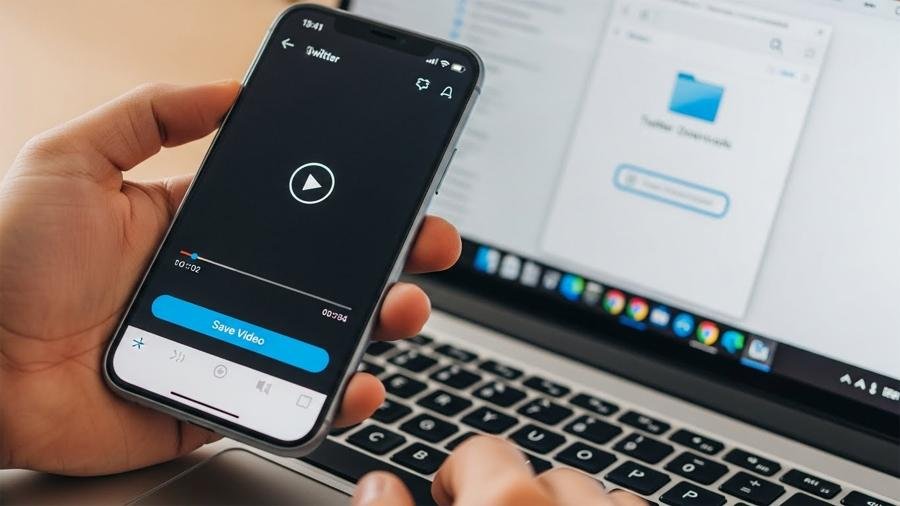
Method A — Easiest (PC & Mac): Online downloader websites
This is the fastest method for most users.
Steps (PC / macOS / Linux)
Open the tweet in a browser (Chrome, Firefox, Edge).
Get the tweet link: click the timestamp (date/time) of the tweet to open its permalink; copy the URL from the address bar (or right-click the timestamp → Copy link address).
Go to a trusted Twitter video downloader site (examples: DownloadTwitterVideo.com, TwitterVideoDownloader.com — use the one you prefer).
Paste the tweet URL into the downloader’s input field and click Download or Get video.
Choose quality (if the site offers options like 480p/720p/1080p) and click the download button.
Save the MP4 file to your preferred folder.
Notes & tips
If a downloader shows multiple files, pick the one labelled MP4.
(Ad)

Avoid sites that auto-download executables or show many misleading ads — close popups, and use an adblocker if needed.
For short clips or GIF-videos, the downloaded file is MP4.
How to Change Twitter Handle (X Username): The Guide to Rebranding & Claiming Rare Names
Method B — Android: App or browser method
Two reliable ways: an app or a mobile site.
Option 1 — Browser (no apps required)
Open the Twitter app, find the tweet, tap the share icon → Copy link to Tweet.
Open your mobile browser, visit a downloader site (same as above), paste the URL, and download. The MP4 will appear in your Downloads folder or the browser’s download area.
Move the file to your Gallery/Photos app if you want it visible there.
Option 2 — Dedicated Android app
Install a reputable app like Download Twitter Videos from Google Play (check ratings and reviews).
In the Twitter app, tap Share → Share via… → choose the downloader app. The app should fetch the video and offer quality options.
Tap Save or Download.
Permissions note: Some downloader apps ask for storage permission (to save files). Grant only what’s necessary.
How to Remove a Follower on X (Twitter) in 2026: The ‘Soft Block’ Guide
Method C — iPhone / iPad: Shortcuts or browser method
iOS is more locked down, but you can still save videos safely.
Option 1 — Browser (Safari) + downloader site
In the Twitter app, tap Share → Copy link to Tweet.
Open Safari, go to a downloader site, paste the link, and tap Download.
After the MP4 downloads, tap the file in Safari and use the share sheet to Save Video to Photos.
Option 2 — iOS Shortcuts (advanced but smooth)
Install a trusted “Twitter Video Downloader” shortcut from a reputable Shortcuts library (be cautious: only add shortcuts you trust).
Run the shortcut, paste the tweet URL (or share the tweet to the shortcut), and the shortcut will fetch the video and save it to Photos.
Shortcuts can be powerful but may require you to enable Allow Untrusted Shortcuts (consider the security tradeoffs).
Method D — Advanced: Extract with browser DevTools or use yt-dlp (power users)
Two dependable advanced options.
Browser DevTools (quick technical trick)
Open tweet in desktop browser.
Right-click the page → Inspect (or press F12). Go to the Network tab, filter by Media.
Play the video; watch for a large media request (usually .mp4). Right-click that request → Open in new tab → then save as via browser (Ctrl+S / Cmd+S).
yt-dlp (command line, robust and respects many sites)
Install yt-dlp (a maintained fork of youtube-dl): follow installation instructions at the project’s official repo.
Run:
yt-dlp <tweet-url>
This downloads the highest quality MP4 by default. Add
-for other flags to choose quality.Pros: precise control, batch downloads, resume support. Cons: command-line learning curve.
10 Free Online Tools To Spice Up Twitter Background
Troubleshooting & quality tips
If download fails: try a different downloader or use yt-dlp. Some hosts block scrapers temporarily.
No audio? Some Twitter videos are separate video + audio streams; choose the combined MP4 option or use yt-dlp which merges streams.
Protected/private tweets: You can’t download these unless you have access to the account.
Avoid watermark or quality loss: prefer original MP4 downloads; don’t record your screen unless necessary (screen recording reduces quality).
Legal and ethical checklist
Do not redistribute copyrighted clips without permission. Use downloads for personal offline viewing, quoting with attribution, or where fair-use clearly applies. X’s copyright and takedown policies explain how rights are handled.
Credit the creator if you repost short clips with permission.
Respect account privacy — don’t share media from protected accounts.
Key Takeaways
Copy the tweet link first — that’s the single step every method needs.
Online downloader sites are the simplest for PC and mobile browser users.
Android apps make one-tap downloads easy; check app reviews and permissions.
iPhone users can use Safari or Shortcuts; Shortcuts are flexible but require caution.
yt-dlp is the most reliable option for power users and batch tasks.
Always respect copyright and account privacy when saving and sharing media.
FAQs — People Also Ask
Q: Is it legal to download Twitter videos?
A: Downloading for personal, offline viewing is usually tolerated, but redistribution, commercial use, or posting without permission may infringe copyright. Check the original uploader’s rights and X’s copyright policy before sharing.
Q: Can I download videos from protected accounts?
A: No — protected tweets are only accessible to approved followers. Downloading requires access and the owner’s consent.
Q: Which method keeps highest quality?
A: Direct download via an online downloader or yt-dlp will preserve the original MP4 quality; screen capture reduces quality.
Q: Will Twitter remove it if I repost?
A: If you repost copyrighted content without permission and the rights owner complains, X may remove the content per its takedown process.
Final notes
Want a one-page printable checklist? I can convert the 90-second step list (copy link → pick method → download → save) into a PDF, plus include a small comparison table of recommended downloaders and apps for Windows, Android, and iPhone. Say which format you prefer and I’ll make it.
Sources (official):
How to download your X (Twitter) data — X Help. Help Center
X copyright policy and takedown process — X Help. Help Center
Now loading...