

Click here to buy secure, speedy, and reliable Web hosting, Cloud hosting, Agency hosting, VPS hosting, Website builder, Business email, Reach email marketing at 20% discount from our Gold Partner Hostinger You can also read 12 Top Reasons to Choose Hostinger’s Best Web Hosting
Many people want Windows 11 — but the path from “I think my PC can do it” to a working, activated system is full of small traps: hidden hardware blockers, shaky license sellers, and messy installs that waste time or data. That uncertainty is stressful, especially now that Windows 10 support ended for many users and pressure to move forward is real. This guide shows, step-by-step, how to get Windows 11 legally — whether you can upgrade for free, when to buy a retail USB or digital license, and how to install without losing files or time.
Why this guide
Most upgrade pages repeat Microsoft’s compatibility list or recycle general “back up first” advice. This article pairs the official upgrade rules with specific buying guidance (retail USB vs digital vs OEM), real-world price visibility from mainstream Amazon listings, and a compact decision flow that tells you exactly which option to choose for your scenario. That combination turns knowledge into action: check, buy, install, verify — with minimal risk.
How to Run a Windows 11 Compatibility Check
Is the upgrade free for you?
Yes — upgrades from Windows 10 to Windows 11 are free for eligible devices. Microsoft confirms the free upgrade path and the recommended ways to install or check eligibility. If Windows Update indicates the offer, that is the safest route. If the upgrade is not available for your machine, legitimate retail or OEM purchase options exist. You can also checkout Windows 11
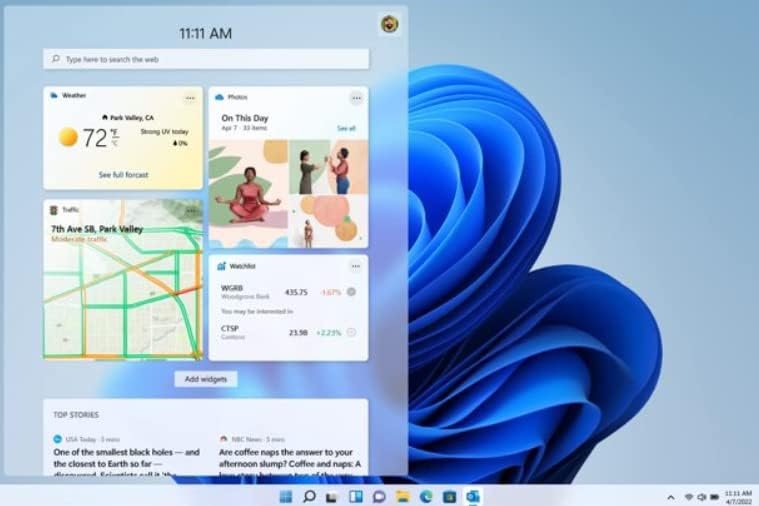
Step-by-step: How to get Windows 11 legally (practical plan)
1) Pause and protect — backup first
Before you touch installers, back up your files.
Use OneDrive for Documents and Desktop, or copy essential files to an external drive.
Consider a full disk image (free tools exist) if you want a quick return point.
Why: the built-in upgrade usually preserves files, but backups remove worst-case stress.
(Ad)

What are Windows 11 System Requirements?
2) Check eligibility (don’t guess)
Open Settings → Windows Update → Check for updates. Windows Update performs device checks and will show if the upgrade is available.
Or run PC Health Check for a clear pass/fail on TPM, Secure Boot, and CPU requirements. Microsoft’s official guidance explains the steps and minimum specs.
The “One-Command” Setup: How to Debloat Windows 11 & Reclaim RAM (2026 Guide)
3) If Windows Update offers the upgrade — use it
The Windows Update route applies verified compatibility checks and handles activation smoothly. It’s the recommended, zero-cost path for qualifying devices.
4) If the upgrade is not offered — choose a legal purchase route
You have three practical choices:
Retail digital license (Microsoft Store or trusted retailers)
Best for most users: activation ties to a Microsoft Account, and you get direct support and clear returns.
Retail USB flash drive (boxed USB installer)
Good for new builds or when you want immediate bootable media. For real price and trust context, look for official Microsoft or major-retailer listings on Amazon — for example, these Amazon product pages show retail SKUs and customer review snapshots you can use to confirm price and seller reliability:
- Microsoft System Builder | Windоws 11 Home | Intended use for new systems | Install on a new PC | Branded by Microsoft
- PC-TECH Compatible with Windows 10 Professional 64 Bit USB With Key. Factory fresh, Recover, Repair and Restore. Key code and USB install Included. Fix PC, Laptop and Desktop. Free Technical Support
OEM / System Builder license
Cheaper up front and intended for new builds, but often nontransferable and limited in support. Use this when you build PCs frequently or understand the transfer rules.
5) Install, activate, verify
Use Microsoft’s Media Creation Tool or the USB media to install.
After installation, confirm activation in Settings → System → Activation.
Keep your backup until you are certain the system and apps are working.
6) Know the rollback window
You have a 10-day window to roll back to Windows 10 while keeping migrated files and settings. After 10 days, a clean reinstall is required if you want to move back. Plan accordingly.
How to Create Windows 11 Bootable USB Drive (Step-by-Step Guide)
Real-world mini case studies
Case 1 — Home laptop, eligible, nervous about upgrade
A teacher ran PC Health Check, found TPM enabled, and waited for Windows Update. When the offer arrived, she scheduled the upgrade for overnight, backed up critical lesson plans to OneDrive, and used the 10-day rollback as a safety net. Result: clean upgrade, minimal downtime.
Case 2 — Small office with several older PCs
A small agency discovered 3 out of 10 desktops failed the compatibility check. They purchased a single retail USB (bought through one of the Amazon product listings above) and scheduled phased hardware refreshes for the unsupported PCs. Buying a retail USB gave them a documented purchase trail for accounting and a bootable installer for future builds. The Amazon listings’ visible prices and customer reviews made finance comfortable with the spend.
How to Download Windows 11 ISO Files
An ROI lens for the upgrade decision
Instead of asking only “Can my PC run Windows 11?”, ask “What will this change save or cost over the next 12 months?”
Security and updates: after October 14, 2025, Windows 10 support ended for many users — that raises maintenance risk and potential patch costs for businesses. Upgrading reduces that exposure.
Work interruptions: factor the time for backup, install, and troubleshooting. If an upgrade causes a day of lost productivity without clear benefit, a staged hardware refresh might be better.
License path and resale: a retail digital license tied to a Microsoft account is easier to move between machines (in many cases) than an OEM key. For businesses that redeploy hardware, that matters.
This ROI framing helps readers choose between “upgrade now,” “buy retail,” or “replace hardware” in a way that aligns with budgets and support needs.
Windows 11 Upgrade Checklist to Map a Staged Migration Plan
Key Takeaways
Upgrades from Windows 10 to Windows 11 are free for eligible devices; use Windows Update where possible.
Back up before you start. A simple external copy or OneDrive sync is enough for most users.
Retail digital or USB SKUs from major retailers (see the Amazon product pages above) are the safest purchase options if the free upgrade isn’t available; they offer clear support and return policies.
OEM/System Builder licenses save money but come with transfer/support limits — use them only when you understand the rules.
Think in ROI terms: compare security, downtime, and license flexibility when choosing whether to upgrade or replace hardware.
Is Windows 11 Better Than Windows 10? Here’s What You Need to Know
Conclusion
Getting Windows 11 legally and with minimal hassle is a small process if you follow the right order: back up → check eligibility → use Windows Update if available → buy from a reputable source if needed → install and verify. Retail USB or digital licenses from mainstream stores like Amazon give you a clear path when the free upgrade isn’t available, while the rollback window and backups keep you safe if something goes wrong.
Visit the SmashingApps Windows hub to get notified when we republish the roundup with fresh store prices and buying tips.
Windows 11 Media Creation Tool: How to Download It
FAQs (People Also Ask)
Q: Is the Windows 11 upgrade free forever?
A: Microsoft currently offers the upgrade free to eligible Windows 10 devices, but reserves the right to change policies. Use Windows Update to confirm eligibility.
Q: What should I buy if my PC can’t upgrade?
A: Buy a retail digital license or an official USB flash drive from a trusted retailer (for example, the Amazon product pages listed above). These give clear support and return options. Consider OEM/System Builder only for new builds where you accept transfer limits.
Q: Can I test Windows 11 without risking my main PC?
A: Yes — use a spare disk, a separate partition, or a virtual machine. That avoids touching your primary environment.
Q: How long can I go back to Windows 10 after upgrading?
A: You have 10 days to roll back and keep migrated files; after that, a clean install is required to return to Windows 10.
Sources (official / product pages)
Microsoft — How to get Windows 11 / Upgrade to Windows 11.
Amazon product pages (retail examples):
– Microsoft System Builder | Windоws 11 Home | Intended use for new systems | Install on a new PC | Branded by Microsoft
– PC-TECH Compatible with Windows 10 Professional 64 Bit USB With Key. Factory fresh, Recover, Repair and Restore. Key code and USB install Included. Fix PC, Laptop and Desktop. Free Technical Support
Now loading...


