6 Free Tools To Help You Run Windows Applications On Linux

6 Free Tools To Help You Run Windows Applications On Linux

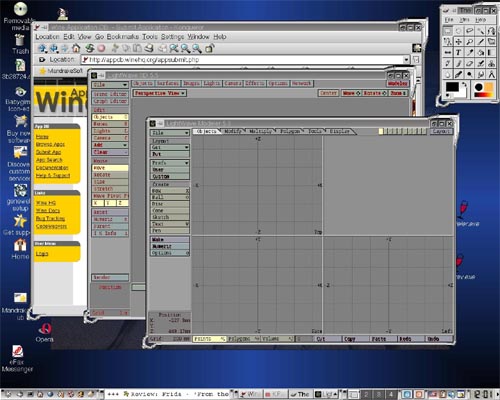
When switching from Windows to a more secured Linux operating system, you may come up with many difficulties. Like for example you might not find the applications you needed for doing your daily work. Although you can find any and all the replacements of a Windows application on Linux, there is a way through which you can run your favorite Windows application on your Linux operating system. Here we have compiled a list of 6 free tools that will help you run your favorite Windows application on a Linux system or help you to run virtual PC on any Operating System.VirtualBoxVirtualBoxVirtualBox is an x86 virtualization software package, originally created by German software company innotek, now developed by Sun Microsystems as part of its Sun xVM virtualization platform. It is installed on an existing host operating system; within this application, additional operating systems, each known as a Guest OS, can be loaded and run, each with its own virtual environment. Supported host operating systems include Linux, Mac OS X, OS/2 Warp, Windows XP or Vista, and Solaris, while supported guest operating systems include FreeBSD, Linux, OpenBSD, OS/2 Warp, Windows and Solaris.
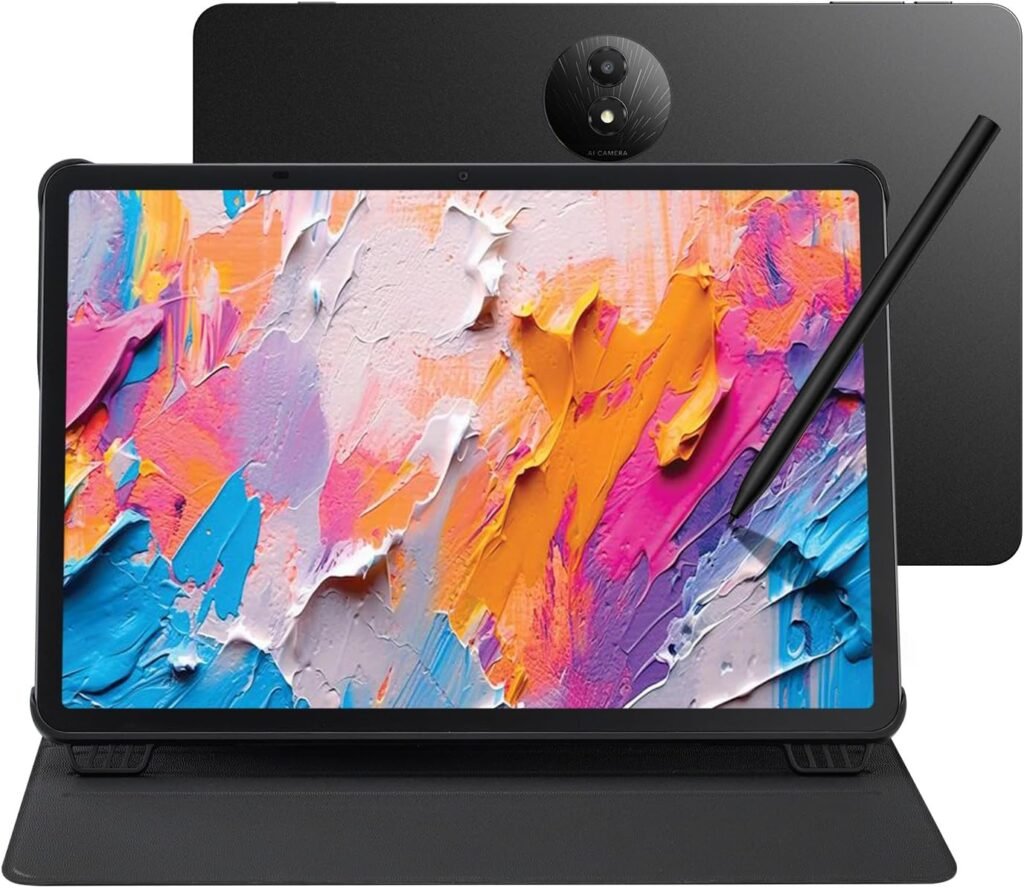
TCL NXTPAPER 11 Plus Android Tablet

TCL NXTPAPER 11 Plus Android Tablet

About this item

  • Tablet, Drawing Pad, and Digital Notebook – All in One: Whether you’re an artist, student, professional, or entertainment fan, the TCL NXTPAPER 11 Plus integrates smoothly into your lifestyle. It features an 11.5" 120Hz 2.2K display for ultra-smooth visuals and sharp detail, and includes the TCL T-PEN stylus with 4096 levels of pressure sensitivity for fluid, precise input. It meets every need with ease
  • NXTPAPER 4.0 Display for Enhanced Eye Comfort: Featuring upgraded NXTPAPER 4.0 display technology, it provides an even more paper-like experience with TÜV-certified low blue light, anti-glare coating, and DC dimming, ensuring a flicker-free screen that helps reduce eye strain and enhances comfort during long periods of use. The Eye Care Assistant can automatically adjust brightness and color temperature based on your environment and remind you to take breaks
  • AI-Powered Productivity & Communication: The TCL NXTPAPER 11 Plus features a smart voice memo, real-time bilingual subtitles, writing and text assistants, and a smart translator — easily converting speech to text, improving your writing, and translating conversations and images to eliminate language barriers. Plus, “Circle to Search with Google” allows you to quickly look up information with a single tap, enhancing productivity for both work and study
  • 3-in-1 VersaView Modes for Every Need: Switch between three display modes instantly with the dedicated NXTPAPER Key on the TCL NXTPAPER 11 Plus tablet. Regular Mode provides sharp, vibrant visuals for streaming, video calls and creating digital art. Ink Paper Mode transforms the screen into an e-reader-like display for extended reading sessions and note-taking. Color Paper Mode offers soft, low-saturation colors ideal for reading comics or magazines
  • Ample Storage & Powerful Performance: Capture family memories, download entire series, and save large work files—TCL electronics tablets with 256GB of built-in storage make it all possible. Enjoy smooth performance for daily use and demanding tasks with the MediaTek Helio G100 processor and 8GB + 8GB RAM expansion. Powered by Android 15 and TCL’s custom UI, it enhances productivity with features like screen mirroring, extended display, floating windows, and split-screen
  • Long Battery Life with Reverse Charging: The TCL NXTPAPER 11 Plus features a large 8000mAh battery, providing reliable power for a full day of studying, working, and entertainment. With 33W PD fast charging, it quickly recharges, reducing your wait time. Need to help a low-battery phone or earbuds? Simply plug in—1.5A reverse charging turns your Android tablet into a portable power source
  • Vivid Visuals, Immersive Audio: The TCL NXTPAPER 11 Plus tablets feature 8MP front and rear cameras for HD video calls and everyday photos. Featuring CenterFace tracking, you stay perfectly focused even while moving. Quad speakers and dual microphones, boosted by smart PA and DTS audio, deliver deep bass and clear vocals. The Sound Booster function instantly boosts volume from 100% to 200%, enhancing your experience in movies, calls, and entertainment
  • Slim, Stylish, and Built to Last: With a thickness of just 0.26 inches and weighing only 1.08 lbs, the TCL NXTPAPER 11 Plus drawing tablet easily slips into your bag and feels lightweight in one hand. Its durable metal body withstands everyday bumps and drops, while the included adjustable flip cover doubles as a stand and provides all-around protection for safer, more convenient use
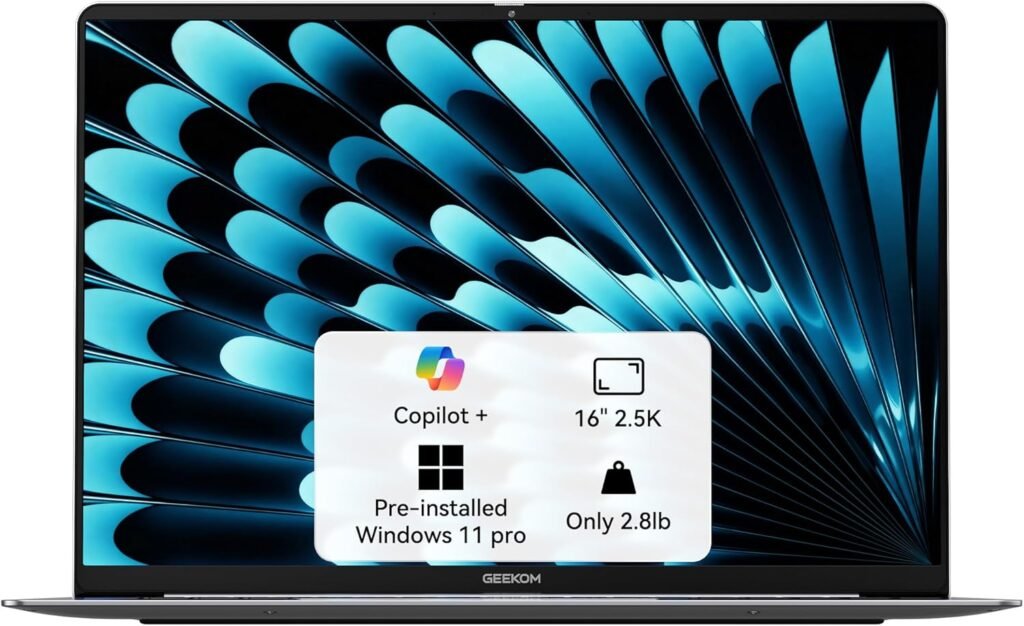
GEEKOM GeekBook X16 Pro Laptop

GEEKOM GeekBook X16 Pro Laptop

About this item

  • 🛡️[Customers Come First] GEEKOM made its name with mini PCs—compact systems people rely on to run quietly and reliably day after day. The GeekBook X16 Pro brings that same focus on stability and long-term reliability to a thin-and-light laptop, delivering steady performance even under demanding daily use. Its refined design and precise craftsmanship reflect a commitment to detail in every component. You’re backed by a 1+1 year warranty (with an additional year free for purchases made between January 1 and June 30) and 24/7 US based support. GEEKOM PC Manager gives you simple, intuitive control over key functions. Technology designed with care and supported with confidence—meet the X16 Pro
  • 🪶[Featherlight, All-Metal, All In] At just 2.8 lbs and 0.27 inches thick, the Titanium Gray GeekBook X16 Pro slips easily into your bag and won’t weigh you down—even when you’re on the move all day. Its chassis is made from aerospace grade magnesium alloy, and the precision-milled CNC unibody gives it a clean, solid feel. A careful multi-step coating adds a smooth, warm finish (not the cold, harsh feel of many metal notebook) and helps reduce smudges and fingerprints. Every line and curve is thoughtfully refined, so it looks clean and modern on your desk and feels just as good in your hand
  • ✨[Big Screen, Bigger Ideas] The 16-inch IPS display with a 16:10 aspect ratio gives you extra room for timelines, toolbars, and panels, so you can see more of your work at once. With a sharp 2.5K (2560 × 1600) resolution, text stays crisp and fine details are easy to see. Covering 100% of the sRGB color gamut, it keeps colors vibrant and accurate. Up to 400 nits of brightness helps your work stay visible, even in bright offices or near a window. And with a smooth 120Hz refresh rate, scrolling, animations, and fast-paced action all feel fluid and responsive. It’s not just a bigger screen — it’s a roomier space to see more, do more, and create more
  • 🔋[Go All Day, Pack Light] With its 77Wh high-density battery, the GeekBook X16 Pro is built to go the distance—up to 17 hours on a single charge. Whether you’re bouncing between meetings or working on the go, it keeps up without constantly hunting for an outlet. When it’s time to recharge, the compact 65W GaN charger delivers fast, efficient power in a package about 30% smaller than a typical laptop adapter—and can charge the battery to up to 80% in about an hour. Toss it into any bag and you’ll barely notice it until you need it
  • 💪🏻[Power That Thinks With You] The GEEKOM GeekBook X16 Pro is built on Intel’s latest Meteor Lake architecture and features a Core Ultra 5 125H processor with 14 cores, 18 threads, up to 4.5 GHz, and 18MB of Smart Cache. Intel Arc graphics adds modern capabilities like XeSS, ray tracing, and AV1 encoding, giving creators smoother workflows and more efficient hardware-accelerated performance. A dedicated NPU works alongside the CPU and GPU and integrates with Copilot to deliver truly on-device AI
  • ❄️[The IceBlade Advantage] The GEEKOM GeekBook X16 Pro uses the advanced IceBlade 2.0 cooling system to keep performance steady when workloads ramp up. Dual fans move air efficiently through the chassis, helping the CPU, GPU, and other components stay cool under pressure. Two high-efficiency heat pipes pull heat away from the processor and graphics quickly, reducing thermal throttling and keeping performance responsive over longer sessions. The result is a Windows 11 laptop that stays cool, smooth, and ready for whatever your work throws at it
  • 🍀[One Laptop, Every Connection] The GEEKOM GeekBook X16 Pro gives you the ports you need for both work and play. A 40Gbps USB4 Type-C port with Power Delivery and DisplayPort 2.1 support, a secondary USB 3.2 Type-C port, and an HDMI 2.1 port let you run up to two 4K displays from a single laptop. You also get two USB 3.2 Type-A ports, while the 3.5mm audio jack and microSD slot make it easy to connect a headset and pull photos or files straight from a microSD card. For added security, the GeekBook X16 Pro includes fast, reliable fingerprint unlocking. And with dual speakers tuned with DTS:X Ultra Audio, you get immersive, room-filling sound that makes movies, games, and music feel bigger
  • 🚀[Fast That Keeps Up] The GeekBook X16 Pro runs Windows 11 Pro and is built to stay fast under real-world workloads. With 32GB of ultra-fast LPDDR5x memory at 7500MHz, it keeps demanding apps and stacks of browser tabs moving without breaking a sweat. A 1TB PCIe Gen4 NVMe SSD gives you the space and quick load times big projects need. Wi-Fi 6E opens up the 2.4, 5, and 6GHz bands for higher throughput and lower latency on crowded networks. And with Bluetooth 5.4, pairing your headphones, mouse, and other devices feels more reliable, responsive, and power-efficient