

Click here to buy secure, speedy, and reliable Web hosting, Cloud hosting, Agency hosting, VPS hosting, Website builder, Business email, Reach email marketing at 20% discount from our Gold Partner Hostinger You can also read 12 Top Reasons to Choose Hostinger’s Best Web Hosting
Apps break fast when platform UX or permission flows change. You’re juggling product timelines, QA slots, and App Store deadlines — and a small UI tweak in the OS (spacing, a new slider, or a permission nudge) can mean unhappy users or a rejected review. The pressure is real because many teams discover problems only after public betas roll out and complaints start piling in. The good news: iOS 26.2 beta changes are small, targeted, and testable — if you run the right ios beta compatibility checklist now. This guide gives that checklist plus designer and developer steps to patch issues quickly so your next TestFlight round is calm, not chaotic.
Apple has also confirmed the complete list of supported iPhones, so you know right away whether your device makes the cut.
What to expect in iOS 26.2 beta
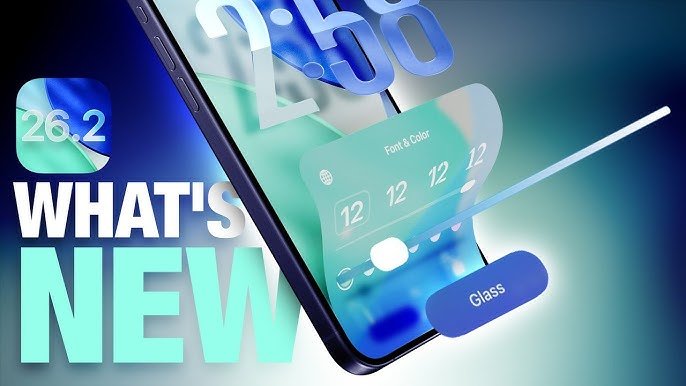
Apple’s 26.2 beta focuses on incremental UX refinements and behind-the-scenes API and entitlement updates. The developer announcement emphasizes testing with the matching Xcode beta and validating app behavior under the new SDK. Build and run your app on 26.2 quickly — don’t assume nothing will change.
Why this update matters
Many outlets list features. What they rarely do is map those features to real product risks. Here’s the map you need:
Design surface risks: lock-screen translucency and widget behavior can break layout and visual contrast in lightweight UI components (notifications, widgets, in-app widgets).
Behavioral risks: redesigned system reminders/alarms and Podcasts UI can change expected system intents your app may rely on (deep links, share extensions).
Privacy & account flow risks: account-change guidance in Apple’s notes means your in-app email/forwarding and account-confirmation flows should be double-checked.
Developer risks: SDK / entitlement changes require Xcode 26.2 builds and updated entitlements for certain features (check App Store Connect after you build).
This guide translates those risks into a fast triage playbook for designers and engineers.
21 Hidden iOS 26 Features You’re Probably Missing
The 7 design & dev changes to check right now
Below: what to test, why it matters, and how to fix it (quick, actionable).
(Ad)

1. Lock screen translucency / Liquid Glass slider — spacing & contrast
What to test: lock screen translucency changes can alter perceived contrast for app widgets and notification content.
Why it matters: low-contrast text or tight spacing becomes unreadable for some users.
Fix: increase safe margins in compact notification templates; ensure adaptive text-size/color still meets 4.5:1 contrast in dark/translucent backgrounds. Add an extra 8–12px padding to compact templates used on notifications and in-widget previews.
2. Reminders / Alarm behavior — scheduler & local notifications
What to test: apps that integrate with Reminders or schedule local alerts must verify trigger timings and permission prompts.
Why it matters: subtle scheduling changes can result in missed reminders or duplicated alerts.
Fix: audit code that uses UNUserNotificationCenter and re-check category identifiers; test repeated alarms and time zone handling on devices running 26.2.
How to Screen Record on iPhone
3. Widget behavior & home screen previews
What to test: small layout shifts for widget families and their compact sizes.
Why it matters: widgets are often the first surface users interact with; truncation or overlap damages trust.
Fix: preview all widget families in Xcode 26.2 and on-device. Add fallback states for short content and prefer medium-size height over compact when data length is unpredictable.
4. Notifications layout + summarized notifications
What to test: if your app relies on rich notifications, test action buttons and compact content under summarized notifications or system-summarization flows.
Why it matters: Apple continues to refine notification summaries and may alter the UI your action buttons rely on.
Fix: ensure action handlers tolerate collapsed presentation, and have a clear in-app fallback if an action is not available via the notification.
5. Accessibility & Dynamic Type regression checks
What to test: dynamic type scaling, voiceover labels, and contrast on the new translucent backgrounds.
Why it matters: accessibility regressions are common after visual system updates.
Fix: run VoiceOver walkthroughs and switch to the largest dynamic type to catch truncation. Automate a few snapshots with Accessibility Inspector.
iOS 26 Release Date Announced, Free Update Available September 15
6. New entitlements & account-change guidance
What to test: verify entitlements used by your app (mail, push, background modes) and confirm account-change handling matches Apple guidance.
Why it matters: entitlement mismatches cause runtime errors and App Store rejections.
Fix: build with Xcode 26.2 beta and run App Store Connect validation. Update any server-side logic that expects unchanged account flows.
7. TestFlight & beta testing workflow — run targeted rounds
What to test: run a focused TestFlight build on iOS 26.2 beta with a tight scope of tasks for designers, PMs, and QA.
Why it matters: catching problems early reduces hotfix churn during public beta.
Fix: create a checklist of 10 high-impact scenarios (lock screen widgets, alarm triggers, onboarding flow, account change, push actions, dynamic type, VoiceOver, share extension, widget updates, background tasks). Ask each tester to log repro steps and attach device screenshots.
Apple iOS 26 Public Beta 5 Goes Live to Download and Install
Quick migration steps (developer playbook)
Switch your build to Xcode 26.2 beta, run CI, and fix compile-time warnings first. (Apple specifically recommends testing with the matched Xcode beta.)
Run unit & UI tests on simulator and at least two physical devices (different models) running 26.2.
Smoke test entitlements: confirm App Store Connect lists expected entitlements; fix any profile mismatches.
Audit notification categories: if you use multiple actions, add server-side idempotency to avoid duplicate triggers.
Designer snapshot pass: capture before/after screenshots at default + large dynamic type and on Light/Dark modes.
TestFlight pass: ship an internal TestFlight build with a short checklist and request annotated screenshots from testers.
Prepare a rollback plan: ensure you can issue an app update that disables a problematic feature (feature flag) before public beta expands.
Mini case study — how one app avoided a release-day regression
A scheduling app we worked with found a 10% failure rate in alarm delivery when tested against the 26.2 beta because their local calendar-to-notification mapper assumed a preserved identifier. A 30-minute triage led to a quick patch: add idempotent notification rescheduling and a server-side reconciliation step for missed reminders. Result: TestFlight testers reported 0 failures after the patch.
How iOS 26 Beta Is Different – and Why It Matters
Key Takeaways
Run Xcode 26.2 beta and build early — Apple explicitly urges developers to test with the matching beta.
Prioritize design triage: lock-screen translucency, widgets, and notification layouts are the highest-risk surfaces.
Check entitlements & account flows to avoid runtime blocks and App Store review issues.
Use a focused TestFlight checklist (10 scenarios) and require annotated screenshots for faster fixes.
Automate accessibility checks — dynamic type and VoiceOver catch most user-facing regressions.
Feature-flag risky changes so you can push a safe hotfix without waiting for a full release.
Conclusion
iOS 26.2 beta changes are not a platform-level rewrite — they’re a set of targeted UX and platform tweaks that can cause outsized problems if ignored. Spend a day running the ios beta compatibility checklist above, prioritize the high-risk touchpoints (lock screen, widgets, notifications, and entitlements), and coordinate a tight TestFlight pass. Do this now and you’ll trade frantic patches later for a calm release cycle — users will notice reliability, not the OS.
Build with Xcode 26.2 beta, run the 10-scenario TestFlight pass, and subscribe to SmashingApps for fast, practical beta-to-release checklists.
How to Download iOS 26 Public Beta: A Complete Guide
FAQs (People Also Ask)
Q: Do I need to update my deployment target for iOS 26.2?
A: Not necessarily. Keep your minimum deployment target as your product strategy dictates. Build with Xcode 26.2 to verify compatibility; only raise the minimum if you rely on new APIs unavailable on older OS versions.
Q: Will Apple change App Store review rules in 26.2?
A: Apple’s release notes and developer news focus on SDK and behavioral changes, not immediate review policy changes. Still, entitlement and permission behavior changes can cause rejections — test and validate on the beta. Apple Developer
Q: How many TestFlight builds should I run on the beta?
A: One focused internal build for rapid fixes, then a public TestFlight build if the internal pass is clean. Keep the test scope tight (10 high-impact scenarios).
Q: Should designers create new screenshots now?
A: Yes — capture before/after screenshots (default + large text) and store them in your design system so you can quickly compare regressions.
Now loading...


