

Click here to buy secure, speedy, and reliable Web hosting, Cloud hosting, Agency hosting, VPS hosting, Website builder, Business email, Reach email marketing at 20% discount from our Gold Partner Hostinger You can also read 12 Top Reasons to Choose Hostinger’s Best Web Hosting
Here’s something that just happened while most of the internet’s “1Password vs Bitwarden” comparison articles were still sitting on their servers being quietly outdated: 1Password announced a 33% price increase, effective March 27, 2026.
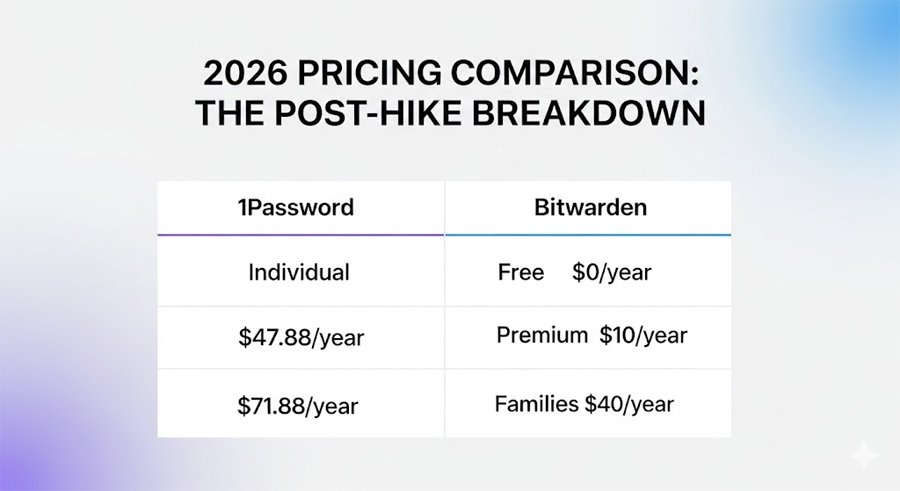
Individual plans go from $35.88/year to $47.88/year. Family plans jump from $59.88 to $71.88. That’s $12 more per year — not huge in isolation, but it’s the third meaningful change in 1Password’s pricing and app direction in the past two years, and it’s pushing a lot of loyal users to finally ask the question they’ve been avoiding: is Bitwarden actually good enough now?
3 VPNs That Pass All Tests (2025)
- NordVPN: Zero leaks in tests, RAM-only servers, and Threat Protection to block malware.
- Surfshark: Unlimited devices, Camouflage Mode for bypassing VPN blocks, and CleanWeb ad-blocker.
- ExpressVPN: Trusted Server tech (data wiped on reboot) and consistent streaming access.
The short answer is yes, for the majority of people. The longer answer is what this article is about.
I’ve used both. I’ve switched between them. And I’m going to tell you exactly who should be on which platform in 2026 — with real reasoning, not the hedge-everything “both are great!” conclusion that fills most comparison posts.
The Simplest Verdict
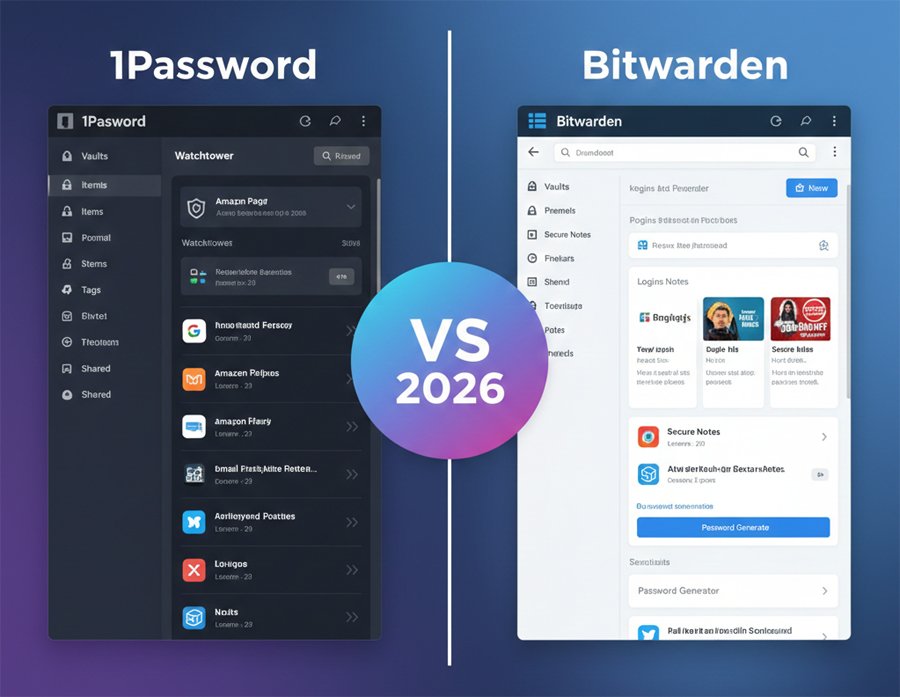
Bitwarden is the right choice for most people — especially anyone who’s price-conscious, values open-source transparency, or needs a free tier that actually works. It does 95% of what 1Password does at a fraction of the cost.
(Ad)

1Password is the right choice if you’re a frequent traveler who values Travel Mode, you’re a family or team that wants the most polished shared vault experience money can buy, or you simply prefer paying for exceptional UX and don’t mind the now-higher price.
The price hike doesn’t change the fundamentals. It just makes the decision easier for anyone who was on the fence.
What Both Tools Actually Do
Before the comparison, let’s be clear about what we’re evaluating — because some people come to this decision from different angles.
A password manager does four core things: generates strong unique passwords so you don’t reuse weak ones, stores them in an encrypted vault, autofills them on websites and apps so you don’t have to type them, and syncs everything across your devices. Both 1Password and Bitwarden do all of this well.
The differences show up in the how — how polished the experience is, how transparent the security model is, how much you pay, and what extras they throw in beyond the basics.
Neither tool has ever suffered a known breach, which matters a lot in a space where LastPass had a catastrophic 2022 incident that exposed encrypted vault data for millions of users. Both 1Password and Bitwarden have clean security records. That baseline is shared. Everything else is where they diverge.
1Password vs Bitwarden: The 2026 Price Hike Explained
Let’s address the elephant in the room properly, because it’s more significant than a simple “$12 more per year.”
What changed (effective March 27, 2026):
- Individual plan: $2.99/month → $3.99/month ($35.88/year → $47.88/year) — a 33% increase
- Families plan: $4.99/month → $5.99/month ($59.88/year → $71.88/year) — a 20% increase
- Teams and Business plan pricing: unchanged (as of this writing)
1Password sent emails to existing subscribers explaining that prices have “remained largely unchanged for many years” and that the increase reflects investment in new features including phishing protection, passkey support, and payment detail capture.
That reasoning is fair enough on its own. The issue is context. In recent years, 1Password also moved its Mac desktop app from a native macOS app to an Electron-based app (meaning it’s essentially a website wrapped in a browser — heavier, slower, less Mac-like), and the iOS app has received mixed reviews for becoming more complex and slower since a major redesign. A 33% price increase on top of a product quality perception that’s been sliding in some quarters is a combination that’s sending people shopping.
For comparison:
- Bitwarden Free: $0/year — unlimited passwords, unlimited devices
- Bitwarden Premium: $10/year ($0.83/month)
- Bitwarden Families: $40/year (up to 6 users)
- 1Password Individual (post-March 2026): $47.88/year
- 1Password Families (post-March 2026): $71.88/year (5 users)
The individual price gap between Bitwarden Premium and 1Password Individual just went from $25.88/year to $37.88/year. That’s nearly 4x the price for essentially the same core functionality, plus some extras we’ll evaluate honestly below.
Security: Both Are Excellent, and Different Too
Password manager security is the one area where you absolutely cannot afford to pick the option with glossy marketing and weak fundamentals. Let’s go through what actually matters.
The encryption foundation (it’s a tie)
Both tools use AES-256-bit encryption — the gold standard. Both use a zero-knowledge architecture, meaning they literally cannot access your vault even if they wanted to. Your data is encrypted and decrypted locally on your device before anything is transmitted. Both support multi-factor authentication and biometric login. On the encryption fundamentals, they’re equivalent.
1Password’s Secret Key — an extra layer worth knowing about
1Password’s security model includes something Bitwarden doesn’t: a Secret Key. When you set up 1Password, it generates a 128-bit key that’s unique to your device and never transmitted to their servers. Your vault is encrypted using a combination of your master password AND this Secret Key.
The practical upside: even if someone somehow got your master password through a keylogger or phishing attack, they still can’t access your vault without your Secret Key. It’s a meaningful additional layer of protection.
The practical downside: it means more friction during setup and account recovery, and the Key needs to be stored somewhere safe. Lose both your master password and your Secret Key and you’re locked out. 1Password gives you an Emergency Kit PDF for exactly this reason — print it, store it somewhere physically safe.
Bitwarden’s open-source advantage – transparency that 1Password can’t match
Bitwarden is fully open-source. Every line of code is publicly available on GitHub. Security researchers, academics, and the global developer community can — and do — audit it continuously. Bitwarden also undergoes regular independent third-party security audits.
This is called the “sunlight is the best disinfectant” philosophy in security, and it’s a powerful argument. Vulnerabilities in open-source code get spotted and fixed faster because more eyes are on it. 1Password is proprietary — you have to trust that their internal security is as good as they say it is, validated only by the audits they commission themselves.
For most users, this distinction is philosophical rather than practical. Both tools have excellent security track records. But if you’re a security-conscious person who prefers verifiable transparency over vendor assurances, Bitwarden’s open-source nature is a genuine, meaningful advantage.
Self-hosting – Bitwarden’s wildcard feature
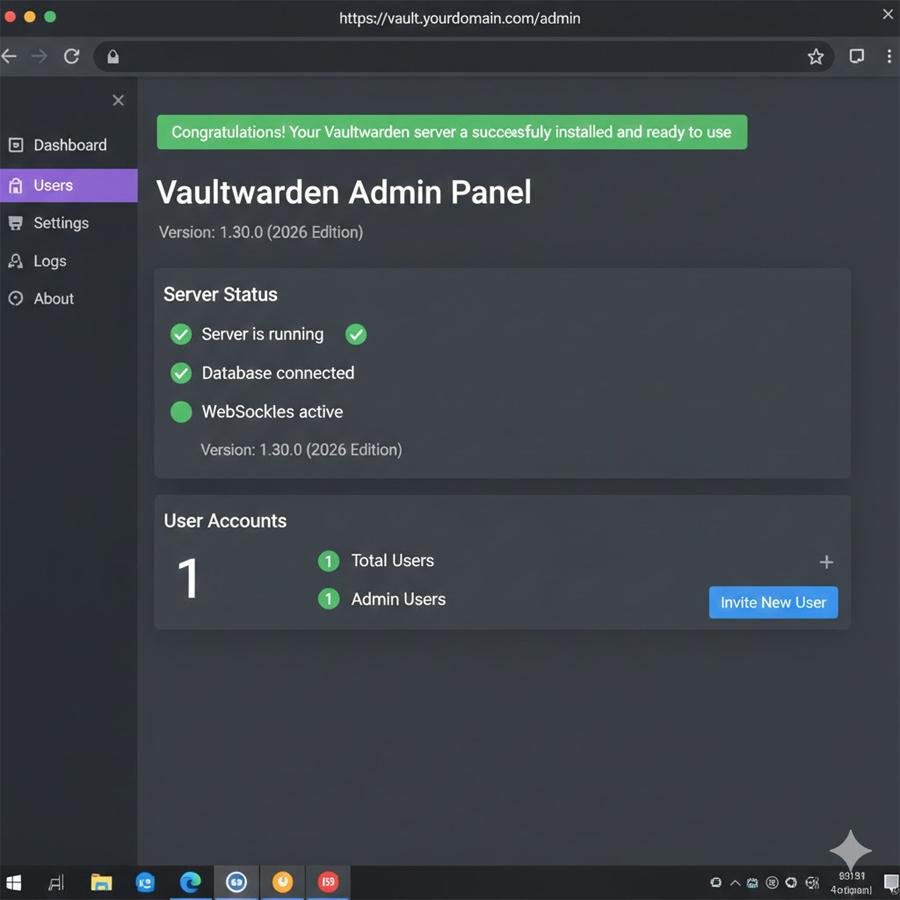
Bitwarden supports full self-hosting. Advanced users can run Bitwarden on their own server, meaning your vault data never leaves your own infrastructure — not even to Bitwarden’s servers. A community fork called Vaultwarden makes this even more accessible on low-powered hardware like a Raspberry Pi.
1Password offers no self-hosting option. Your data lives on their servers, period.
This matters primarily for people with strict privacy requirements — security professionals, journalists, organizations in sensitive industries, or simply people who believe their digital security should be entirely within their own control. For the average person, it’s not a decision factor. But if it matters to you, it’s not a small difference — it’s the whole ballgame.
Security verdict: 1Password’s Secret Key adds a measurable extra layer. Bitwarden’s open-source model provides deeper transparency and auditable security. For most people: tie. For the security-obsessed or privacy-maximalist: Bitwarden.
Features: Where They Actually Differ
Autofill and browser extension quality
1Password wins here — and it’s not particularly close. The 1Password browser extension has a level of polish that’s genuinely hard to describe until you’ve used it. Autofill just works. Suggestions appear at exactly the right moment. It handles complex multi-step login flows (two-page logins, CAPTCHA situations, OAuth buttons) far more gracefully than most competitors.
Bitwarden’s extension is functional and reliable, but it’s more manual. When it doesn’t auto-fill correctly, you need to open the extension, find the credential, and copy-paste. It happens more often than with 1Password. For everyday use, you’ll notice the gap. Bitwarden has improved meaningfully over the past year, but it hasn’t caught up.
How to Safely Unblock Any Website Without VPN (Works on PC & Mobile)
Travel Mode — 1Password’s genuinely unique standout feature
1Password Travel Mode is the one feature with no equivalent anywhere else. Before crossing a border, you can mark specific vaults as “safe for travel” and hide all others. Your device appears to have only the vaults you’ve designated — if customs, border agents, or a thief looks through your phone or laptop, your sensitive vaults are completely invisible.
When you’re back in a safe location, a toggle brings everything back.
This sounds niche until you’ve traveled to a country with aggressive device inspection policies, worked in a sensitive industry, or simply valued knowing that a stolen device doesn’t mean an exposed digital life. For people who travel regularly for work — especially internationally — Travel Mode is the single most compelling 1Password-exclusive feature.
Bitwarden has no equivalent. If Travel Mode is a priority for you, this single feature might justify the higher price.
Bitwarden Send — the encrypted file sharing feature most people don’t know about
Bitwarden has a feature called Bitwarden Send that doesn’t get nearly enough attention. It lets you share text or files with anyone (even non-Bitwarden users) via an end-to-end encrypted link. You can set expiry dates, view limits, and passwords on shared links.
If you regularly need to send sensitive information — credentials for a client, a document containing private data, a one-time access code — Bitwarden Send is a genuinely elegant solution. 1Password’s sharing requires the recipient to have a 1Password account (or a Guest User, which is limited). Bitwarden Send works for anyone with the link.
Storage
- 1Password: 1GB encrypted document storage per user (5GB per user on the Business plan)
- Bitwarden: 1GB encrypted file attachments on the free plan; 1GB personal + 1GB organizational on Premium
For most users storing primarily passwords and notes (not large files), this distinction is irrelevant. If you want to use your password manager as document storage, 1Password’s 5GB per Business user is a genuine advantage.
Passkey support
Both tools support passkeys — the newer authentication standard that replaces passwords with cryptographic keys that are phishing-resistant by design. Both handle passkey storage and autofill. Neither has a meaningful edge here in 2026.
ExpressVPN vs NordVPN: 2025 Speed, Security & Features Faceoff
Watchtower (1Password) vs. Vault Health Reports (Bitwarden)
Both tools scan your stored credentials and alert you to weak passwords, reused passwords, and credentials that have appeared in known data breaches via the HaveIBeenPwned database.
1Password’s Watchtower is more visually polished and integrated — the dashboard makes it easy to see your overall security health at a glance and prioritize what to fix. Bitwarden’s equivalent works but requires more manual navigation to find and act on the same insights. For users who want a security dashboard that feels like a productivity app, 1Password wins this round.
Interface and Ease of Use: 1Password Wins (With an Asterisk)
1Password’s UI is genuinely beautiful. The desktop app (when it was still a native Mac app) was consistently cited as one of the best-designed software applications on macOS. The organization, the visual hierarchy, the keyboard shortcut system — it was all very deliberately built by people who cared about design.
There’s an important asterisk in 2026: 1Password’s Mac app is now Electron-based, which means it’s not a native Mac app anymore. It’s slower, it uses more memory, and it doesn’t feel as seamlessly integrated with macOS as it once did. For longtime Mac users, this has been a genuine disappointment — and the MacRumors comment sections and Reddit threads are full of users who cite this as a reason they’ve considered or made the switch to Bitwarden.
The 1Password iOS app has similarly received criticism following redesigns that made it more complex to navigate for everyday use.
Bitwarden’s interface is functional and clean, but it’s utilitarian by comparison. It gets the job done without the visual delight. The browser extension received a noticeable refresh and is now considerably less ugly than it was two years ago. If you’ve used Bitwarden before and were put off by the interface, it’s genuinely worth a fresh look.
UI verdict: 1Password still wins on design intent and polish, but the gap has narrowed and the Electron migration has blunted the Mac advantage meaningfully.
Pricing: Complete 2026 Breakdown
Here’s the full pricing picture you need for a real decision:
Bitwarden:
| Plan | Price | Users | Best For |
|---|---|---|---|
| Free | $0/year | 1 | Individuals who want solid basics |
| Premium | $10/year | 1 | Individuals wanting full features |
| Families | $40/year | Up to 6 | Families — exceptional value |
| Teams | $4/user/month | Unlimited | Small business |
| Enterprise | $6/user/month | Unlimited | Larger organizations |
1Password (post-March 27, 2026):
| Plan | Price | Users | Best For |
|---|---|---|---|
| Individual | $47.88/year ($3.99/mo) | 1 | Solo users wanting premium UX |
| Families | $71.88/year ($5.99/mo) | Up to 5 | Families wanting polished sharing |
| Teams Starter | $19.95/month flat | Up to 10 | Small teams (great per-seat value) |
| Business | $7.99/user/month | Unlimited | Mid-to-large teams |
| Enterprise | Custom pricing | Unlimited | Large organizations |
The value story is unmistakable: Bitwarden Families at $40/year for 6 users vs 1Password Families at $71.88/year for 5 users. You get one more person, pay almost half the price. For families, Bitwarden is an overwhelming value win.
For individuals, it’s $47.88/year (1Password) vs $10/year (Bitwarden Premium) — nearly a 5x difference in annual cost for tools that handle the core job equivalently.
Where 1Password’s pricing actually makes sense is the Teams Starter Pack at $19.95/month flat for up to 10 users. That’s $2/user/month for a small team, which undercuts Bitwarden Teams at $4/user/month. If you’re running a small business with 5–10 people and you want 1Password’s polished UX and Watchtower for your team, the Teams Starter Pack is genuinely good value.
How to Turn Off Google Password Manager: A Complete Guide to Stop Save‑Password Prompts
Platform Availability: Nearly Identical
Both tools cover every major platform:
- Desktop: Windows, macOS, Linux (both)
- Mobile: iOS and Android (both)
- Browser extensions: Chrome, Firefox, Safari, Edge, Brave (both — Bitwarden also includes Opera and several others)
- Command Line Interface: Both offer CLI tools, useful for developers and power users
- Web vault: Both have a browser-accessible web interface as a backup
One meaningful Bitwarden advantage: it supports 50+ languages, making it genuinely global in a way 1Password isn’t. For international teams or non-English-speaking users, this matters.
Who Should Actually Use Which: A Direct Guide
No hedge-everything conclusions. Here’s the straight recommendation by person type:
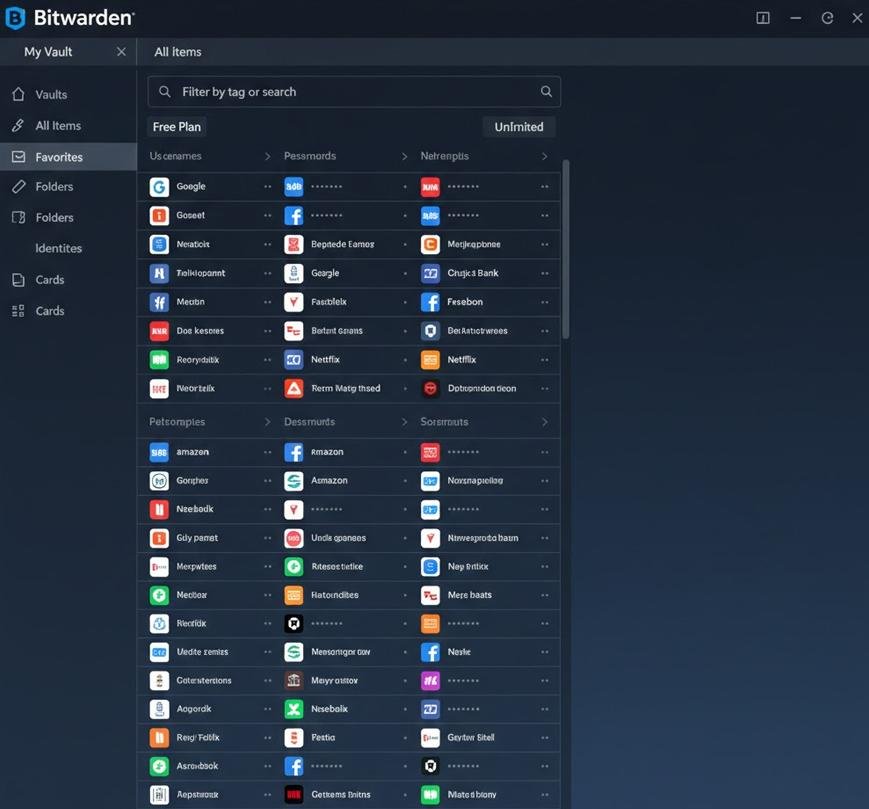
You’re an individual who wants a free, highly capable password manager → Bitwarden Free. It’s genuinely unlimited — unlimited passwords, unlimited devices, cross-platform sync, passkey support, and secure notes. For $0. There’s no asterisk on this. Start here.
You’re an individual willing to pay for a more polished experience → If budget matters at all: Bitwarden Premium at $10/year. If you have money to spend and want the best UX available: 1Password Individual at $47.88/year after March 2026. But genuinely ask yourself if the UX difference is worth nearly $38 extra annually.
You’re setting up a family password manager → Bitwarden Families at $40/year for up to 6 users. At nearly half the price of 1Password Families with an extra user slot, it’s the rational choice. The sharing experience is slightly less polished but works perfectly well.
You travel internationally and regularly cross borders → 1Password, specifically for Travel Mode. There is no equivalent feature in any other mainstream password manager. If this scenario describes you, $47.88/year for peace of mind at border crossings is legitimate value.
You’re a developer or power user who wants full control → Bitwarden, specifically for self-hosting via Vaultwarden. Running your own vault on your own infrastructure is a level of control no other major password manager offers. For the technically inclined, this is compelling.
You’re a small team of 3–10 people → 1Password Teams Starter Pack at $19.95/month flat. At this size, 1Password is actually cheaper per user than Bitwarden Teams ($4/user/month). You get the polished UX, Watchtower, and team features at a competitive per-seat price.
You’re a team of 11+ people → Bitwarden Teams at $4/user/month beats 1Password Business at $7.99/user/month. At scale, the cost difference is significant — 100 users means $4,800/year vs $9,588/year.
You’ve just heard about the 1Password price hike and you’re a current subscriber reconsidering → This depends on how you’ve been using it. If Travel Mode is part of your life, stay. If you’re using 1Password mainly as a credential vault with good autofill, Bitwarden Premium at $10/year does that job for a fraction of the price, and the export-import process from 1Password to Bitwarden takes about 10 minutes.
The One-Minute Switch: Moving from 1Password to Bitwarden
Since the price hike is sending people to Google this comparison right now, here’s how fast the switch actually is:
- In 1Password, go to Export and save a .1pif or .csv file of your vault
- Create a Bitwarden account at bitwarden.com (free)
- In Bitwarden, go to Tools → Import Data, select 1Password format, upload your file
- All your credentials import instantly
- Install the Bitwarden browser extension, set it as your password manager
- Done
The entire process takes under 10 minutes. The only thing that doesn’t import cleanly is Secure Notes with complex formatting. Everything else — logins, credit cards, identities — comes across cleanly.
Dashlane — Easy onboarding, identity dashboard, and dark web monitoring plus autofill. Useful for readers who want an all-in-one consumer security suite.
Frequently Asked Questions
Is Bitwarden actually secure enough to trust? Yes. Bitwarden uses the same AES-256 encryption standard as 1Password and has a zero-knowledge architecture — meaning even Bitwarden can’t see your data. It undergoes regular independent third-party security audits and has no known history of breaches. Its open-source code base is an additional security advantage because it allows public scrutiny. For the vast majority of users, Bitwarden’s security is fully sufficient.
What is 1Password’s Secret Key, and does Bitwarden have one? The Secret Key is a device-generated 128-bit key that 1Password uses alongside your master password to encrypt your vault. It means someone who steals your master password still can’t access your vault without this key. Bitwarden doesn’t have an equivalent — it relies solely on your master password plus MFA. In practice, a strong master password plus 2FA on Bitwarden provides excellent security, but 1Password’s Secret Key does provide an additional layer.
Is Bitwarden really free with no limits? Bitwarden’s free tier includes unlimited passwords, unlimited devices, cross-device sync, passkeys, secure notes, and access on all platforms — permanently, with no credit card required. The paid Premium tier at $10/year adds encrypted file attachments, advanced 2FA options (hardware keys like YubiKey), vault health reports, and Bitwarden Send for encrypted sharing. Most individual users will never hit a wall on the free tier.
Why is 1Password raising its prices in March 2026? 1Password announced a 33% price increase for individual plans (from $35.88 to $47.88/year) and a 20% increase for family plans, effective March 27, 2026. The company says the increase reflects continued investment in new features including phishing protection, passkey support, and payment capture tools. Existing subscribers will see the new pricing at their next renewal date after March 27.
Can I trust Bitwarden because it’s open source? Open source is generally a positive security signal, not a negative one. The ability for anyone to review Bitwarden’s code means vulnerabilities are more likely to be discovered and fixed quickly by the global security community, rather than hidden until a breach happens. Bitwarden also commissions independent security audits to validate the implementation. Open source doesn’t mean insecure — it means verifiable.
Does 1Password work better than Bitwarden on Apple devices? 1Password originally had a significant advantage on Apple devices with its native Mac and iOS apps. That advantage has narrowed since 1Password migrated its Mac app to Electron (a web-based framework), which has been criticized for being slower and less Mac-like. The iOS app has also received mixed reviews following redesigns. In 2026, the gap between the two on Apple devices is smaller than it was historically.
Should I just use Apple Passwords instead of either? Apple Passwords (introduced in iOS 18/macOS Sequoia) is a legitimate free option for Apple-only users. It handles passwords, passkeys, 2FA codes, and syncs via iCloud. If all your devices are Apple and you’re happy in that ecosystem, it’s a credible choice. Its limitation is platform lock-in — no Android support, limited Windows support (only via iCloud for Windows). For cross-platform users or anyone with Android devices, a dedicated manager like Bitwarden remains the better option.
The Bottom Line
The 1Password vs Bitwarden decision in 2026 is cleaner than it’s ever been, partly because 1Password just made it cleaner with its March 2026 price increase.
Bitwarden wins on: price (decisively), open-source transparency, self-hosting capability, Bitwarden Send, free tier generosity, number of supported languages, and cost at team scale.
1Password wins on: autofill polish, Travel Mode (genuinely unique), Watchtower dashboard, UX refinement (despite the Electron migration), and per-user price for small teams of under 10 on the Starter Pack.
If you’re currently paying for 1Password and reconsidering after the price hike — give Bitwarden Premium a genuine 30-day try before deciding. At $10/year, the risk is essentially zero. Many people who switch find that the things they thought they needed 1Password for were habits, not requirements.
If you’ve never used a dedicated password manager and you’re still relying on browser-saved passwords or reusing the same password across sites — start with Bitwarden Free today. Seriously. It takes 15 minutes to set up and it’s one of the most impactful free security improvements you can make.
Now loading...


