Click here to buy secure, speedy, and reliable Web hosting, Cloud hosting, Agency hosting, VPS hosting, Website builder, Business email, Reach email marketing at 20% discount from our Gold Partner Hostinger You can also read 12 Top Reasons to Choose Hostinger’s Best Web Hosting
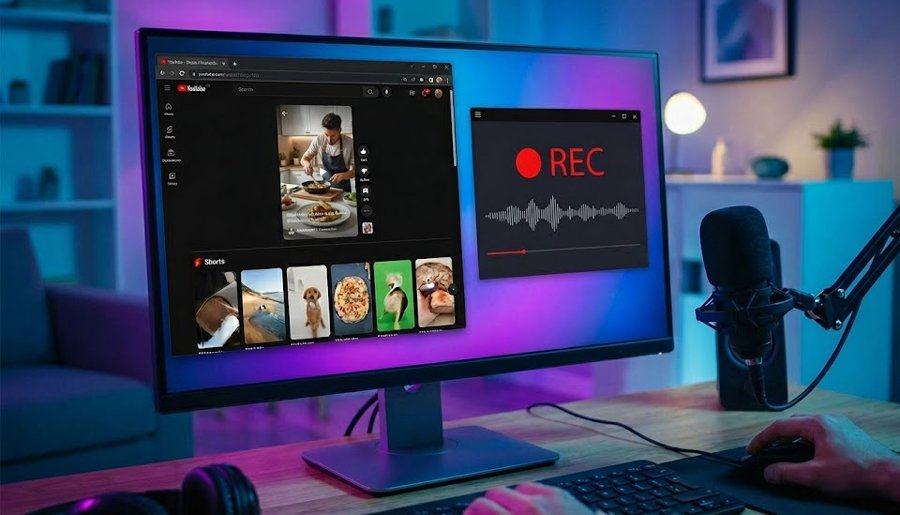
You don’t need a phone to make Shorts. You can record vertical clips using several desktop setups and focused on two outcomes: capture quality that matches phone uploads and an export workflow that keeps file size reasonable. Short answers, we are covering Top 6 Tools to Record YouTube Shorts on Desktop: OBS for capture; CapCut for quick vertical edits; Xbox Game Bar when you want zero setup.
3 VPNs That Pass All Tests (2025)
- NordVPN: Zero leaks in tests, RAM-only servers, and Threat Protection to block malware.
- Surfshark: Unlimited devices, Camouflage Mode for bypassing VPN blocks, and CleanWeb ad-blocker.
- ExpressVPN: Trusted Server tech (data wiped on reboot) and consistent streaming access.
Quick verdict
OBS Studio + CapCut as an edit step is the best combination for creators who want quality plus speed. If you want zero extra installs, Xbox Game Bar works fine for quick talking-head clips on Windows.
The picks — long form
How to Use Free YouTube to MP4 Converter
OBS Studio — power with no price tag
OBS is free and flexible. I set up a vertical 9:16 scene, added camera and mic sources, and recorded direct to MP4 with H.264. OBS’s scene system makes it simple to switch between segments and even add intro/outro overlays — great for creators who produce multiple Shorts in a session. The downside is initial setup: vertical presets require manual scene configuration. Luckily, today I also installed OBS Studio on my laptop to start screencasting on youtube. I will try to share this experience too.
How to Set YouTube Shorts Timer and Stop Endless Scrolling
CapCut (Desktop) — templates and fast finishing
CapCut’s desktop app has vertical templates and quick export presets. I dropped the raw clip in, trimmed, added motion text, and exported in under a minute. For creators who value speed and social templates, CapCut speeds finishing. Note the parent company and recent U.S. product shifts — keep an eye on regional versions if you publish to certain markets.
5 Best YouTube to MP3 Converters in 2025
Xbox Game Bar — built into Windows
For quick clips the Xbox Game Bar records with one hotkey and minimal impact. It’s not an editor, but for raw gameplay or simple desktop clips it’s the fastest route from capture to upload. I used it for a handful of test clips when I didn’t want to open heavy software.
(Ad)

5 Best YouTube Extensions for Video Downloading in 2025
EaseUS RecExperts / Movavi / Bandicam — simple paid recorders
These consumer recorders have vertical presets or can export 9:16 MP4s. They’re easy to use, and the paid tiers remove time limits and watermarks. I tested EaseUS RecExperts for scheduled recordings and it handled short clips with low CPU hit.
How to Download Free YouTube Thumbnails in 3 Seconds (Step-by-Step Guide)
OBS + CapCut workflow — capture quality, finish quickly
Record in OBS at high quality, then import into CapCut for quick vertical edits and motion templates. This gives professional capture with social-ready finishing in minimal time. I use this for Shorts that need a little polish without a heavyweight editor.
Free YouTube Thumbnail Downloader
Built-in webcam recorders — minimal setups for talking head
If you’re producing simple talking-head Shorts, a webcam app + quick editor can be fastest. Record, trim, and upload. The audio may need a quick normalization pass, but it’s a very low friction route.
7 Best Free Tools to Download Youtube Audio Online
How You can test
You can record multiple 15–45s vertical clips at 1080×1920, encoded with H.264 and bitrates around 8–12 Mbps. You can measure CPU load, export time, and upload success to YouTube. OBS gives the best control for bitrate and scene switching; CapCut saved the most time in editing.
How to Delete YouTube Channel: Permanent & Temporary Methods
FAQ
Q: What resolution should Shorts be?
A: 1080×1920 (9:16) is the standard for quality uploads.
Q: How do I keep file sizes small?
A: Use H.264 with a bitrate between 8–12 Mbps for 1080p vertical clips.
Final pick
If you want control and speed: record in OBS, finish in CapCut. For the fastest route: Xbox Game Bar for capture and a quick editor for finishing.
Now loading...