If you're building a new PC and looking for a cost-effective operating system, Microsoft System Builder Windows 11 Home OEM might catch your attention.
Her, we’ll break down five practical choices you have, from simple workarounds to fresh upgrades, to keep your computer running safely and smoothly after the deadline.
With Windows 11 Backup as your companion, the move becomes a smoother, more organized process, allowing you to enjoy the new features and improvements without any data-related worries.
Instantly productive. Simpler, more intuitive UI and effortless navigation. New features like snap layouts help you manage multiple tasks with ease.
Smarter collaboration. Have effective online meetings. Share content and mute/unmute right from the taskbar (1) Stay focused with intelligent noise canceling and background blur.(2)
Reassuringly consistent. Have confidence that your applications will work. Familiar with deployment and update tools. Accelerate adoption with expanded deployment policies.
Powerful security. Safeguard data and access anywhere with hardware-based isolation, encryption, and malware protection built in.
Less chaos, more calm. The refreshed design of Windows 11 Home enables you to do what you want effortlessly.
Biometric logins. Encrypted authentication. And, of course, advanced antivirus defenses. Everything you need, plus more, to protect you against the latest cyber threats.
Make the most of your screen space with snap layouts, desktops, and seamless redocking.
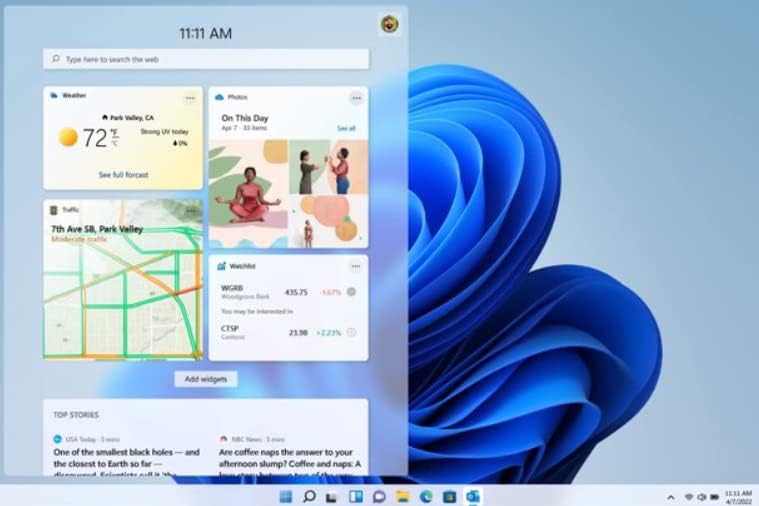
Widgets make staying up-to-date with the content you love and the news you care about, simple.
Stay in touch with friends and family with Microsoft Teams, which can be seamlessly integrated into your taskbar. (1)
ASUS Vivobook 17X Laptop with 17.3” FHD (1920 x 1080) 16:9 aspect ratio with ultra-slim NanoEdge bezels and 86% screen-to-body ratio.
Latest Intel Core i9-13900H Processor 2.6 GHz (24MB Cache, up to 5.4 GHz, 14 cores, 20 Threads) and Intel Iris Xe graphics
The laptop comes with Fast storage and memory featuring 1TB M.2 NVMe PCIe 3.0 SSD and 8GB DDR4 SO-DIMM + 8GB DDR4 on board RAM, Windows 11 Home
The laptop comes with Extensive connectivity with 1x USB 2.0 Type-A; 1x USB 3.2 Gen 1 Type-C; 2x USB 3.2 Gen 1 Type-A; 1x HDMI 1.4; 1x 3.5mm Combo Audio Jack. Wi-Fi 6E (802.11ax) and Bluetooth 5 (*USB transfer speed may vary. Learn more at ASUS.com)
User friendly features: privacy webcam shutter, ergonomic chiclet backlit keyboard and fingerprint reader activated via Windows Hello for easy log-in
This short guide explains how to restrict kick off during remote desktop connections — whether you’re on a single PC, using Windows Server / RDS, or managing a small fleet.
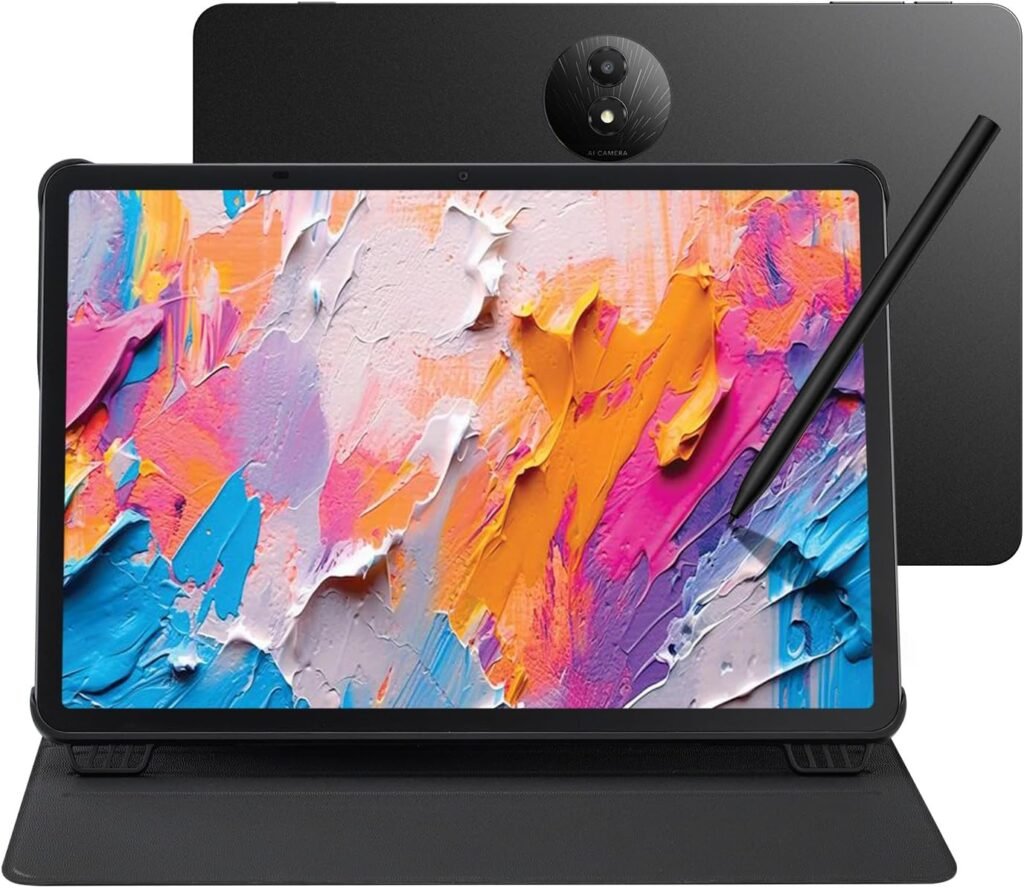
Tablet, Drawing Pad, and Digital Notebook – All in One: Whether you’re an artist, student, professional, or entertainment fan, the TCL NXTPAPER 11 Plus integrates smoothly into your lifestyle. It features an 11.5" 120Hz 2.2K display for ultra-smooth visuals and sharp detail, and includes the TCL T-PEN stylus with 4096 levels of pressure sensitivity for fluid, precise input. It meets every need with ease
NXTPAPER 4.0 Display for Enhanced Eye Comfort: Featuring upgraded NXTPAPER 4.0 display technology, it provides an even more paper-like experience with TÜV-certified low blue light, anti-glare coating, and DC dimming, ensuring a flicker-free screen that helps reduce eye strain and enhances comfort during long periods of use. The Eye Care Assistant can automatically adjust brightness and color temperature based on your environment and remind you to take breaks
AI-Powered Productivity & Communication: The TCL NXTPAPER 11 Plus features a smart voice memo, real-time bilingual subtitles, writing and text assistants, and a smart translator — easily converting speech to text, improving your writing, and translating conversations and images to eliminate language barriers. Plus, “Circle to Search with Google” allows you to quickly look up information with a single tap, enhancing productivity for both work and study
3-in-1 VersaView Modes for Every Need: Switch between three display modes instantly with the dedicated NXTPAPER Key on the TCL NXTPAPER 11 Plus tablet. Regular Mode provides sharp, vibrant visuals for streaming, video calls and creating digital art. Ink Paper Mode transforms the screen into an e-reader-like display for extended reading sessions and note-taking. Color Paper Mode offers soft, low-saturation colors ideal for reading comics or magazines
Ample Storage & Powerful Performance: Capture family memories, download entire series, and save large work files—TCL electronics tablets with 256GB of built-in storage make it all possible. Enjoy smooth performance for daily use and demanding tasks with the MediaTek Helio G100 processor and 8GB + 8GB RAM expansion. Powered by Android 15 and TCL’s custom UI, it enhances productivity with features like screen mirroring, extended display, floating windows, and split-screen
Long Battery Life with Reverse Charging: The TCL NXTPAPER 11 Plus features a large 8000mAh battery, providing reliable power for a full day of studying, working, and entertainment. With 33W PD fast charging, it quickly recharges, reducing your wait time. Need to help a low-battery phone or earbuds? Simply plug in—1.5A reverse charging turns your Android tablet into a portable power source
Vivid Visuals, Immersive Audio: The TCL NXTPAPER 11 Plus tablets feature 8MP front and rear cameras for HD video calls and everyday photos. Featuring CenterFace tracking, you stay perfectly focused even while moving. Quad speakers and dual microphones, boosted by smart PA and DTS audio, deliver deep bass and clear vocals. The Sound Booster function instantly boosts volume from 100% to 200%, enhancing your experience in movies, calls, and entertainment
Slim, Stylish, and Built to Last: With a thickness of just 0.26 inches and weighing only 1.08 lbs, the TCL NXTPAPER 11 Plus drawing tablet easily slips into your bag and feels lightweight in one hand. Its durable metal body withstands everyday bumps and drops, while the included adjustable flip cover doubles as a stand and provides all-around protection for safer, more convenient use
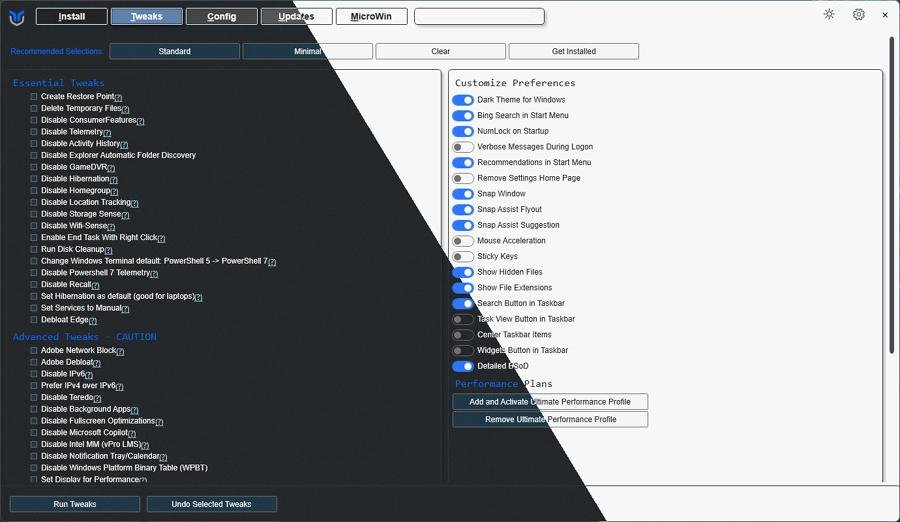
The seven best Windows debloaters (Win11Debloat, Chris Titus tools, Tiny11 builder, Sycnex, Privatezilla, O&O ShutUp10++, and Windows-Optimize-Harden-Debloat). What each does, who should use it, safety tips and quick how-tos.
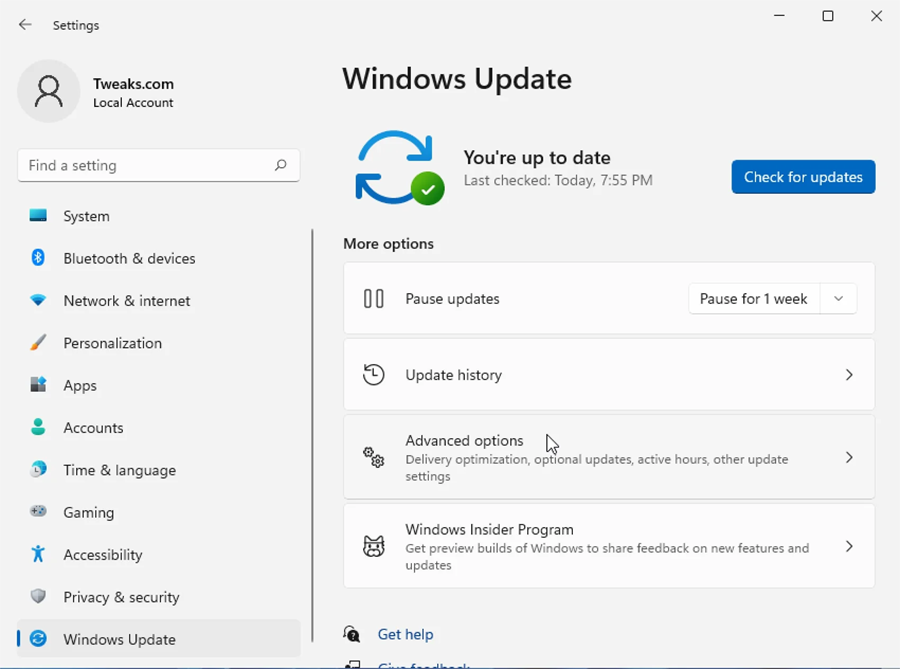
Learn safe, step-by-step ways to test and check if your Windows PC drivers are up to date, Device Manager, Windows Update, commands, backups, and troubleshooting.