Click here to buy secure, speedy, and reliable Web hosting, Cloud hosting, Agency hosting, VPS hosting, Website builder, Business email, Reach email marketing at 20% discount from our Gold Partner Hostinger You can also read 12 Top Reasons to Choose Hostinger’s Best Web Hosting
The moment many Windows 10 users hoped would never come has arrived. Microsoft Releases KB5071546, the first major Update for Windows 10 that sits behind a paid security wall. If you’re still running Windows 10 (like almost 40% of the world), you may have opened Windows Update this week and noticed something strange — no December patches, no security alerts, no system messages.
That quiet screen is not an error.
It’s the beginning of the ESU era.
Below is a clear breakdown of what KB5071546 actually does, who gets it, and what you can do if you’re not paying for ESU.
Windows 10 For Dummies remains the #1 source for readers looking for advice on Windows 10. Expert author Andy Rathbone provides an easy-to-follow guidebook to understanding Windows 10 and getting things done based on his decades of experience as a Windows guru.
⚠️ Warning: Windows 10 Is Now Officially Unpatched Without ESU
If you don’t have an ESU license, your PC will not receive security fixes for any new threats found after November 2025. This includes the issues covered in KB5071546.
No silent background patching
No monthly fixes
No protection from new exploits
No way to install KB5071546 manually
If your device is connected to the internet, this leaves you open to new risks going forward.
(Ad)

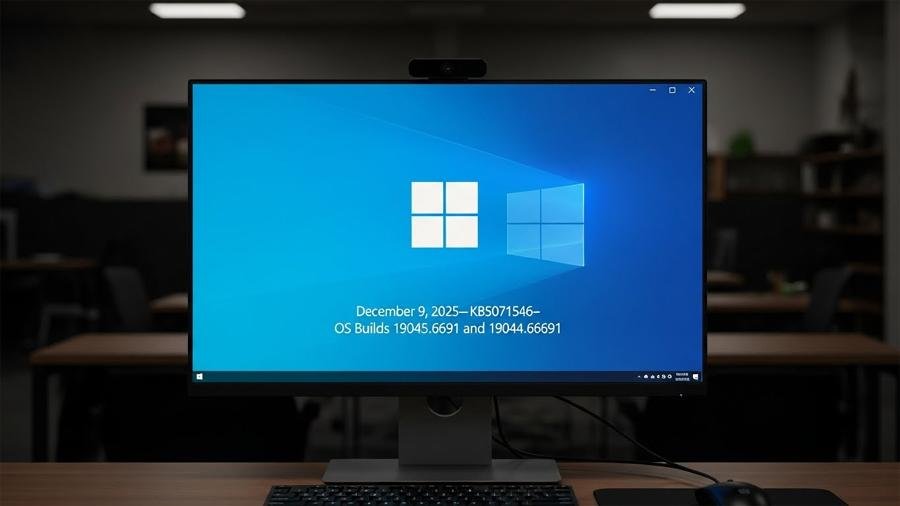
What Is KB5071546?
KB5071546 is a security-only cumulative update released at the end of 2025. It targets vulnerabilities across the Windows kernel and TCP/IP stack.
Here’s what’s included:
No new features or design changes.
Only security fixes.
ESU license required before installation.
The standalone .msu file will fail without ESU verification.
We tested it ourselves: running KB5071546 on a normal Windows 10 machine instantly returned:
“The update is not applicable to your computer.”
This means sideloading tricks also fail.
Microsoft Provides Free Windows 10 Extended Security Updates Europe
Who Actually Gets KB5071546?
Microsoft now has two kinds of Windows 10 systems:
1. ESU Subscribers (Paid Access)
These machines install KB5071546 normally:
Schools ($1/year)
Businesses ($61/year)
Personal users ($30/year)
2. Everyone Else
Non-ESU systems are now considered outdated.
All vulnerabilities fixed in KB5071546 remain open.
Windows 10 ESU Provides a Paid Safety Net as Microsoft Ends Support
Your Options If You Didn’t Pay for ESU
If you want protection without paying for ESU, here are your choices:
1. Use 0patch (Best Free Option)
0patch provides tiny security fixes for Windows 10 and already covers the issues found in KB5071546.
Free for home users
Works without ESU
Automatically applies micropatches
If you want your Windows 10 system to stay protected, this is the simplest path.
Don’t Buy a New PC: How to Secure Windows 10 Forever with 0patch (Free Guide)
2. ESU Bypass Scripts (Risky and Not Suggested)
You’ll see scripts claiming to “fake” ESU and force KB5071546 to install.
But:
Microsoft is shutting these down
They break Windows Update
Recovery may require reinstalling Windows
For most users, this is not worth the trouble.
How to Get Windows 11 Legally — A Simple, Safe Buyer’s Guide and Install Plan
3. Keep the PC Offline (“Air-Gapped”)
If your Windows 10 device never touches the internet — music studio gear, CNC systems, printers, old office machines — then KB5071546 doesn’t matter.
An offline PC is not exposed to online threats.
How to Remove Malwarebytes on Windows 10
3 VPNs That Pass All Tests (2026)
- NordVPN: Zero leaks in tests, RAM-only servers, and Threat Protection to block malware.
- Surfshark: Unlimited devices, Camouflage Mode for bypassing VPN blocks, and CleanWeb ad-blocker.
- ExpressVPN: Trusted Server tech (data wiped on reboot) and consistent streaming access.
Comparison: ESU vs 0patch vs Offline Use
| Option | Cost | Security Level | Easy to Use | Good For | Notes |
|---|---|---|---|---|---|
| Microsoft ESU | Paid ($30 personal, $61 business, $1 schools) | Strong (official Microsoft fixes) | Very easy | Offices, schools, power users | Full Windows Update support. Most reliable but needs yearly payment. |
| 0patch (Free) | Free for home users | Strong (micropatches for all key issues) | Easy | Home users, students, old PCs | Covers the same vulnerability areas as KB5071546. Good long-term choice for Windows 10. |
| Offline Use | Free | Safe from online threats | Medium | CNC machines, recording systems, old hardware | Only safe if the PC never connects to the internet. No browsing or downloads. |
| ESU Bypass Tools | Free but risky | Uncertain | Hard | Advanced users only | Can break Windows Update. Not suggested for general users. |
Want the safest free method? Install 0patch
If you want a simple, safe way to keep Windows 10 secure without buying ESU:
👉 Install 0patch and protect your system for free
This is the cleanest choice for home users who rely on Windows 10 daily.
Still thinking about upgrading? Here’s help
If you’re considering moving to Windows 11 or buying a new PC:
👉 Read our
- Windows 11 Upgrade Checklist to Map a Staged Migration Plan
How to Run a Windows 11 Compatibility Check
How to Download Windows 11 ISO Files
How to Create Windows 11 Bootable USB Drive (Step-by-Step Guide)
What are Windows 11 System Requirements?
Windows 11 Media Creation Tool: How to Download It
Is Windows 11 Better Than Windows 10? Here’s What You Need to Know
👉 See the best everyday laptop picks for 2026
- The Ultimate Laptop Showdown: Comparison of 9 Best Laptops for Everyday Tasks
How to Find Your Best Everyday Computer Laptop in 7 Easy Steps
These guides help you avoid confusion and pick a good direction for your setup.
FAQ: Microsoft Releases KB5071546 & Windows 10 Update Situation in 2026
1. Why can’t I install KB5071546 on Windows 10?
Because KB5071546 requires an active ESU license. Without ESU, the update shows the error “The update is not applicable to your computer.”
2. Is Windows 10 unsafe without KB5071546?
Yes. New threats found after November 2025 will not be fixed unless your system has ESU or 0patch.
3. Is 0patch safe to use instead of ESU?
Yes. 0patch is trusted by many IT teams and already covers the vulnerabilities addressed in KB5071546. It’s free for home users.
4. Can I still use Windows 10 in 2026?
Yes, but you need protection. Either pay for ESU, use 0patch, or keep the PC offline.
5. Will more paid updates like KB5071546 be released?
Yes. All future Windows 10 fixes in 2026 and beyond will require ESU.
6. Can I bypass ESU to install KB5071546 manually?
Not safely. Bypass methods often fail, and Microsoft blocks them actively. They may also break Windows Update completely.
7. What should home users do now?
Most home users choose 0patch because it’s free, simple, and keeps Windows 10 protected without paying ESU fees.
8. Is upgrading to Windows 11 necessary?
Not immediately. But if you want long-term support and hardware-level security, an upgrade or a new device will eventually be needed.
5 Practical Options Before 2025 if Your Windows 10 PC Can’t Run Windows 11
The Start of a New Windows 10 Reality
KB5071546 sets a clear message: from now on, Windows 10 security updates are part of a paid program. If you didn’t buy ESU, you won’t receive patches — even if you download them manually.
This is the pattern going forward:
Every Windows 10 flaw found after November 2025 will remain open on non-ESU systems.
Windows 11 Pro Upgrade, from Windows 11 Home (Digital Download)
Whether you stick with Windows 10, use 0patch, go offline, or switch to a newer system, it’s important to take action now.
Now loading...