Click here to buy secure, speedy, and reliable Web hosting, Cloud hosting, Agency hosting, VPS hosting, Website builder, Business email, Reach email marketing at 20% discount from our Gold Partner Hostinger You can also read 12 Top Reasons to Choose Hostinger’s Best Web Hosting
Apple launched the MacBook Pro with M5 Pro and M5 Max on March 11, 2026 — and if you are a developer or designer choosing between them, the decision is more nuanced than Apple’s marketing suggests. The best MacBook Pro for developers depends on what you build, how you work, and whether the M5 Max price premium is justified for your specific workload.
This guide covers the honest answer: M5 Pro vs M5 Max for real developer tasks, 14-inch vs 16-inch, exactly how much RAM you need, every price point from $2,199 to $5,900+, and recommended configurations for four developer profiles.
Quick Answer — Best MacBook Pro by Developer Type
| Developer Type | Recommended Config | Price |
|---|---|---|
| Web developer, full-stack, DevOps | 14″ M5 Pro, 36GB RAM, 1TB | ~$2,400 |
| iOS / macOS developer | 14″ M5 Pro, 36GB RAM, 1TB | ~$2,400 |
| ML engineer / AI researcher | 16″ M5 Max, 64GB RAM, 2TB | ~$4,500 |
| Video editor + developer | 16″ M5 Max, 48GB RAM, 2TB | $3,899 |
| Mobile dev (multiple simulators) | 16″ M5 Pro, 36GB RAM, 1TB | ~$3,100 |
| UI / UX designer | 14″ M5 Pro, 24GB RAM, 1TB | $2,199 |
| 3D artist / motion designer | 16″ M5 Max, 64GB RAM, 2TB | ~$4,500 |
⚠️ The Most Important Decision
RAM is soldered to the board and cannot be upgraded after purchase. Get it wrong and you live with it for 5+ years. Every other decision — chip, size, storage — is secondary to the RAM configuration.
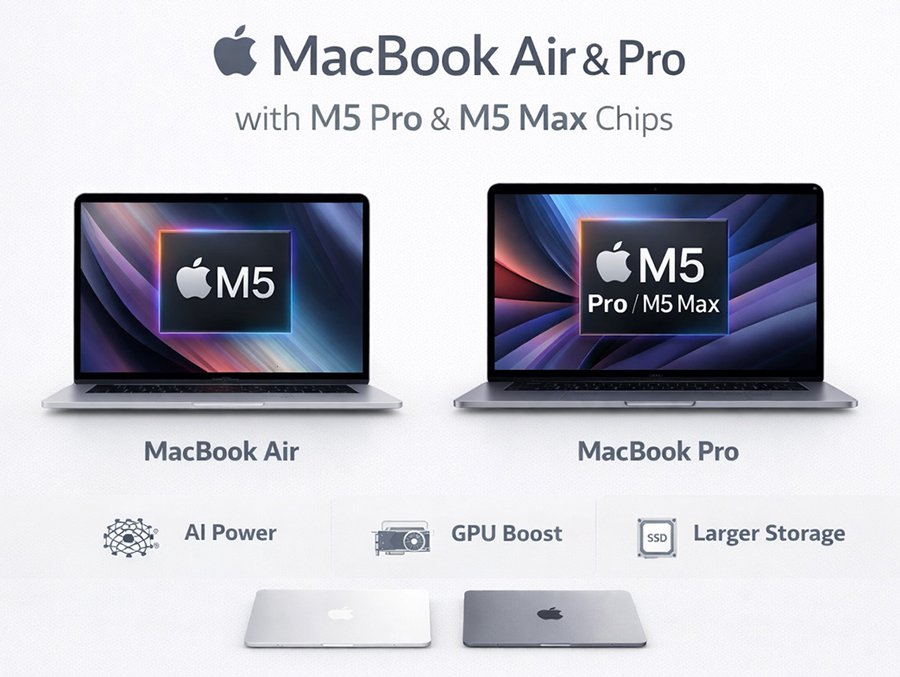
The 2026 MacBook Pro Lineup — What Changed With M5
Apple’s March 2026 refresh introduced three chip tiers across 14-inch and 16-inch models.
- M5 (base) — $1,699: 10-core CPU, 10-core GPU, Thunderbolt 4. Not recommended for professional developer or designer workloads.
- M5 Pro — from $2,199: Up to 18-core CPU, up to 20-core GPU, Thunderbolt 5, Wi-Fi 7, Bluetooth 6. Available in both 14-inch and 16-inch.
- M5 Max — from $3,599: Up to 18-core CPU, up to 40-core GPU, up to 128GB unified memory, 614GB/s memory bandwidth. Available in both sizes.
Both Pro and Max include: N1 wireless chip (Wi-Fi 7 + Bluetooth 6), three Thunderbolt 5 ports, HDMI, SDXC card slot, MagSafe 3, 12MP Center Stage camera, six-speaker Spatial Audio, and up to 24-hour battery life. Apple claims up to 4x faster AI performance and up to 2x faster SSD speeds (14.5GB/s peak) vs M4 generation.
M5 Pro vs M5 Max — The Real Developer Difference
CPU: Nearly identical for most development work
Both chips use the same super core architecture. The M5 Max adds more performance cores for multithreaded workloads — full Xcode compiles, large Docker Compose environments, parallel build systems. For web development, scripting, API work, and everyday coding, M5 Pro and M5 Max are within 5–10% of each other. The difference is real but not meaningful for most developers’ daily work.
(Ad)

Best Desk Setup for Designers and Developers in 2026 – 8 Products That Actually Make a Difference
Memory bandwidth: Where M5 Max separates itself
M5 Max delivers 614GB/s of unified memory bandwidth — approximately double the M5 Pro. This matters for:
- Running large language models locally via Ollama, LM Studio, or Apple MLX (13B to 70B parameter models)
- ML training and inference with large model weights on-device
- GPU-accelerated data processing and CoreML workflows
- Real-time 8K video colour grading in DaVinci Resolve or Final Cut Pro
For a web or app developer, this difference is invisible. For an ML engineer, it is the single most important specification on the machine.
Check MacBook Pro M5 Max price on Amazon →
RAM ceiling — The decision you cannot reverse
| M5 Pro | M5 Max | |
|---|---|---|
| Maximum unified memory | 48GB | 128GB |
| Memory bandwidth | ~300GB/s | 614GB/s |
| Starting RAM | 24GB | 36GB |
How Much RAM Do You Actually Need?
| RAM | Suitable for | Verdict |
|---|---|---|
| 16GB | Light tasks only | Not recommended for developers |
| 24GB | Front-end dev, Figma, light Docker | Fine for 2–3 years |
| 36GB | Full-stack, iOS dev, Docker Compose, IDE + browser | ✅ Best value sweet spot |
| 48GB | React Native multi-simulator, heavy microservices | For power users |
| 64GB+ | ML engineers, local LLM inference, data science | M5 Max required |
💡 The 36GB Rule
36GB handles full-stack development with Docker, Xcode with multiple simulators, JetBrains IDE, several Chrome windows, and Slack simultaneously without memory pressure warnings. For most professional developers, 36GB is the correct configuration and the most future-proof choice below the M5 Max price point.
12 Top-notch Technology Brands on Amazon (& How They Are Different from Each Others)
14-Inch vs 16-Inch for Developers
Choose 14-inch if:
- You commute, travel, or carry your laptop daily (1.62kg vs 2.14kg)
- You use external monitors most of the time at your desk
- Battery life for all-day unplugged sessions is important
Choose 16-inch if:
- You work primarily at a desk and portability is secondary
- You frequently work without an external monitor — cafés, meetings, travel
- You are buying M5 Max — the larger thermal envelope sustains peak performance longer
Check MacBook Pro M5 Max price on Amazon →
Full Pricing Guide
14-inch M5 Pro
| Configuration | Price |
|---|---|
| 24GB RAM, 1TB SSD (base) | $2,199 |
| 36GB RAM, 1TB SSD | ~$2,400 |
| 36GB RAM, 2TB SSD | ~$2,600 |
| 48GB RAM, 2TB SSD | ~$2,800 |
16-inch M5 Pro
| Configuration | Price |
|---|---|
| 24GB RAM, 1TB SSD (base) | $2,699 |
| 36GB RAM, 2TB SSD | ~$3,100 |
| 48GB RAM, 2TB SSD | ~$3,300 |
Does Mac Need Antivirus?
14-inch M5 Max
| Configuration | Price |
|---|---|
| 36GB RAM, 2TB SSD (base) | $3,599 |
| 64GB RAM, 2TB SSD | ~$4,200 |
| 128GB RAM, 4TB SSD | ~$5,600 |
16-inch M5 Max
| Configuration | Price |
|---|---|
| 36GB RAM, 2TB SSD (base) | $3,899 |
| 64GB RAM, 2TB SSD | ~$4,500 |
| 128GB RAM, 4TB SSD | ~$5,900 |
| 128GB RAM, 8TB SSD | ~$6,700 |
Is the $3,500–$5,900 MacBook Pro Worth It?
✅ Worth paying $3,500+ for M5 Max if you:
Run LLMs locally with Ollama or MLX (13B+ parameter models) · Do ML training or inference with large model weights on-device · Work in DaVinci Resolve or Final Cut Pro at 4K–8K alongside development · Render 3D in Blender, Cinema 4D, or Reality Composer Pro · Need 64GB+ RAM for large in-memory datasets
❌ Not worth the M5 Max premium if you:
Write code primarily in VS Code, Cursor, Zed, or Neovim · Work with web technologies (JavaScript, TypeScript, Python, Go, Ruby, Rust) · Run standard Docker environments with fewer than 15 services · Do UI/UX design in Figma or Sketch without heavy video production
Recommended Configurations for 2026
🏆 Best overall (web, full-stack, iOS, UI/UX)
14-inch MacBook Pro, M5 Pro, 36GB RAM, 1TB SSD — ~$2,400
Handles every professional development workflow. 1.62kg for daily carry. Full working day on battery. The most balanced configuration available.
🤖 Best for ML / AI engineers
16-inch MacBook Pro, M5 Max, 64GB RAM, 2TB SSD — ~$4,500
The most capable portable machine for local AI workloads available today. Run 34B parameter models via MLX. 614GB/s memory bandwidth. Nothing from Dell, Lenovo, or ASUS matches this for on-device AI.
Check MacBook Pro M5 Max price on Amazon →
Where to Buy and How to Save
- Amazon: Frequently offers $50–$200 off specific MacBook Pro configurations that Apple does not discount directly. Best place to check for immediate pricing below Apple retail.
- Apple Education Store: Students, teachers, and staff save $150–$300 on all MacBook Pro models. No proof required at checkout in the US.
- Apple Certified Refurbished: M4 Pro and M4 Max MacBook Pros at 15–25% below retail with the same 1-year Apple warranty. M4 Max from approximately $2,700.
- Apple Card Monthly Installments: 0% APR over 24 months. A $3,899 M5 Max ≈ $163/month.
Check MacBook Pro M5 Max price on Amazon →
Frequently Asked Questions
The Bottom Line
The best MacBook Pro for developers in 2026 for most people is the 14-inch M5 Pro with 36GB RAM at approximately $2,400. It handles every professional development workflow, weighs 1.62kg for daily carry, and runs a full working day on battery.
For ML engineers and AI researchers: the 16-inch M5 Max with 64GB RAM at approximately $4,500 is the most capable portable machine for local AI workloads available today — and nothing from the Windows ecosystem competes for on-device AI performance.
Now loading...