Click here to buy secure, speedy, and reliable Web hosting, Cloud hosting, Agency hosting, VPS hosting, Website builder, Business email, Reach email marketing at 20% discount from our Gold Partner Hostinger You can also read 12 Top Reasons to Choose Hostinger’s Best Web Hosting
Anthropic quietly shipped Cowork, a consumer-facing app that packages the agentic power of Claude Code into a simple desktop experience — no terminal required. Cowork can access folders, clean downloads, extract data from receipts and draft reports, and it was reportedly built in days using Claude Code itself. Here’s what to try first and what to watch for. If you want a desktop AI that actually manipulates your files and automates repetitive tasks, Cowork is the easiest way in. It brings agent-level productivity to non-developers — but test on non-sensitive files first and watch access permissions closely.
Wondering is ChatGPT an AI agent? Discover how it works, its autonomous skills, and real‑world applications to boost your productivity.
What is Cowork
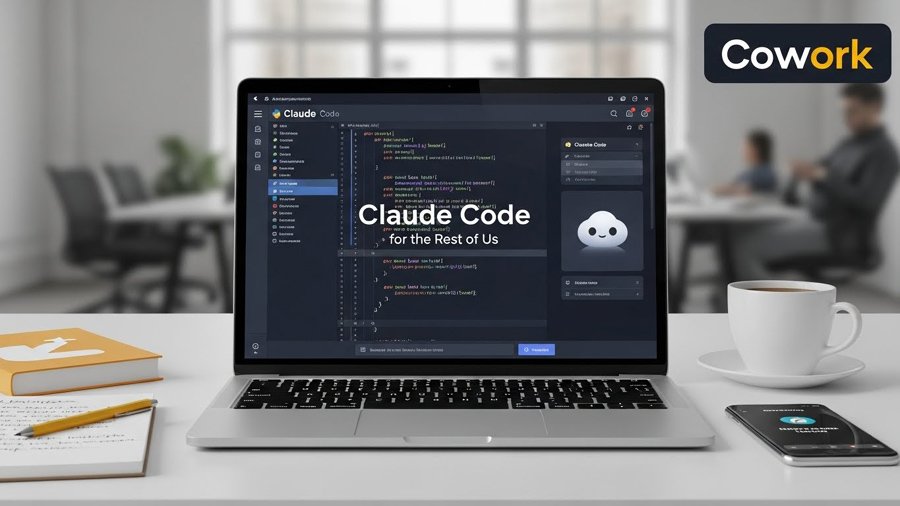
Cowork is a new Anthropic app that exposes Claude Code’s “agent” abilities through a desktop UI. Instead of writing terminal commands, Cowork lets you point the assistant at a folder or files and ask it to perform real work: reorganize downloads, turn expense screenshots into spreadsheets, draft reports from scattered notes, and more. Anthropic reportedly built Cowork using Claude Code as the internal builder — a classic “dogfooding” moment.
How works (practical features)
File-system workflows: give Cowork access to a folder and ask it to sort, rename, or move files automatically. Great for messy Downloads folders.
Data extraction: convert receipts, images and PDFs into spreadsheet rows (OCR + structured export).
Document synthesis: gather scattered notes and auto-draft a report or executive summary.
Connectors: it can integrate with cloud services (Google Drive, Slack) and browser tasks when paired with the Claude Chrome extension.
(Ad)

MobileAppDaily reports the product was created rapidly (allegedly in about ten days) using Claude Code — which signals Anthropic’s push to productize agentic tooling fast.
Why this matters — the desktop agent moment
Claude Code already showed what a fully agentic assistant can do for developers (CLI access, scripts, automation). Cowork takes that capability and hides the terminal: now non-coders can get agentic outcomes on their local machines. Observers call this a potential “desktop takeover” because it shifts meaningful automation to the workstation — not just web apps — and every knowledge worker’s local files become actionable by an AI. That’s strategically big.
Try it: three safe experiments to run first
Reorganize a test Downloads folder. Create a copy of your Downloads folder with non-sensitive files. Ask Cowork to group files by type or rename by date. This shows the file-movement behavior without risk.
Turn receipts into a spreadsheet. Drop 5–10 fake or redacted receipts and ask Cowork to extract amount, date, merchant and category into CSV. Verify accuracy before trusting it with real expenses.
Draft a summary report from notes. Put scattered meeting notes into a folder and ask for a one-page executive summary. Check that factual claims match the source notes.
ChatGPT 5 vs Claude vs Gemini vs Grok vs DeepSeek — Choosing the Right AI for the Right Task
Privacy & safety
Test with non-sensitive files first. Agents operate with broad file access; don’t point them at payroll, personal IDs, or legal docs during evaluation.
Review connection permissions. Cowork may request access to cloud drives or browser sessions—audit scopes and revoke tokens you don’t want it to use.
Keep logs local when possible. If Anthropic uploads artifacts to the cloud for processing, confirm retention and deletion policies before using it on private data. The company’s docs and the app UI should state this.
Warning: A “Free VPN” Chrome Extension May Have Been Collecting Your AI Chats
The ecosystem impact — what competitors will do
Anthropic’s consumer push forces platforms and vendors to respond:
Microsoft / Google may accelerate desktop-native agents or deeper IDE/OS integrations.
Open-source projects will try to replicate agentic behaviors locally (self-hosted agents for privacy).
Enterprise vendors will ask for admin controls, audit trails and stricter data handling to allow agent rollouts in regulated sectors. FinancialContent argued that agentic desktop assistants could redefine how businesses use personal workstations for heavy automation.
Limitations & likely pushback
Developer backlash: The Neuron reported that Anthropic recently restricted some third-party access (Cursor / OpenCode), provoking anger among open-tool developers — an important context for how Anthropic balances control vs open ecosystem. Expect tension as companies try to protect model economics while enabling partners.
Trust & hallucination risk: Any agent that reads and writes files can also generate incorrect facts or misclassify data — so human verification remains essential.
7 Gemini 3 Pro Features You Are Still Unaware With
Monetization & product positioning
Anthropic appears to position Cowork as a value-add for Claude Max subscribers (macOS app available for Max users upon launch). That means early access by paying power users and a roadmap to broader availability once stability and safety controls are proven. Rapid productization (describe-as-built-in-days) suggests Anthropic will test fast and iterate.
FAQs
What is Anthropic Cowork?
Cowork is a desktop app from Anthropic that packages Claude Code’s agent capabilities into a user-friendly interface. It allows file-system tasks, data extraction, and report drafting without using the terminal.
Who can use Cowork today?
At launch, Cowork was reported as available to Claude Max subscribers on macOS. Availability is expected to broaden as Anthropic evaluates safety controls and feature stability.
Is Cowork safe to point at my files?
Cowork should be treated like any powerful automation tool. It’s best to test it first with non-sensitive files, review permission prompts carefully, and confirm where processing logs or uploads are stored before using it on private or regulated data.
How was Cowork built so quickly?
Reports suggest Anthropic used Claude Code itself to build Cowork rapidly, with timelines mentioned around ten days. This highlights an internal “AI builds AI” workflow and fast product iteration.
Final takeaway
Cowork is the clearest sign yet that agentic assistants are moving off the web and onto the desktop — where real files live and routine work actually happens. For users, it’s a huge productivity opportunity if handled carefully. For organizations and power users, it’s a cue to set policies and pilot programs now. Try it on test data, verify outputs, and keep a close eye on permissions and privacy controls as Anthropic continues to iterate.
Now loading...