

Click here to buy secure, speedy, and reliable Web hosting, Cloud hosting, Agency hosting, VPS hosting, Website builder, Business email, Reach email marketing at 20% discount from our Gold Partner Hostinger You can also read 12 Top Reasons to Choose Hostinger’s Best Web Hosting
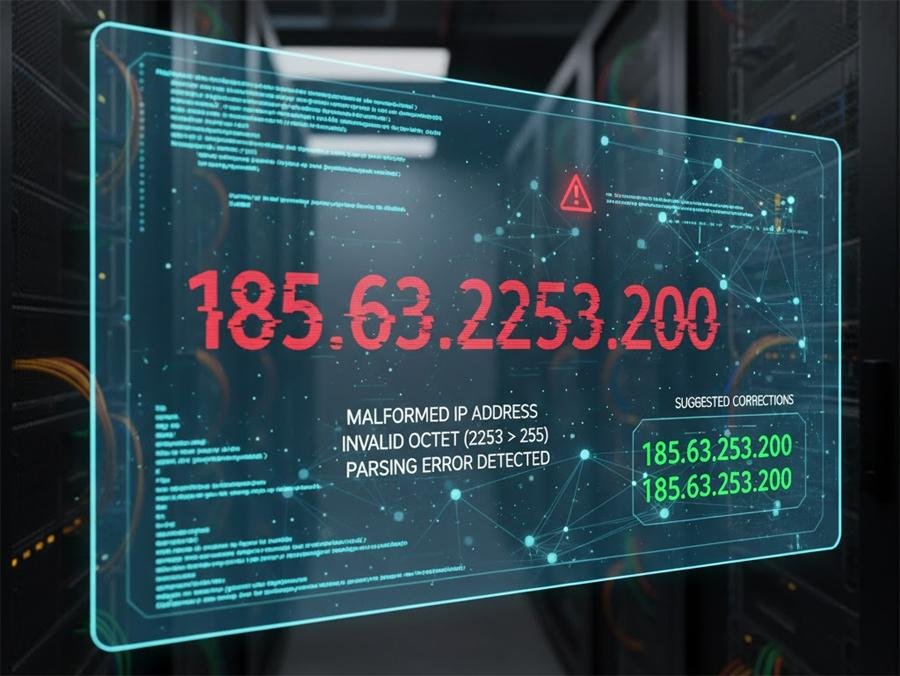
You’re scanning logs and spot 185.63.2253.200. It looks like an IP — but something about it feels wrong. The problem: malformed IP strings arrive in logs all the time, and they throw operators into two bad states — panic (block everything) or paralysis (ignore and hope it goes away). Both are risky: a mistaken block can break services; ignoring a real attacker wastes time and leaves an exploit running. This guide explains, clearly and practically, why 185.63.2253.200 is invalid, how to map it to likely real addresses, and gives a compact, reproducible playbook (investigate → enrich → contain → report) so you handle this quickly and confidently.
3 VPNs That Pass All Tests (2025)
- NordVPN: Zero leaks in tests, RAM-only servers, and Threat Protection to block malware.
- Surfshark: Unlimited devices, Camouflage Mode for bypassing VPN blocks, and CleanWeb ad-blocker.
- ExpressVPN: Trusted Server tech (data wiped on reboot) and consistent streaming access.
Quick answer: Is 185.63.2253.200 a real IP?
No — it’s malformed. IPv4 addresses use four octets (numbers separated by dots) and each octet must be between 0 and 255. The segment 2253 exceeds 255, so 185.63.2253.200 cannot be a valid IPv4 address. This is an encoding/format issue rather than a new addressing scheme. For the technical definition of IPv4 addresses see the Internet Protocol specification.
Why malformed IPs show up (real causes)
Log parser errors: A stray delimiter or missing quotes in logging can shift fields so an adjacent number string fuses into an IP field.
Human typos: Copy/paste mistakes (missing dot) or digit transposition (
2253→253).OCR / screenshot extraction: If someone copied text from an image or PDF, OCR can merge digits.
Obfuscation or data poisoning: Malicious actors sometimes insert malformed strings to confuse automation or evade simple filters.
Header injections: Malformed
X-Forwarded-Forheaders or proxy misconfigurations can create weird log entries.
Likely intended addresses (what the string usually means)
When you see 185.63.2253.200, operators usually mean one of these valid IPs:
185.63.225.200— missing dot between225and200.185.63.253.200— digits transposed (2253→253).185.63.23.200or185.63.225.30— OCR/formatting errors can reorder digits.
A common real-world block near these values is 185.63.253.0/24 (HOSTPALACE CLOUD). If you’ll investigate any corrected candidate IP, start with a RIPE/WHOIS lookup to find the network owner and abuse contact.
Short playbook: what to do in the first 30 minutes
Preserve evidence — don’t edit or delete the raw log line. Add it to an evidence file with timestamps (UTC).
Search for nearby matches — grep for
185.63.225,185.63.253,185.63.23and for the exact timestamp window.Check real client IP — if behind Cloudflare, a load balancer, or proxy, verify
X-Forwarded-Foror origin IP fields. Malformed entries often reflect a field shift.Re-parse logs — run your log parser with strict format settings (or use structured JSON logs) to see if fields realign.
Enrich candidate IPs — run WHOIS/RIPE and light reputation checks on plausible valid IPs.
Contain, don’t obliterate — apply temporary rate limits or WAF rules, not broad /24 blocks.
Report if needed — if abuse is confirmed, open a ticket with the upstream provider (WHOIS gives abuse contact).
7 Best Antivirus with VPN to Protect from Malware and Privacy Threats
Reproducible 6-step investigation workflow
Step 1 — Normalize and re-parse
If you use Nginx/Apache, re-run parsing using the exact log format (combined/combinedvhost). For structured logging, validate JSON schema; for text logs, run a script that splits fields on known delimiters and flags out-of-range octets.

Example quick regex to find malformed dot-decimal sequences:
Hello,
We observed repeated requests from IP 185.63.253.200 (see samples below) targeting /wp-login.php with suspicious payloads. Timestamps (UTC): 2025-11-04T09:12:45Z, 2025-11-04T09:13:02Z.
Sample raw log line:
[raw line copied here]Please investigate this IP and provide next steps. We are available to share additional logs and packet captures.
Regards,
[Your name], [Org], [Contact info]
Preventive measures (so this doesn’t keep happening)
Structured logs (JSON): avoid delimiter issues.
Log validation CI job: run a daily scan for malformed IP patterns and alert if found.
Centralized SIEM: normalization exposes real client IPs even when fields shift.
Playbooks and guardrails: short SOPs (who can add WAF rules, how to validate) prevent overreactions.
Cloudflare Outage Cripples ChatGPT, X, and Key Global Services After ‘Unusual Traffic’ Spike
Key Takeaways
185.63.2253.200is malformed — IPv4 octets must be 0–255. Treat such entries as parsing/typo artifacts.Don’t block blindly. Validate candidate corrected IPs before applying permanent blocks.
Follow a short investigation workflow: re-parse → correlate → enrich → contain → report.
185.63.253.0/24 is a real network (HOSTPALACE CLOUD); use RIPEstat/WHOIS to find abuse contacts for plausible IPs.
Prevent with better logs and playbooks. JSON logs, SIEM normalization, and a typo-response SOP reduce risk and mean faster, safer action.
FAQs (People also ask)
Q: Could 185.63.2253.200 ever be a valid IPv6 address?
No. IPv6 addresses use hexadecimal groups separated by colons (e.g., 2001:db8::1) — they don’t take dot-decimal octets like IPv4.
Q: Should I block 185.63.253.0/24 if 185.63.2253.200 appears once?
No. Blocking an entire /24 can impact many legitimate tenants on a hosting provider. Use targeted blocks or rate limits and report confirmed abuse to the provider.
Q: What quick tool can show who owns a suspect IP?
Run a RIPE/WHOIS lookup (for European space) or use RIPEstat/ipinfo/bgp.he.net to get network owner and abuse email.
Q: How do I detect malformed IPs in large logs?
Run a regex scan for octets >255 or octets with 3+ digits; a daily job in your log pipeline can surface them and create a ticket automatically.
Conclusion
A string like 185.63.2253.200 is unsettling but usually harmless — it points to a formatting or processing error, not a mystical new address type. The right response is pragmatic: preserve data, normalize logs, find plausible valid IPs, enrich with WHOIS/reputation, apply measured containment, and report. That path protects uptime and ensures you target the real actor when one exists.
Sources (official / authoritative)
RFC 791 — Internet Protocol (IPv4 specification). IETF Datatracker
RIPEstat / WHOIS for 185.63.253.0/24 (HOSTPALACE CLOUD) — use RIPEstat for abuse contacts and network details. RIPEstat
Now loading...


