Wordpress

WordPress Themes Giveaway From TemplateMonster

TemplateMonster is running a contest, where 8 winners will get the WordPress theme of his choice. Well, you guys know what they are offering? Lets say it once again for n00bs.

We are thrilled to be partnering with TemplateMonster project for the initiative and support of their WordPress promo campaign. And now we announce the beginning of a new interesting WordPress Lottery that will target the variety of professional WordPress themes available at TemplateMonster and give our readers one in a lifetime chance to get their favorite WordPress templates for free!

As a powerful web platform, WordPress is now managing various facets of web design, including blog sphere, portfolios, design galleries, online business activities and even eShops. So, if you need a quick makeover of your website – this is a real opportunity to bring your project a valuable solution that drives efficient results and expands functionality.

This contest will run from February 7, 2011 to February 12, 2011 and we will select the winners randomly by running MySQL query. Result can be announced any day before February 14, 2011 so keep visiting here or subscribe to our rss feed to get the latest updates. To participate in the contest and win WordPress theme from TemplateMonster, All you have to do is :

1. All you have to do is choose – out of all WordPress Templates available at TemplateMonster – one theme that you like most and then drop us its ID here in the comments section giving the reasons for your preference with your name.

2. Use valid email ID in the email box.

3. Make sure that you are following @SmashingApps on twitter and subscribe our rss feed to track this contest and for future updates.

4. And that’s it!

So what are you waiting for now? Let’s participate in the contest and good luck!

13 Most Robust WordPress Plugins To Speed Up Your Blog’s Loading Time

There are hundreds of wordpress plugins available on the internet. Some of them are very useful and some of them are only for the sake of existence. But it’s totally up to you that how you can make your wordpress blog more strong and powerful using different plugins to give your blog readers an amazing and wonderful experience. In this post, We are listing down  wordpress plugins that are really essential for every blog.

You are welcome if you want to share more blog loading time speed up wordpress plugins that our readers/viewers may like. Do you want to be the first one to know the latest happenings at  SmashingApps.com just subscribe to our rss feed and you can follow us on twitter as well.

W3 Total Cache

W3 Total Cache improves the user experience of your blog by improving your server performance, caching every aspect of your site, reducing the download time of your theme and providing transparent content delivery network (CDN) integration. With this plugin, you can save up to 80% Bandwidth via Minify and HTTP compression of HTML, CSS, JavaScript and RSS feeds. We personally use W3 Total Cache and recommends this plugin to our all the visitors.

WP Super Cache

WP Super Cache

WP Super Cache is a static caching plugin for WordPress. It generates html files that are served directly by Apache without processing comparatively heavy PHP scripts. By using this plugin you will speed up your WordPress blog significantly.

HeadJS Loader

This plugin reformats your page to utilize Head JS in your WordPress site. It strips out all your old javascript declarations and puts them into head.js calls so that they are loaded in parallel.

Plugin Organizer

This plugin allows you to change the order that your plugins are loaded. It also adds grouping to the plugin admin age.

JS & CSS Script Optimizer

This plugin will help you make your website more quick. It can grouping and packing Java Scripts and CSS. Also it makes fewer HTTP requests.

WP Minify

This plugin integrates the Minify engine into your WordPress blog. Once enabled, this plugin will combine and compress JS and CSS files to improve page load time.

Scripts Gzip

A WordPress plugin to merge and compress the CSS and JS links on the page. It does not cache, minify, have a “PRO” support forum that costs money, keep any logs or have any fancy graphics. It only does one thing, merge+compress,
and it does it relatively well.

html-compress

This plugin clears html of web page. It reduces space, tab, etc. on all source content, including in line css and javascript.

Performance Optimization: Order Styles and Javascript

What if you are using plugins and that are adding calls to JavaScript and CSS files dynamically. This is case of WordPress blog, where we use many plugins and those plugins add various Styles and Script files dynamically from wp_head() call. This plugin helps you assign the order to stylesheet and JavaScript (external and inline) for performance optimization.

External Files Optimizer

It automatically combines and compress css/js files generate with wp_head() and wp_footer().

WordPress Gzip Compression

It enables gzip-compression if the visitor’s browser can handle it. This will speed up your WordPress website drastically and reduces bandwidth usage as well. Uses the PHP ob_gzhandler() callback.

WP Parallel Loading System

The WP Parallel Loading System is a wordPress plugin that will enhance the loading efficiency of your Blog.

CloudFlare

The CloudFlare WordPress Plugin ensures your WordPress blog is running optimally on the CloudFlare platform.

The Ultimate ‘Best Of 2010′ Resources For People Who Create Designs

Today, we are going to take a look on few of the best of 2010 collection for designers and developers that we think you would really like to bookmark for 2011. We hope you guys will like this stunning collection of inspiration, resources, tutorials and showcases of design related stuffs. Just take a look at them and share your thought’s here.

You are welcome if you want to share more cool best of 2010 collection that our readers/viewers may like. Do you want to be the first one to know the latest happenings at  SmashingApps.com just subscribe to our rss feed and you can follow us on twitter as well.

33 Creative Movie Posters of 2010

The 69 Coolest Apps Of 2010

Best of 2010: Sites of the Week

The best of the best tools and resources for web design of 2010

Top 50 Free Fonts Created in 2010

Best Free Textures and Patterns of 2010

40 High Quality Free PSD Files Released In 201040 High Quality Free PSD Files Released In 2010

Best of Best WordPress Tutorials of 2010

The Best Premium-Like Free WordPress Themes Of 2010

Our Favorite Photoshop Tutorials of 2010 on Psdtuts

A Review of Web Design Trends from 2010

Absolutely Amazing Techniques To Create Eye-Catching Websites With JQuery (Best Of 2010)

Best of the Best Photoshop Tutorials from 2010

The Top 50 Best Digital and CG Artworks from 2010

21 Best Tutorials for Creating Icons in Photoshop from 2010

Awesome Tutorials That Will Make You Acquainted With What Photoshop Can Do (Best of 2010)

Best Illustrator Tutorials from 2010

The Top 100 Best Business Cards from 2010

50 of the Best Photoshop Tutorials of 2010

Best Icon Sets Of 2010 You Would Not Want To Miss

5 Excellent WordPress Plugins To Add Social Media Buttons On Your Blog

WordPress is the world’s most popular blogging platform where thousands of users register everyday and launch their blogs. The main attraction and comfort of using WordPress is the ability to launch a blog within a matter of minutes. While maintaining a blog it is very important to promote it on social media networks like Digg, Reddit, Stumble and a lot more. If you’re looking for WordPress plugins that automatically adds social networking buttons with every article that you write then We have compiled the perfect list for you guys.

Below are some of the most useful and popular WordPress plugins that will let you and your readers promote your articles easily.

Digg Digg WordPress Plugin

As the name suggests Digg Digg plugin allows you to post articles on various social media networks. Currently it integrates with Digg, Reddit,  Dzone, Yahoo Buzz, Twitter, TweetMeme, Topsy, Facebook Share / Like, StumbleUpon, Delicious, Sphinn, Google Buzz buttons, Designbump,The web blend and BogEngage. Other than that you can place your buttons according to your theme’s display.

Social Media Page

Social Media Page is another WordPress plugin that serves the same task. Once installed you can easily add a list of links to your social media profiles on a page or post of your choice through the use of a simple tag. In addition to that a widget is also added so that you can display this list of links in the side menu of the site.

ShareThis

ShareThis is a very popular WordPress plugin currently used by over 850,000 sites. This plugin allows users to share content through email and moer than 50 social networkings including Digg, Stumbleupon, Twitter, Buzz and Facebook.

Gregarious

Offering great interface Gregarious WordPress Plugin allows seamless integration between your WordPress Blog and social bookmarking sites such as Digg.com, Del.icio.us, Reddit and more.  It is the ultimate social bookmarking plugin for WordPress users.

AddToAny

AddToANy is dedicated to helping people around the world share, bookmark, and email articles using mutilple social networking services like Twitter, Facebook, Digg, and many more. It comes with a customizable Smart Meny, which places the services visitors use at the top of the menu, based on each visitor’s browsing and usage history.

If you have more suggestion do not hesitate to use the comment box below and mention them.

Premium-Like Free Themes To Create More Than “Just Another WordPress Blog”

In this article, we are going to show you an amazing collection of extremely unique premium-like free wordpress themes that you can use to create sites that are not just a weblog. You may have so many options to choose from to convert your simple blog to a highly customized purpose-built website. Using wordpress as a base platform, it’s really easy to update, fast loading and professional looking sites that you ever think of.

You are welcome if you want to share more creative wordpress themes which our readers/viewers may like. Do you want to be the first one to know the latest happenings at  SmashingApps.com just subscribe to our rss feed and you can follow us on twitter as well.

MiniCard Theme

MiniCard is a social network/business card WordPress theme. This theme lets you add links to all the social networking sites you may be a member of, and post useful information such as bio’s and contact details. It also has built in hCard support and (optionally) lets you offer a vCard for visitors to download your contact information.

RoloPress

You can keep track of phone numbers, email addresses, websites, social networks and many other types of information using RoloPress.

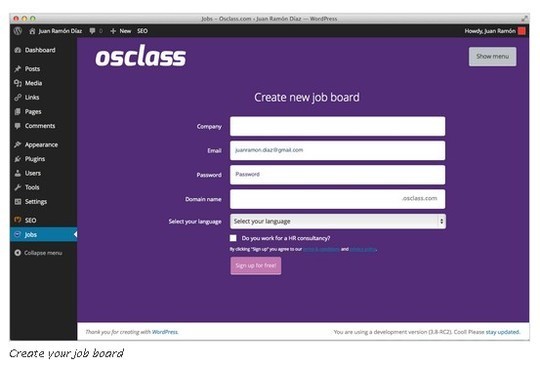
WP-Jobboard

With this theme you will be able to turn your wordpress install in a simple jobboard.

LiveTwit

LiveTwit is a light weight theme. On the leftsidebar, it lets you change the logo, highlight your site message and in the FriendMeUp box, you may set your social media profile links.

GTD

If you are looking to collaborate with a small team or, you need a private blog where only your team members can view, share files and write the content without going to backend, this is the theme you’ve been looking for.

Visiting Card theme for WordPress

Visiting Card theme for WordPress is very simple yet useful theme that you would love set up on your personal website.

GuruQ

Using GuruQ as a theme can allow your visitors to post questions to a Guru (you or dedicated expert). The Guru can answer the questions via a WordPress admin screen.

Aggregator

Here’s another free theme that will aggregate all your feeds of all kind at once place in attractive format.

AppCloud E-Commerce WordPress Theme

AppCloud is clean and professional looking e-commerce wordpress theme. It is integrated with WP E-commerce and can work really great if you are going to start product based e-commerce website.

WP-Snippets Helps You Get Code Snippets To Facilitate WordPress Theme Development

WordPress is a highly popular blogging platform. Over the years the platform has seen countless improvements and today, it continues to improve the user experience it offers. Apart from being reliable and secure, WordPress offers great visual appeal through its countless themes.

Web developers have contributed a lot to WordPress by building themes for the platform. By spending time on visualizing a theme and then coding it, developers can share their brilliant blogging designs with other WordPress users. If you are a WordPress theme developer looking for a way to reduce the time spent on coding, check out the brilliant website WP-Snippets.

WP-Snippets is a free to use website with a fitting name. The site provides visitors with different snippets of code for WordPress themes. These snippets correspond to a variety of functions; ranging from “Remove Metadata Generator” to “Change Login Logo” you will find many snippets.

clip_image004

The snippets are listed in a tag cloud on the site’s homepage. You can use the search bar to filter the snippets and find the one you are looking for.

clip_image006

Clicking on your snippet will take you to its page.

clip_image008

The snippet’s page includes a brief description of the code. Scroll down and you will find the code itself. If any additional explanations or special instructions on how to use the snippet are required, they are included under the code.

You can share the snippet with your other WordPress developer friends via sharing the snippet’s URL or directly Tweeting it using the button provided on the top right.

In conclusion, WP-Snippets is a must-bookmark website for WordPress theme developers.

I’ve Got a Blog, Now What Do I Do? [Slideshow]

These days we all are noticing that thousands of new blogs are starting every day to get in the race of influential blog of the industry. But only few of them could survive and stay in the battlefield fighting with existing giants. Well, I know this is not possible to fight but yes they at least try to find their place in the market. Well, to be honest many of the blogs owners really dont know how to get the word out about them and inspire their first time visitors to come again to create a strong community.

A friend of mine Syed Balkhi at WPBeginner recently created and launched a really useful and directive slideshow to make the new blog owners lives easier than ever. As the title of slideshow says everything “I’ve Got a Blog, Now What Do I Do?”, it would be enough good if someone will really want to do something to establish their blog in decent period as after reading this you guys would not need to invent the wheel again. huh! I mean he put all of his experience and mature understanding in this slideshow to deliver the actual knowledge that anyone could wish.

This slideshow consist worth-checking 50 slides which covers decision to start a blog to setting up and launching then content selection to excellent copywriting. After this, using all the possible platforms to spread out the word about your blog like getting you active on social media e.g. twitter, digg, reddit, stumbleupon etc for getting massive feedback on your posts. In short, it has so many things that you can learn to enhance your blog’s future and increase your reader base.

I’ve Got a Blog, Now What Do I Do?

I’ve Got a Blog, Now What Do I Do? – Presentation Transcript

  1. I’ve Got a Blog, Now What Do I Do?
    The Holy Grail of Blogging
  2. Syed Balkhi
    Founder of WPBeginner.com
    @wpbeginner
  3. What is WPBeginner?
    WordPress resource site launched on July 4th, 2009.
    In less than a year, this site has been mentioned in Wired Magazine, Webmonkey, Mashable.com, Problogger.net, Smashing Magazine, and others.
    Top twitter users like Robert Scoble, Darren Rowse, Jeremy Schoemaker, John Chow, Neil Patel, Mashable, and countless others have retweeted @WPBeginner.
  4. Right Now:
    This site has a Google Pagerank of 6.
    Alexa Rank of 13,000.
    Over 50,000 backlinks.
    Total Social Media and RSS Following of over 34,000 users.
    All in less than a YEAR with $0 spent on advertising.
  5. To Rent Or To OWN??
    Credit: Seier and Paddy
  6. DID YOU GET IT RIGHT?
  7. GOALS, GOALS, GOALS
  8. “A brand should strive to own a word in the mind of the consumer.”
    Al Reis and Laura Reis
  9. Don’t make it Confusing!
    Del.icio.us
    vs.
    Delicious.com
    Credit: Tinypoems
  10. PEOPLE ARE SHALLOW!
    Credit: Prakhar
  11. CONTENT IS KING
  12. Must Have WordPressPlugins
    • Akismet
    • All in one SEO Pack
    • Contact Form 7
    • WP Super Cache
    • WP-DB Backup
    • Subscribe to Comments
    • Google XML Sitemap
    • Comment Redirect

    All of these plugins are free and can be found in the WordPressPlugin Directory.

  13. Thank YOU
  14. Analytics
  15. (S)(E)(O)
  16. Write for the peopleNOT the bots…
    Website’s don’t link to other websites. It is the people who point to other people‘s work.
  17. User (SEO) Friendly URLs
    /%category%/%postname%/
  18. Use AIOSEO Properly
  19. Link Baiting
    • List Posts
    • Contest / Giveaways
    • Free Tools
    • Controversy / Attacks
    • Be the First (NEWS)

    Credit: Toon Refugee

  20. BEAUTIFUL DESIGNS CAN GET YOU A BACKLINK
  21. SEO Checklist
    • XML Sitemap
    • Semantic Web Markups <h1><h2>
    • Image Tags (Alt=“”)
    • Rel=nofollow
    • Limit External Links
    • Increase Internal Linking (Related Posts)
  22. WHY SOCIAL MEDIA?
  23. “Word of Mouth Advertisement is the most effective form of advertisement”
  24. TO GET CONNECTED.
    TO GET NEW USERS.
    TO INTERACT WITH READERS.
  25. TWITTER
  26. TWITTER CHECKLIST
    • Custom Background.
    • Good Profile Photo.
    • Multiple Profiles??
    • Interesting Tweets.
    • Use Hashtag
    • Retweet Button
    • Don’t Whore Yourself.
  27. It’s not about the Quantity.
  28. Eat. Sleep. Tweet.
  29. SCHEDULE YOUR TWEETS
    Twitter can be distracting.
    Use Hootsuite.com or Tweetdeck to schedule tweets.
    Twitter is the 2nd highest traffic source on WPBeginner.
  30. Twit-baiting
    Check out @wpbeginner if you have any questions related to #WordPress
    Win a free copy of @templatic#WordPress Themes from @wpbeginner – http://bit.ly/aaNjVo (Simply RT to Enter)
  31. “Twitter Search is the best place to find new clients.”
  32. FACEBOOK
  33. “Facebook is the opiate of the masses.”
    - Karl Marx (Modified)
  34. FACEBOOK CHECKLIST
    • Fan Page.
    • Custom Fan Page URL.
    • Custom Landing Page.
    • Facebook Share Button.
    • Facebook Like Button.
    • Don’t SPAM other fan pages.
  35. DIGG. SU. REDDIT.
  36. THE DIGG/Reddit EFFECT
    #1 Rule, don’t abuse digg or reddit.
    Don’t submit your own content.
    Neither Digg nor Reddit has any SEO advantages.
  37. “Not every article deserves to be bookmarked”
  38. BLOG COMMENTS
  39. Advantages
    Top Commentator Backlinks.
    Brand Identity due to Gravatar.
    Connection with the Blogger (That’s how I met Darren Rowse).
    More Exposure and Traffic.
  40. GUEST BLOGGING
    Nice way of Stealing traffic and bringing it to your website.
  41. Guaranteed Exposure
    Get Paid to increase your reputation and get traffic to your website.
  42. Forums
    Digitalpoint Forums
    Problogger Forums (Paid Access)
    Namepros Forums
    Sitepoint Forums
    WPTavern Community
  43. NETWORK!!
    • Exchange Backlinks.
    • Retweet each other.
    • Guest Blogging.
    • Social Media Votes.
  44. REVISIT YOUR GOALS
  45. TIME TO QUIT? (EXIT STRATEGY)
  46. PERSONAL & PROFESSIONAL
    Build TWO brands.
    @syedbalkhi and @wpbeginner
    Leverage them to help each other grow.
    Great exit strategy and excellent for new startups.
  47. Resources

    http://www.wpbeginner.com/

    http://www.balkhis.com/for-starters/how-to-launch-a-new-blog-successfully/

    http://problogger.net/

    http://mashable.com/

    http://fuelyourblogging.com/

  48. Who am I? How to Reach me?
    Syed Balkhi
    Founder of WPBeginner.com
    CEO of Uzzz Productions (uzzz.net)
    Contact:
    Email: admin@wpbeginner.com
    Twitter: @wpbeginner / @syedbalkhi
    Facebook: http://facebook.com/wpbeginner

Congratulations To The Winners Of Magic Members WordPress Plugin

Thanks to all of the participants of contest in which you could Take A Chance To Win Single License Of Magic Members WordPress Plugin. We ran the MySql random query and selected these commenter to give them Single License Of Magic Members WordPress Plugin.

  1. Janine
  2. Tribak
  3. Sriganesh
  4. Tom
  5. Matt Adams

Magic Members is a premium WordPress Membership Plugin that turn your WordPress blog into a powerful, fully automated membership site. This WordPress membership plugin, takes your membership site to the next level with the ability to control access to different levels across your membership site. The ability to offer different membership access to different areas, such as a download area, increases value for your membership levels.

magic-members

In addition to the different levels of membership, you are also able to set different membership billing options with an unlimited amount of subscriptions. Whether you want to charge daily, weekly, monthly or even annually, you will have complete control in how your members pay for their subscriptions. For example, ‘Standard’ memberships may pay monthly, while ‘Premium’ memberships pay annually.

magic-members-dashboard

You may expect to pay $2,000 – $3,000 for such an easy to use, full-featured membership application that does not require you to switch to a different system. Magic Members is a fully integrated WordPress membership and subscription plug-in that quickly takes your blog from an ordinary blog to a powerful membership site.

Congratulations to all the winners from SmashingApps.Com. All of the winners will be contacted in few days. If you are not winner at this time so please be patient and keep visiting here or subscribe to our rss feed, you can follow us on twitter because we are coming up with another new great contest in couple of days.

Thanks to Magic Members for sponsoring this wonderful contest at Smashing Apps.

If you want to conduct any contest at Smashing Apps just contact us and send us all the details.

Take A Chance To Win Single License Of Magic Members WordPress Plugin

Magic Members is running a contest, where winners will get 5 single user license (worth $97 each). Well, you guys know what Magic Members is. Lets say it once again for n00bs.

Magic Members is a premium WordPress Membership Plugin that turn your WordPress blog into a powerful, fully automated membership site. This WordPress membership plugin, takes your membership site to the next level with the ability to control access to different levels across your membership site. The ability to offer different membership access to different areas, such as a download area, increases value for your membership levels.

magic-members

In addition to the different levels of membership, you are also able to set different membership billing options with an unlimited amount of subscriptions. Whether you want to charge daily, weekly, monthly or even annually, you will have complete control in how your members pay for their subscriptions. For example, ‘Standard’ memberships may pay monthly, while ‘Premium’ memberships pay annually.

magic-members-dashboard

You may expect to pay $2,000 – $3,000 for such an easy to use, full-featured membership application that does not require you to switch to a different system. Magic Members is a fully integrated WordPress membership and subscription plug-in that quickly takes your blog from an ordinary blog to a powerful membership site.

Built specifically for WordPress blogs, Magic Members will easily create your membership site. The easy-to-use interface gets rid of the “technical” side, allowing you to create and manage your membership site without worry.

This contest will run from May 20, 2010 to May 27, 2010 and we will select the winners randomly by running MySQL query. Result can be announced any day before May 30, 2010 so keep visiting here or subscribe to our rss feed to get the latest updates. To participate in the contest and win free license of Magic Members, All you have to do is just :

1. Just leave a comment.
2. Use valid email ID in the email box.
3. Not necessary, but you can subscribe to our rss feed and follow us on twitter as well. (To track this contest and for future updates)
4. And thats it!

So what are you waiting for now? Let’s participate in the contest and good luck!

SWF & FLV Player

Congratulations To The Winners Of WordPress Theme And jQuery Template By FlashMint

Thanks to all of the participants of contest in which Win A Copy Of WordPress Theme Or jQuery Template By FlashMint. We ran the MySql random query and selected these 16 commenter to give them WordPress Theme And jQuery Template By FlashMint.

FlashMint is a leading and incomparable Flash Templates provider known to supply web masters with the exclusively sufficient collection of premium web layouts together with the most helpful and supportive service.

WordPress Themes (2 licenses for each template)

WordPress Themes by FlashMint comprise innovative possibilities allowing to use interactive options within your website powered by WordPress. Satisfying contemporary web design technologies, Flash Animated WordPress themes possess premium quality and ingenious design ideas making your site the most vivid and dynamic source on the web.

Flipbook photo blog wp flash template

Won by Radwa samir and aamir shah

Travel blog wordpress theme

Won by pina and Paul

Freelance writer wordpress theme

Won by Silvio and drahendra

Movie actor wordpress theme

Won by camilia and Abdelhadi Touil

Photographers blog flash animated wordpress theme

Won by Jen and HeriNXI

Skylab design studio wp theme

Won by flashscope and Dawg Digital

jQuery Templates (1 license for each template)

jQuery Templates developed by FlashMint will become an excellent solution for establishing a stunning dynamic website which will stand out by premium quality and high grade design. Using our unique jQuery templates you will be able to create any online presence you need for your particular purposes with minimum time and effort no matter whether it is a personal home page or a corporate project. You are not required to possess any development skills to set up a live and vivid website which will look unmatched and impress your every visitor due to the superb facilities of our exclusive jQuery Templates.

JQ Studio jQuery template

Won by Debbie Chiang

Crazy design portfolio JQuery template

Won by antonio de castro

Accordion jQuery Studio template

Won by Ayaz Malik

Strawberry jQuery slider template

Won by Optimize Guyz

Congratulations to all the winners from SmashingApps.Com. All of the winners will be contacted soon. If you are not winner at this time so please be patient and keep visiting here or subscribe to our rss feed, you can follow us on twitter and do not forget to become our fan on facebook as well. because we are coming up with another new great contest earlier next week.

Thanks to FlashMint for sponsoring this wonderful contest at Smashing Apps.

If you want to conduct any contest at Smashing Apps just contact us and send us all the details.