Demo Tour
What Internet Explorer 9 Can Do For You? Let’s Take A Test Drive To Find Out
Internet Explorer 9 will be the next version of Internet Explorer. The first public preview of IE9 was released on 16th of March, 2010 and as Microsoft promised the release of preview every 8th week, the 2nd preview of IE9 was released on 5th May, 2010. You can grab the new Internet Explorer 9 Platform Preview by visiting the Internet Explorer 9 Test Drive website. General Manager for Internet Explorer, Dean Hachamovitch, has posted to the IEBlog about Internet Explorer 9 Platform Preview 2 you can get detailed idea of what it will be like, he discussed some test results with IE9 like with SunSpider JavaScript, Acid3, API Usage, and CSS3.
The Internet Explorer 9 is designed specifically for web designers and focused primarily around same markup and what that means for developers. The system requirements for IE9 are Windows Vista SP2 (with Platform Update and Internet Explorer 8 ) or Windows 7. Unfortunately Windows XP is not supported. The final build is expected in 2011 which I am not sure of. Well IE9 will use graphic advances in terms of GPU (Graphical Processing Unit), as well as windows 7′s DirectX 11. IE9 will support CSS3 specially round corners, HTML 5, XHTML SVG, DOM, embedded ICC v2 or v4 color profiles via Windows Color System, and the HTML5 video and audio tags was also promised. I will try describe some benefits of IE9 for you.
1. Speed
Using the GPU(Graphical Processing Unit), IE9 does more work and due to this, there is less load on CPU, it also enabling other browser subsystems to do more, as well as enabling higher frame rates for smooth animation and video playback. IE9 will leverage the graphics card in order to better render text, images, video and SVG (vector graphics). For some graphical operation the GPU is a much better choice, like the GPU executes alpha blending and bilinear image scaling much faster than the CPU, and uses pixel shades to perform complex per pixel calculations.
2. Zooming in Browser
Have you ever tried Zoom In and Out in your browser like in Google Earth? Well you may have observed that it goes pretty slow. Now the IE9 uses GPU to scale images and other content, to make browser’s zooming very fast – as you can see the map zooming demo on ietestdrive.com. You were already able to set the size of all UI elements on the screen in IE8 and now IE9 will use GPU to make it more fast.
3. Hardware-accelerated HTML5 Video
To play HTML5 videos, IE9 will use Windows Media Foundation system which makes the most of your graphics card using the CPU or the hardware video decoder if available. The hardware video decoders reduce the CPU usage and it greatly improves battery life. The IE video engine decodes video directly with and into the GPU. Once the video frames are decoded, they can be treated like any other bitmap in the graphics pipeline with full compositing and integration into the rendering system.
4. Support of High Quality image and color
To decode PNG, JPEG and (new for IE9) TIFF and JPEG XR images, IE9 uses the Windows Imaging Component (WIC). For a lot of uses, JPEG XR offers a good compression improvement over JPEG, allowing you to serve higher quality images at the same file size. In addition to being up to 30% faster than IE8 decoders, the new WIC decoders understand embedded color profiles in images, making IE9 a color-managed browser that understands ICC v2 and v4 profiles.
5. Text Quality and Performance of Text Animation
To do text output, IE9 uses the GPU (via DirectWrite) which is up to twice as fast as IE8, and with higher quality. With IE9 the Text can be smoothly animated, and sub-pixel positioning is a more faithful representation of the Web (and font) designer’s intent. Internet Explorer 9′s sub-pixel text positioning is made possible by the new Windows 7 Direct2D and DirectWrite
technologies.
6. High quality graphics printing
You need a high quality print subsystem to do high quality printing of HTML5. Internet Explorer 9 directly converts web content into XPS format when sending output to the printing system. XPS is a more modern print system with native support for features such as opacity and complex paths, which results in increased fidelity and quality when printing modern web content.
Conclusion
Seems like its all about speed and performance but I don’t think a software can speedup something? I think the performance of IE9 will depend upon your hardware capability, so its a bit disappointment though like you will need Windows 7 or Vista and it definitely means you need a new and fast machine and then you will be able to see what IE9 can do for you. So what about the people who has XP and comparatively slower machines? Finally, IE9 will support CSS3 specially rounded corners, well many other browsers have supported these things for years. Well I hope this would be a revolutionary product from Microsoft, but I don’t think Safari, Chrome, and Firefox will just sit there and watch. As Google (Google) has just released a video demonstrating the speed of the new beta of its Chrome web browser.
How to Get Free Content and Media Hosting at Screencast.com
Let’s say you’ve created a video or image you want to share, but you don’t want it saved to your computer. You want to save it in a safe place, where you can access it at any time. You want some storage options, and the ability to share it in multiple file formats… or keep it private. You want its original integrity to stay intact. And you want complete control.
You’re picky… but you have a right to be. Good thing Screencast.com was designed for content creators like you. At Screencast.com, you’ll get all of the above and more—plus it’s free.
What is Screencast.com?
Screencast.com is a free web service from TechSmith Co. that lets you upload, manage and share your content without changing a thing. From high-quality videos, to presentations, documents and images—Screencast.com gives your content the perfect home.

How does it work?
Step 1: Upload files
Logging into Screencast.com automatically takes you to the Library where you can upload your content. You can use any content creation tool to upload your videos and images to Screencast.com. But when you use TechSmith software—like a video recorded and edited with Camtasia Studio, or a quickly marked up image and video with Jing—you can directly upload to Screencast.com from within the application.

- Keep the original quality. What you upload is exactly what your viewers see. Content hosted on Screencast.com isn’t compressed or re-encoded into a “one-size-fits-all” format.
- Control the rights to your own content. Anything you upload to Screencast.com still belongs to you. So feel free to delete files you’ve uploaded and make room for something new.
Step 2: Store and protect
Create a folder in Screencast.com and save the videos and images you want to keep in one place. Simply store your content… or turn it into a portal for viewers to access.

- Decide who views your content. Make a folder public and visible to everyone. Hide it so only you can see it. Password protect it. Or make it so only authorized viewers can access your content.
- Access the stats on your content. At a glance, you can see how many times a specific file has been viewed and how much bandwidth each file is using.
Step 3: Share in multiple formats
Uploading is only part of it. Share your stuff outside of Screencast.com easily with a URL or send a link directly to your viewers. Screencast.com even gives you HTML embed code so you can post images and videos on your own website or blog.

- Share in high-quality. With options like Flash, WMV, QuickTime and others, Screencast.com is sure to give you the highest quality playback available.
- Share conveniently. Provide your audience with anything from a link to your content, to a MediaRoll widget, or to an RSS feed that they can subscribe to.
How do you get started?
Start off with a free Screencast.com account to instantly begin storing and sharing your content. With the free version, you’ll get 2GB of storage space and 2GB of monthly bandwidth at no cost. Or sign up for the Pro version of Screencast.com and get extra storage, bandwidth and customization options. With the Pro version, you’ll get 25GB of storage space and 200GB of monthly bandwidth for just $9.95 a month.
Whatever you do, your content will never be changed at Screencast.com. What you upload is exactly what you’ll see. So when you’re ready to share that video or image, or just save it for later, give Screencast.com a try. You’ll get your content, your way—every time.
Post content provided by Nikki Wickham at TechSmith Corporation.
Three Easiest Tools To Help You Create Stunning Slideshows
Today, we are listing Three Easiest Tools To Help You Create Stunning Slideshows. If you are designer, developer, office worker, manager, supervisor, student, home user, etc but we hope that these are worth checking for all of you. They are really amazing in respect to their features. And yes! all of these are absolutely free to use. Just take a look at them and share your thoughts here.
You are welcome to share more easy to use free slideshows tools that will be helpful and our readers/viewers may like. Do you want to be the first one to know the latest happenings at SmashingApps.com just subscribe to our rss feed and you can follow us on twitter as well.
With PhotoSnack it’s easier than ever to upload photos, create great photo slideshows, and share them with your friends and family. And by the way, it’s free.
Slideroll™ is a photo slideshow maker that you can use to create slide shows with your photos. Publish your slideshows on the internet, put them on MySpace or YouTube, and e-mail them to friends.
Slide delivers your favorite digital content to your desktop or Web site in the form of a simple, sleek and beautiful Slide show. Whether you want personal photos, stuff to buy or news and entertainment, this would be best for you.
8 Excellent Free Websites To Enjoy Your Weekend Or Just For Fun
What do you do normally on weekends? Find a way to get busy in something to refresh your minds? This post will make you busy on your weekends to spend your time in more interesting way. Here we are listing down few of the unique free websites that are fun to use for everyone of you. This is the post in which you will know about 8 Excellent Free Websites To Enjoy Your Weekend Or Just For Fun.
You are welcome to share if you know more sites that are useful on weekends which our readers/viewers may like. Do you want to be the first one to know the latest happenings at smashingApps.com just subscribe to our rss feed and you can follow us on twitter as well.
You may be interested in these older posts
7 New And Useful Free Sites With Unique File Hosting Features
11 Premium But Free And Useful Web Apps For Designers
31 Power Tools For Twitter Lovers To Make Lives Easier
23 Magical Photographs To Believe That Are Not Photoshopped
13 Premium-Like WordPress Themes That Are Free And Stunning
21 Really Stunning Photoshopped Photos For Creative Inspiration
17 Mind-Blowing Digital Painting Tutorials Of Beautiful Girls
27 Eye-Opening and Inspiring Websites Of Top Brands
43 Of The Extremely Creative Wonders Of Macro Photography
31 Incredible Resources And Inspirations For Designers Like You To Discover The Best Of The Web In November
27 Best Places You Should Visit To Get Incredible Web Design Inspiration!
13 Simple And Elegant Free WordPress Themes
21 Extremely Vibrant And Creative Advertisements With Animals
39 Masterpieces Of Creative Advertisements
17 Digital Image Illustration Which You Probably Never Seen Before!
15 Digital Photo Manipulation From Flickr To Get Inspiration
23 Awesome Photos That Look Like They’re Photoshopped But Are Not
21 Simple But Impressive Corporate Web Designs Of Top Brands
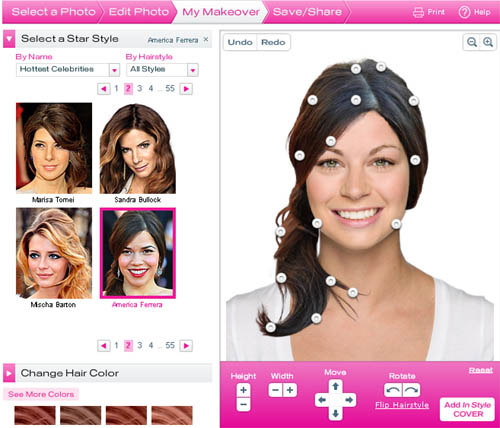
With Hollywood Hair Makeover, you can try on your favorite star styles and colors before you make a trip to the salon. Just upload your photo or choose a model and let the transformations begin. Print your favorite looks and e-mail them to friends.
IMVU is a new way to hang out and have fun with your friends online. Just like an old-school text-based messenger, you download IMVU’s software onto your PC. But with IMVU you can create your own avatars who chat in animated 3D scenes. You can browse for new clothes, shoes, hairstyles, accessories, pets, furniture and more in the IMVU catalog. All the products are created by IMVU users and thousands of new items are added every day.
You can watch your favorite videos right from your browser, anytime, for free. With full episodes of TV shows both current and classic, full-length movies, web originals, and clips of just about everything, Hulu is the place to watch and enjoy premium videos from the biggest names in entertainment.
The World Golf Tour experience allows golf enthusiasts to play the world’s most challenging and exclusive courses through superior HD graphics on a PC or Mac platform for free, no download or software needed. WGT’s online community allows friends, families and golf fans to play a round of golf simultaneously, competing in tournaments for prizes, sharing scores, testing out the newest equipment and reading the latest news in the golfing world.
Weather Bonk is a mashup that lets you view real time weather information on a map. This can provide some very interesting information, particularly in areas with microclimates. The data comes from a combination of personal weather stations that are run from homes and schools as well as national weather services.
Kinset is for those of us who like to shop. Stroll down an aisle with hundreds of items on display. Pause when something catches your eye. Browse and linger while discovering new things. That’s what real shopping is about, and that’s what makes Kinset the first online shopping that’s truly enjoyable.
Mashade.com is the exclusive website for editing video game trailers and in-game footage. Why just watch your favorite video game trailers when you can mash them, mix them, and make them your very own? Once you have created your original masterpiece, share it with the world by posing it to your own website, blog and/or social network.
PicArtia helps you to create your photo mosaic online for free. It is popular for being fast, easy and free. Photo Mosaics are great gifts for friends, family members and even yours. Most of their users would print it in large size and use it as a poster for their office or room wall. Some users even use it in their blogs, websites or post it as an online gift to their friends on different occasions like school gatherings or birthdays.
How to Create Free And Easy Panoramic Photos Using A Normal Camera
CleVR is a seriously easy way of creating and sharing panoramic photos for free. You can create stunning panoramas and turn them into interactive virtual tours. If you haven’t tried making panoramas before, this is the place to start. The CleVR Stitcher is the easiest photo stitcher out there. You will need to just drag and drop, click the button and it does all the work, joining your photos into a stunning panorama.
It’s really easy to embed the interactive viewer in your own site or blog. Just copy the snippet of HTML from the panorama page. You can even add interactive hotspots to your panoramas. These let viewers click areas in the panorama for more information. They can display notes, photos or video. They can also be used to link panoramas together into a full virtual tour.
You can simply use a normal camera to take the photos. No expensive equipment needed at all. Integration with Facebook and MySpace makes it incredibly easy to share your panoramas. Embed them on your profile or send them to your friends with just two clicks. Emailing a panorama is just as easy.
Free Online Diagramming Application To Create Professional Diagrams And Flowcharts
Lovely Charts is an online diagramming application that allows you to create professional looking diagrams, such as flowcharts, sitemaps, organisation charts, wireframes, and many more… With Lovely Charts’s extremely simple and intuitive drag’n drop drawing mechanism, you’ll be able to focus on what really matters. You won’t have to draw boxes and arrows, you won’t have to worry about what symbol to use.
Lovely Charts’s biggest strength lies in its innovative workflow and in its ability to generate lovely diagrams in minutes, with no effort. To view a diagram, Lovely Charts require users to be identified, by a login and password. A fully functional version of Lovely Charts is available for free.
Launch A Free And Synchronized Document Collaboration Web-Meeting With Anyone
ShowDocument is a free service for online meetings with fully synchronized co-browsing of any document. It is a quick and simple way to share a document with other people at the same time. It is a web collaboration platform that lets individuals have a free online meeting. It is an alternative to various commercial desktop sharing applications. One can easily upload any file and during the session mark it up with a pen or a highlighter tool in addition to a text box tool and eraser.
There is also a chat box to discuss ideas and changes. Everyone’s cursor is tracked with their name as it moves around the screen. Show Document is a very effective collaboration tool. This conferencing tool requires no download or installation, just upload your document and launch a free online web meeting. The maximum session length is one hour. User is notified 5 minutes before the session timeout.
Document-types that you can upload to Show Document
PDF files (*.pdf)
Microsoft Word (*.doc)
Microsoft Excel (*.xls)
Microsoft PowerPoint (*.ppt)
Rich Text Format (*.rtf)
Images
JPG files (*.jpg;*.jpeg)
GIF files (*.gif)
PNG files (*.png)
BMP files (*.bmp)
Any text file like
Comma-Separated Values (*.csv)
Plain Text (*.txt)
XML files (*.xml)
Open Office documents
OpenDocument Text (*.odt)
OpenDocument Spreadsheet (*.ods)
OpenDocument Presentation (*.odp)
OpenDocument Drawing (*.odg)
Upload, Link, And Share Photo Galleries Anywhere With Picturesurf Gallery
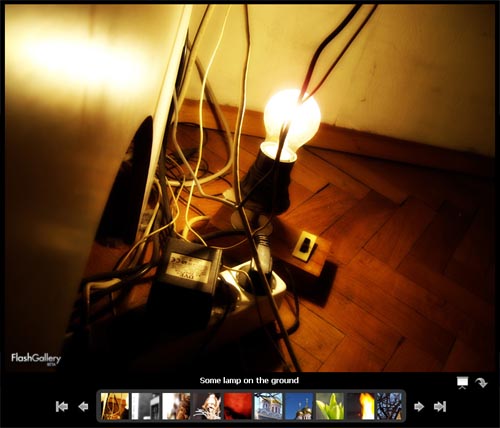
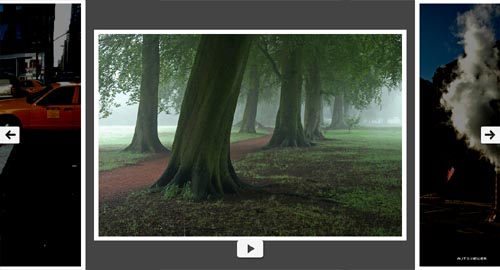
Picturesurf Gallery is a free WordPress plugin that allows you to add an image gallery to your blog post in seconds and doubles your ad impressions on average by displaying each image in a separate page—each page shows additional ads.
It was built with SEO considerations in mind. It is compatible with all major RSS feed readers as all JavaScript and Flash galleries disappear; this allows you to monetize RSS subscribers who would otherwise never visit your blog because clicking on a thumbnail takes them to your blog.
You can:
- Double your ad impressions (blogs only)
Separate pages for each image increases pageviews - Eliminate the hassle
Drag and drop editing (no coding) - Maximize your traffic
Image sharing and SEO
11 Premium But Free And Useful Web Apps For Designers
In past, we have listed various free web apps that are really useful for any one of you and specially for designers. Today, we are listing 11 Premium But Free Web Apps For Designers that are not only for designers and every one of you will probably love to use. Whether you are designer, developer, office worker, manager, supervisor, student, home user, etc. But we make sure to add something interesting for everyone. Most of them are not very well-known, but they are really amazing in respect to their features and functionality. Just take a look at them and share your thought here.
You are welcome if you know and want to share more free web apps that are really simple but useful and our readers/viewers may like. Do you want to be the first one to know the latest happenings at SmashingApps.com just subscribe to our rss feed and you can follow us on twitter as well.
Create A Free Flash Website, Free MySpace Layouts & Flash MySpace Layouts
With Wix you can create a free website or make free MySpace layouts and Flash MySpace layouts. It’s the simpler, faster, better way to build & design on the web.
Online Invoicing, Time Tracking And Expense Service
FreshBooks is an online invoicing and time tracking service that saves you time and makes you look professional.
An Ultimate Stop For Free Online Surveys
Free survey software for online surveys, web surveys, email surveys. Free Online survey software for customer satisfaction surveys, employee satisfaction surveys, market research surveys.
Makes Decisions Faster And Easier For Businesses
Zapproved is a lightweight Web tool that makes group decision-making faster, easier and more accountable. It is a unique solution that introduces peer-to-peer and organizational techniques to improve the process of building consensus.
Free File Hosting For MP3, Videos, DocumentsÂ
FileDropper’s beauty is in its simplicity. It has one click file hosting where you simply click on the upload button and select your file. After the file is uploaded you are taken to the page where the file is hosted. If the file is an image, it shows the image directly on the page for easier sharing. Upload size is an impressive 5 GB.
Project Management Meets CRM For Serious Business
JobBlogs is a collaborative workspace application tailored to work out universal team challenges – contacts, projects, plans, activities, tasks, schedules, organize them in no time and track them during the work flow.
Easy, Open, Affordable Web Conferences
DimDim is a free web conferencing service where you can share your desktop, show slides, collaborate, chat, talk and broadcast via webcam with absolutely no download required for attendees.
Website Analytics, Realtime Web Stats And Web Counter
W3Counter is your free, hosted website analytics solution for answering the key questions about your website: who’s your audience, how they find your site, and what interests them.
Code Collaboration For Web Developers
Springloops is a unique source code management tool focused on web development teams. It allows you to code in parallel and share your code safely concentrated on results, not on lost changes or overwritten files.
Sending Large Files Has Never Been Easier!

Filemail is a great free solution to send large size files to anyone. You can send upto 2gb size files with filemail. You will just need upload one or multiple files you want to send to the filemail. Files are encrypted on the servers using a 128bit AES algorithm to ensure security and privacy.
RescueTime is time management software that helps individuals and businesses understand how they spend their time, and provides tools to help them spend it more productively.
13 Free Picture Sharing And Image Bookmarking Websites
However you are a designer or developer or technology expert or a regular computer user, you most of the time want to bookmark images you found over the internet for better access in future. This is the post where we are listing out few great free photo sharing and image hosting services, this is an exclusive post for our those readers who want to upload, share or bookmark their photos. But our other readers will also enjoy this post. Don’t forget to bookmark this post for your future reference. This is absolutely a great list of 13 Free Picture Sharing And Image Bookmarking Websites.
You are welcome to share if you know more free picture sharing and image bookmarking websites that our readers may like. Do you want to be the first one to know the latest happenings at SmashingApps.com just subscribe to our rss feed.
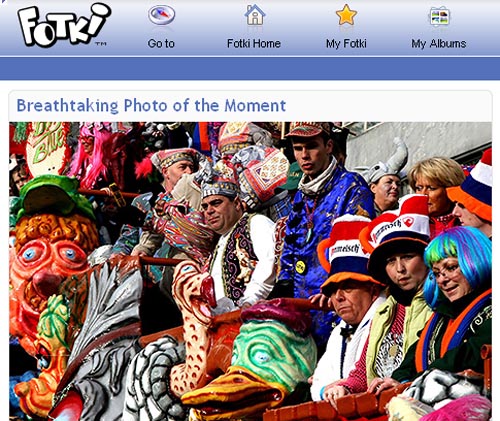
Fotki is a free service for sharing your photos online with friends & family. This is one of the easiest way to share unlimited photos. They also offer free unlimited photo hosting for blogs.
Flickr is almost certainly the best online photo management and sharing application in the world. Show off your favorite photos and videos to the world, securely and privately show content to your friends and family, or blog the photos and videos you take with a cameraphone.
MyPicGallery allows you to share pictures from within your galleries, on forums, auctions and personal web sites. You can edit your photos, create photo galleries, share your memories and more.
ImageCave is compatible with all leading web browsers, and requires no additional software to use. Upload image files directly from your computer, or transfer images into your account from a URL from another website!
Hiboox is an easy-to-use free image hosting service for all blog or forum users. It can be used to host, modify and share pics with friends using any imaginable means.
With Smiling Moments you can easily share your photos and videos by sending an invitation through this website to all of your family and friends. They can access your shared photos and videos without registering for an account and without receiving spam email.
Zooomr is a social utility for friends, family and co-workers who want to communicate securely through both photos and text messages in realtime.
Webshot allow you to Store and share 1,000 personal photos + 100 more for each month of membership. You can customize your own homepage. There is an option that you can upload on the go from your mobile phone as well.
Slide is a free photo sharing, image hosting, photo slide show maker. You can also use this service with MySpace, Hi5, Orkut, Beebo, Facebook and more…
TinyPic is a photo and video sharing service that lets you easily upload, link, and share your images and videos on MySpace, eBay, Orkut Scrapbooks, blogs, and message boards.
Your free Snapfish account gets you online digital photo printing, free online photo albums, free digital photo sharing services, and fun with photo.
Woophy stands for WOrld Of PHotographY, a website founded by a Dutch collective of photo aficionados and internet designers who believe navigation on internet can be more visual, logical and associative.

This is the fast and easy photo sharing from Google. You can share your photos with friends and family, or explore public photos.