Contact us for Sponsored Post or to Promote your Services or Products here.
Click here to buy secure, speedy, and reliable Web hosting, Cloud hosting, Agency hosting, VPS hosting, Website builder, Business email, Reach email marketing at 20% discount from our Gold Partner Hostinger. You can also read 12 Top Reasons to Choose Hostinger’s Best Web Hosting.
Streaming music online lets us listen to any song without having anything stored on our computer. Moreover since the procedure takes place in our browser, it does not depend on our operating system so any OS user can stream music online.
One wonderful online music streaming website is Grooveshark. Visitors can quickly create an account (although an account is not necessary to start streaming music), then go on and create their playlist. Playlists are played within the built-in player of Grooveshark.
You are welcome if you want to share more Chrome Extensions To Enhance Grooveshark Music Listening Experience of our readers/viewers. Do you want to be the first one to know the latest happenings at smashingApps.com just subscribe to our rss feed and you can follow us on twitter , follow us on Google Buzz and do not forget to become our fan on facebook as well
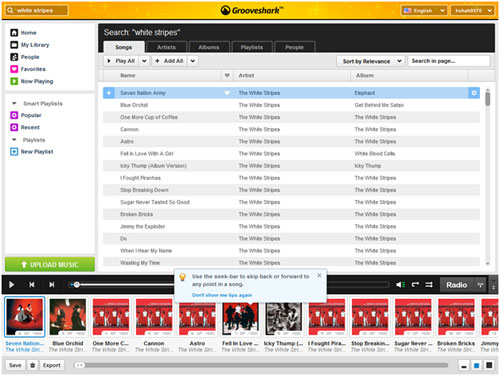
My default web browser is Google Chrome and while using Grooveshark on it, I came across 3 wonderful Chrome extensions that enhanced my overall experience on Grooveshark. For the benefit of all my Chrome using readers (who are also Grooveshark fans), I am going to share these wonderful extension. Read about and install each one; they all serve an important purpose.
(Ad)


Grooveshark offers paid and free plans to its users. Free accountholders are shown ads in their Grooveshark interface – something which is quite distracting and bothersome to some users. This Chrome extension does exactly what its name suggests: it removes those ads. What I liked most about Ads-free Grooveshark that there were no options to set up; the ads simply disappeared once I started installed the extension.
Click here to get Ads-free Grooveshark.
2. ChromeShark

ChromeShark is another Chrome extension that neatly complements the Grooveshark experience in Chrome. It places an icon in our address bar which, when clicked, shows us very basic audio player controls. These controls include previous song, play/pause, next song, and stop.
Click here to get ChromeShark.
3. keySharky

While we have the Grooveshark’s player open, we can use keyboard shortcuts which let us control the player like any other audio player. These hotkey shortcuts are introduced by keySharky. The extension lets us change the default hotkey combinations in its options.
Using all these 3 extensions on your Chrome will surely enhance your Grooveshark experience.