Contact us for Sponsored Post or to Promote your Services or Products here.
Click here to buy secure, speedy, and reliable Web hosting, Cloud hosting, Agency hosting, VPS hosting, Website builder, Business email, Reach email marketing at 20% discount from our Gold Partner Hostinger. You can also read 12 Top Reasons to Choose Hostinger’s Best Web Hosting.
I often point out how I own multiple social media accounts. Not only do I own multiple (many) social media accounts but I also own accounts on numerous websites. As a professional blogger I have reviewed many websites (I have lost count of exactly how many websites) and sometimes I need to create an account on the site to test it. When I like what the site has to offer, I keep the account active and use it every now and then.
People like me who own so many accounts face problems when it comes to password management. Keeping the same password for all our accounts is a terrible practice and should not be followed. But having differing password is not always easy to remember. Various password managers let us store our password on our computer but this means that we cannot have access to our passwords from another computer. Therefore online password managers are the best ones to go with.

One such competent online password manager is Mitto.
Mitto’s aim is to be the most secure and feature-rich free online password manager. Their password keeper is designed with a full range of features that make it easy to access all of your important password-protected sites while protecting your security from hackers and other dangerous online predators.
After signing up on Mitto, you receive an email which contains the code to activate your Mitto account. Once our email has been activated, we proceed to select the services which Mitto will be managing our passwords for.
(Ad)

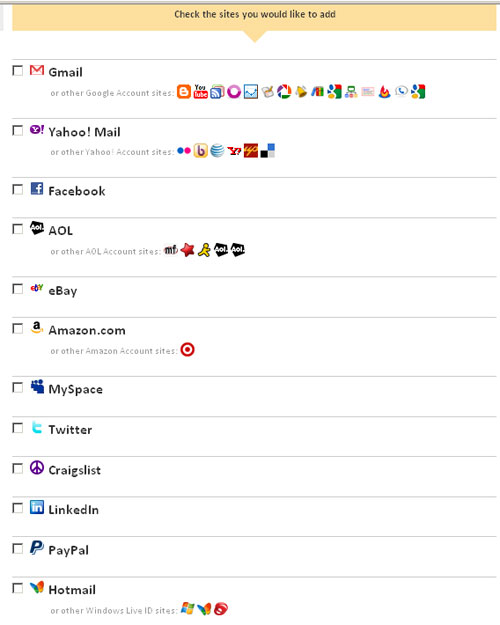
We are then taken to the dashboard where we can see our added site on the left pane.

(In the image above, you can see that I only added a Twitter account.)
Mitto even has a bookmarklet that gives us an accessible button with which we can easily add a service to be managed to Mitto.
Check out this official mitto video to know more:
Anybody who has troubles managing multiple passwords will find Mitto to be user friendly and extremely helpful. Give this wonderful online password manager a try and let us know what you think.