Archive for April, 2010

Changing Various Display Resolutions Is Just A Click Away With Hotkey Resolution Changer

Netbooks have tiny screens. Often there are websites and dialogue boxes which do not entirely fit into the resolution I have set. For a better view I change the screen resolution for that particular website or dialogue box; once my task has been completed I roll back my resolution to its previous state.

I change my screen resolution using Windows settings. A considerable amount of time is spent on each resolution change. Tired of all the back and forth resolution settings, I decided to search the web and find something that would provide a better way to shift between screen resolutions. Hotkey Resolution Changer is where I ended my search – it was exactly what I was looking for.

HRC (Hotkey Resolution Changer) is nearly a 400KB downloadable application that works on Windows operating systems. No installation is required. All a user has to do is run the EXE file after extracting it from the downloaded archive. The application sits silently in the System Tray.

Image

Here is what the window of HRC looks like when restored:

resolution

The interface is simple enough. By default, we have two sets of screen resolutions we can define. Along with the resolution dimensions of our screen, we can also specify the color bits and our monitor’s refresh rate. Then we can assign each resolution scheme a hotkey which will assign our screen that particular resolution. More than two resolutions can also be set by changing the options where it says “Select number of HotKeys.”

HRC is a wonderful application that will serve Laptop owners and computer gamers perfectly.

Beautifully Captured Impressive Photographs Dedicated To Labour Day

International Workers’ Day or Labour Day is a celebration of the social and economic achievements of the international labor movement. This is celebrated as a national holiday in most of the countries on 1st May (except USA, Canada, UK and some other countries) and that’s why its popular as a May Day too. This day commonly sees organized street demonstrations and street marches by millions of working people and their labour unions throughout most of the countries of the world.  We thought to give some tribute to this day and selected few really beautiful photographs that captured their hard-work in a single shot. I appreciate to all those talented photographers who taken these excellent photos with their efforts, imaginations and creativity to give us a chance to see these photographic wonders from their creative eyes. This list is not long in numbers but I promise you that when you start browsing these in detail it will surely refresh you and force you to know more about Labour Day and motivate you to give them some respect as much as possible. These are the wonder creations of photographers who use their creativity with a different angle and approach to get the result that makes a difference.

You are welcome if you want to share more creative photography that our readers/viewers may like. Do you want to be the first one to know the latest happenings at SmashingApps.com just subscribe to our rss feed and you can follow us on twitter and do not forget to become our fan on facebook as well. You can click on the image to see its larger version and to go from where the images has been taken. Click on the images to go from where the images has been taken and learn more about their creators and to appreciate them.

Coal mine workers, minus (below sea level) 485 meter underground by Yavuz Sariyildiz

Hagalat kelim by Sasson haviv

Team Work by Hamry Wabula

Saltmine by simondeg

Ceramics maker by Thaib Chaidar

Workers on leary way by sparth

Fish Market by Antonio Grambone

The yak man by chavi

Master Of Puppet by Ario Wibisono

Hell’s mercenaries by Sorin onisor

Hand Made by ATK

Stannic by Utku temel

Sound of the craftsman by Takashi

The Glassblower by Stefan Nielsen

Sewing worker by Robert

Knitting by Ali noohi

Sand Collector by Mitchell Kanashkevich

Congratulations To The Winners Of SWF & FLV Player PRO

Thanks to all of the participants of contest in which you could Take A Chance To Win Personal License Of SWF & FLV Player PRO. We ran the MySql random query and selected these commenter to give them Single User licenses of SWF & FLV Player.

  1. Patrick Thomas
  2. FishFearMe
  3. Nick Chan
  4. Sirsly
  5. mlweg3
  6. Josh
  7. Pawel
  8. Anton
  9. Charles Boudinot
  10. Allan Ogg

SWF & FLV Player PRO is a smart Flash Player, enriched with numerous options and controls for viewing and managing Flash movies and videos. One of the main benefits of SWF & FLV Player PRO is the ability to save Flash Animation from the web directly to your computer. So if you want to download and save your favorite videos from such sites as Youtube, Matacafe, Google Video or other, SWF & FLV Player by Eltima is just what you need.

SWF-FLV-Player-screenshot1

More than that, with SWF & FLV Player PRO you can make a screenshot of the favorite moment and even convert the whole movie into the series of screenshots.

SWF-FLV-Player-screenshot2

Last but not least, SWF & FLV Player PRO allows playback of SWF/FLV files in full-screen mode and feel yourself at cinema while being at home with your cup of coffee.

Congratulations to all the winners from SmashingApps.Com. All of the winners will be contacted. If you are not winner at this time so please be patient and keep visiting here or subscribe to our rss feed, you can follow us on twitter and do not forget to become our fan on facebook as well. because we are coming up with another new great contest earlier next week.

Thanks to Eltima Software for sponsoring this wonderful contest at Smashing Apps.

If you want to conduct any contest at Smashing Apps just contact us and send us all the details.

Easily Make Collaborative Notes And Share With Various Social Media Sites With Sync.in

Before online collaboration was more widely known, it might have seemed impossible for people who were far away from each to work as a group on a project. This ‘impossibility’ however was immediately done away with thanks to online collaboration.

In case you do not know what the term means, online collaboration is a group of individuals working on the same file or document online. Everybody makes changes and edits to the documents and these changes can be viewed by other group members. Currently countless websites offer this service. One such website is Sync.in.

syncin

Sync.in provides its users with a canvas to write whatever text they desire. This text, as I mentioned earlier, can viewed and modified by other group members.

For the free plan, click on the green button located on Sync.in’s homepage.

You will be redirected to the mentioned canvas where you can type whatever you want.

syncin1

The text can be edited by using buttons located on top (bold, italic, underlined, and strike through). We can also choose to enter bullet points, indented text, and assign different colors to the edits made by each group member.

Group members can be added to view and edit our note by clicking on the green button in the top right. This button will open up a new window where we can invite contacts using their email address or our social media accounts.

syncin2

In addition to all this, we can export our note to a file which can be saved on our computer.

syncin3

Sync.in also has a desktop application which makes things a lot easier by saving time of the regular Sync.in user.

Give Sync.in a try and let me know what you think. Click here to visit Sync.in homepage.

Green Web Hosting – An Eco-Friendly Alternative

Wikipedia defines green web hosting as “a recent addition to the field of website hosting which involves a given website hosting company attempting to prove that they are not having any negative impact on the environment in an attempt to attract consumers.

It is the latest trend in the web hosting industry that involves the use of eco-friendly methods to avoid losing valuable resources and to protect the environment from further destruction.

Why it is Necessary to Go Green

The effects of global warming are already upon us, and the impact is overwhelming because most people have not been very conscious about the environment. If we do not take the necessary steps now in order to protect and save whatever is left on the planet, we and the future generations will have to deal with the devastating effects that climate change could bring.

So what makes web hosting “green”? Unlike typical web hosting, green web hosting takes steps that help web hosting companies in reducing the negative impact to the environment. They can use energy-efficient servers, plant a tree on behalf of a client or for every hosting plan sold or run servers and data centers using alternative energy sources. If the web hosting companies make use of renewable energy sources, this will make a huge difference in the world.

Web hosting companies may charge more for green web hosting, but when you really think about it, you are doing something great for the planet so it’s worth paying the extra money. There are many companies that offer affordable web hosting with reduced impact to the environment.

It is good to know that people are now pushing for a greener world. Different businesses and organizations are spreading the word that now is the time to take an active part in saving the planet. Since the World Wide Web reaches a large audience, it is an ideal avenue for increasing awareness on the harmful effects of global warming and the steps that we can take in order to reduce the impact. In the web hosting industry, companies are playing their part and are slowly becoming aware of the importance of going green. The simple act of having green web hosting is one of the many things that a site owner can do to show support in the environmental efforts. For web hosting companies, one way to join this noble cause is to get Renewable Energy Certificates (RECs). Also called Renewable Energy Credits or green tags, these are non-tangible commodities that can be sold and traded, serving as proof that you have purchased renewable energy. Another way is to generate power directly from renewable sources such as wind and solar.

These are just some of the many web hosting companies which have gone green in an attempt to minimize environmental impact:

Servers

The Future of Green Web Hosting

The number of websites continues to grow by the minute, and it shows no signs of stopping. Just imagine how much electricity web hosting companies use to run servers and data centers day and night. This is detrimental to the earth’s atmosphere. There’s no better time than now to act and do everything we can to minimize the harmful effects. Green web hosting involves the use of natural resources instead of electricity to run websites. This practice will do wonders in safeguarding the environment. Going green may be a bit more expensive than the typical web hosting package, but just bear in mind that by setting up your site with green web hosting, you are contributing to the efforts of protecting our planet.

Locate Your Lost Android Phone With iTag

Today’s cellphones are mini-computers which perform a plethora of functions for us. Not only do they let us send/receive messages and calls, but also take pictures, shoot videos, and use countless applications. These smartphone are the machines of today and make life convenient for us.

With all these features usually comes a hefty price tag, normally well worth the device. But if we lose our expensive cellphone, the price we pay for it is completely gone to waste. More than a loss of money, losing our phone means losing our contacts, pictures, videos, and all sorts of important data we have stored in it. There are few tools that can help us in the situation of a lost phone.

One such tool is iTag.

itag

iTag is a free website that gives users ways to locate their lost phone. We start by entering the phone number of our lost phone in the provided field at iTag’s homepage.

Code

Then we proceed to create our iTag account with the phone number we entered.

When we lose our phone we can log in to iTag with our unique password and view the geographical location of our phone. If our phone has been stolen and the thief has put another SIM card in the phone, the new number can be found on the web site to give to the police. You are also given the option to remove all information on the phone if you are unable to recover it. Other features of iTag let users make their phone ring from the iTag website, lock the phone’s keys, and back up their phone data.

Contrary to what the name suggests, iTag does not support iPhones. Currently only Android phones are supported. Nonetheless, the tool is very impressive for a free website and should be bookmarked and used by all Android phone owners.

Via [LifeHacker]

Music Lover?? Try Pandora On Your Blackberry

Pandora is your very own FREE personalized radio which streams music on your BlackBerry. A latest version of Pandora 1.1.3.3 for Blackberry is now available, and supported by many famous carriers like AT&T, Nextel, Sprint, T-Mobile, Verizon and etc. Unfortunately the only supported country is United State.
Pandora will ask you to enter the name of your favorite song or artist’s name and then Pandora creates a radio station that explores just that kind of music, Pandora plays all of your current and old favorites and it also introduces you to new sound tracks you may love. You can rate songs as you listen to them because Pandora caters your radio stations to your tastes and select the play list on your feedback. If you have Blackberry phone and you are a music lover then you must try this app, you can download this app from here.


blackberry_menublackberry_stations

You will need BlackBerry smartphone operating system 4.3.0 or higher version in order to download and run this app. If you are able to download and run this app then please let us know about your experience with this app in our comment box.

Download & Install All Your Applications In One Go

I recently reinstalled Windows Vista on my desktop machine. After Vista’s installation, I realized that the toughest part about any operating system installation is individually downloading and installation our favorite applications. The number of my most-used applications was big; therefore I ended up spending quite some time downloading and installing my applications.

All that time I spent on downloading and installation, I could have saved if I had known about AllMyApps.

Main

AllMyApps is a free website which provides its visitors with a unique and wonderful feature. It lets us select and batch download our favorite applications. The list is quite comprehensive. Selections can be made based on the operating system we use. Supported operating systems are different versions of Windows and Linux. This ensures that we download the right application for our system.

categ0ries

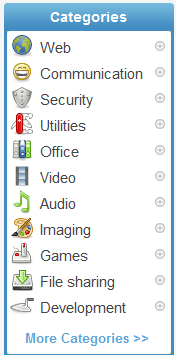
Within each list of operating system, the applications are categorized according to their field (Office, Video, Audio, etc.) that makes finding our desired application much easier.

Options

Once we select our applications, we click on the button located at the bottom to get the website’s own installer. This installer automatically downloads and even installs our selected applications on our system. Our work is not interrupted while the installation goes on. For each program, the default options are checked and we are not prompted for any responses.

We are told when all our applications have successfully installed.

In this simple way, AllMyApps helps users save a huge amount of time by automatically downloading and installing our applications. All we do is select which applications to install.

Give this free service a try and let me know what you think.

Click here to visit AllMyApps.

Keep Track On Your Daily Life Activities, Money, Business And Traveling With 1DayLater

Productivity equals success and any successful person will tell you that the key to productivity is taking measured steps. We should carefully monitor our activities according to the time and money we spend on them. After making our observations, their analysis will reveal which activities our resources are being concentrated on; having this information at hand can lead to better decision making and ultimately an improved lifestyle.

All of this simply cannot be done using a physical diary. A computer is the best way to go. More specifically, 1DayLater is what you should use.

1daylater

1DayLater is a free website that lets users enter tasks and enter the value of those tasks either in time units, money, or distance units. Once we have all our tasks fed into our 1DayLater account, we can view graphs of our activities and vary the graph parameters to see what our time/money/distance is being concentrated on.

Using the site requires signing up for a free account. This is how the dashboard looks like on first usage:

1daylater1

We can start logging our activities right away by entering the name of the activity in the project/client field, adding notes to it, and adding its value.

1daylater2

The value field might be a little puzzling for some users. Entering the time or money might not be as confusing as entering the distance value. Suppose you are going to drive your car for a particular activity; you can set the activities value in terms of the distance your car will be travelling. This will help you keep track of the distance travelled by your car and help you with any mileage claims.

After filling out the fields, we click on the GO button to the right. The activity is then added to our log of activities at the bottom of our dashboard.

1daylater3

Once we have a sufficient number of activities logged, we can scroll further down in our dashboard and view the four main tabs located there. The Analysis tab is what plot our activity stats in graphically and shows them to us.

1daylater4

The Export tab exports our activities to an Excel spreadsheet which we can download.

Overall, 1DayLater is a great idea and an option every computer user should explore.

Click here to visit 1DayLater’s homepage and be sure to share your experience with us :)

10 Must-Have Web Apps Every Internet User Would Love To Know

This is one of the very best list of its kind where you can find incredibly useful and life saver FREE web apps that you probably never heard of and these would be great enough to bookmark or just for get in your knowledge. I hope everyone of you will like this list, you can try these whether you are an office worker, a manager, a supervisor, a student, a home user, etc.These are really amazing in respect to their features. This is the list of 10 Must-Have Web Apps Every Internet User Would Love to Know. Just take a look at them and share your thought’s here.

You are welcome if you want to share more useful web apps that our readers/viewers may like. Do you want to be the first one to know the latest happenings at  smashingApps.com just subscribe to our rss feed and you can follow us on twitter , follow us on Google Buzz and do not forget to become our fan on facebook as well.

VUVOX

VUVOX is an easy to use production and instant sharing service that allows you to mix, create and blend your personal media – video, photos and music into rich personal expressions. Whether you’re a photojournalist, photoblogger, or a student who wants to share your world. COLLAGE will become your multimedia expression space.

SendPhotos

Avanquest SendPhotos is the unique new way to save and share your photos online. With Avanquest SendPhotos Mobile, Web, Mac & PC you can upload photos, edit them, create photos albums and share them online with whoever you want. And Avanquest SendPhotos Mobile is the only cell phone application available on Android, iPhone and Blackberry plus many other leading phones.

WobZIP

WobZIP is a free online tool that allows you to uncompress your files online. With this app, you can unzip your files in school, at work or anywhere as long as you have access to the Internet. No longer will you be limited by the inability to install programs onto admin-protected computers. They scan your compressed files using an anti-virus scanner so any infected files will be removed before you download them onto your computer.

Mitto

mitto2

Mitto’s aim is to be the most secure and feature-rich free online password manager. Their password keeper is designed with a full range of features that make it easy to access all of your important password-protected sites while protecting your security from hackers and other dangerous online predators.

Prompt Online Translator

This is an online translation service from PROMT, a leading machine translation product and solution provider. Online-Translation.com provides automated translation online to and from the major European languages. The service uses the unique linguistic technologies developed by PROMT to deliver high-quality translations to businesses and individuals around the world.

KartMe

Kartme

KartMe is a wonderful social media site that lets users sign up for an account and create containers. These containers are called Karts and can store 3 types of things: web addresses, products, and places. This is an intelligent way for users to share a variety of material.

Web Page to PDF

Web2PDF Converter helps Internet users, website publishers and bloggers to save their content to PDF and then share, print or archive it. Web2PDF Converter is fast, powerful and easy to install.

Weblist

weblist3

This tool is Weblist and it can help share online content more conveniently. Normally when we share multiple links related to the same subject we create a list post and type in details about each link. But with Weblist, the entire process changes and becomes easier.

Create a Password

Create a Password is the memorable password generator. This will help you to create a better long sequence passwords.

Needtomeet

Needtomeet is a simple tool that helps you effortlessly find a time to meet. Meetings can be created in just two simple steps. There is no need to register for an account or provide any information not pertinent to the task.